|
| Group |
Round |
C/R |
Comment |
Date |
Image |
| 78 |
Dec 18 |
Reply |
Thanks Dave for the excellent ideas which were indeed helpful, and glad you enjoyed experimenting with this one.
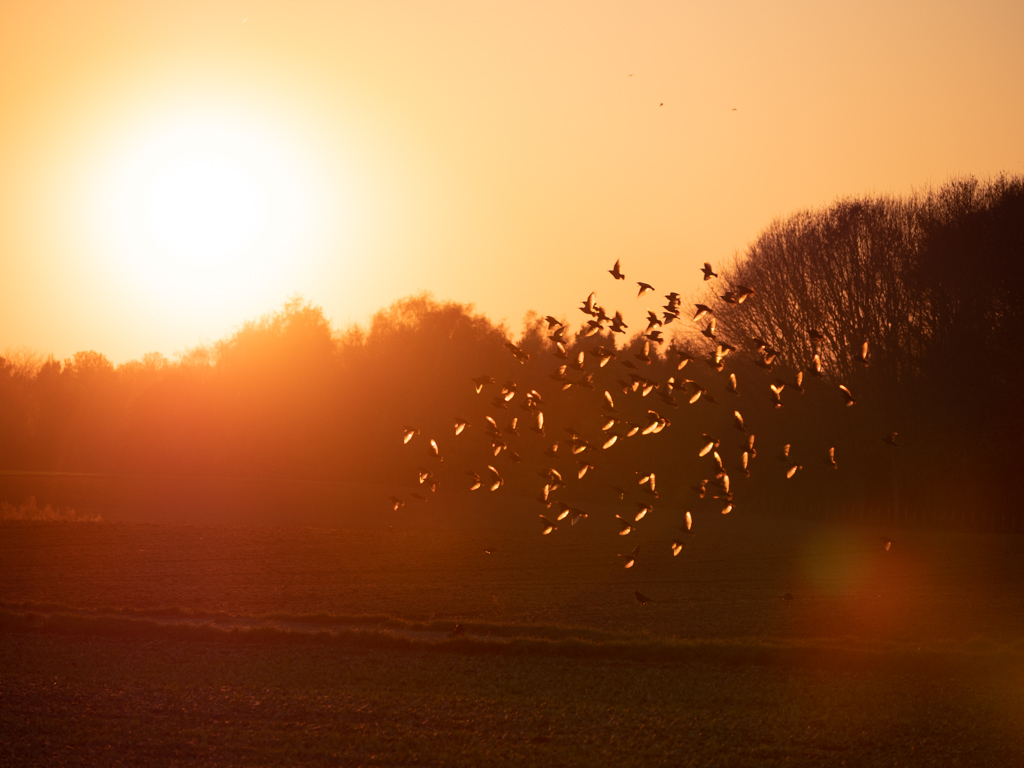
I think the extra birds add a nice shape element to the flock.
I am also coming around to all the feedback on the lens flare and do prefer the versions (from you and Richard) without it.
Did you do those clones in LR or PS? |
Dec 11th |
| 78 |
Dec 18 |
Reply |
This is an interesting technique. Thanks Richard!
Do you use NIK for a lot of your workflow? |
Dec 11th |
| 78 |
Dec 18 |
Reply |
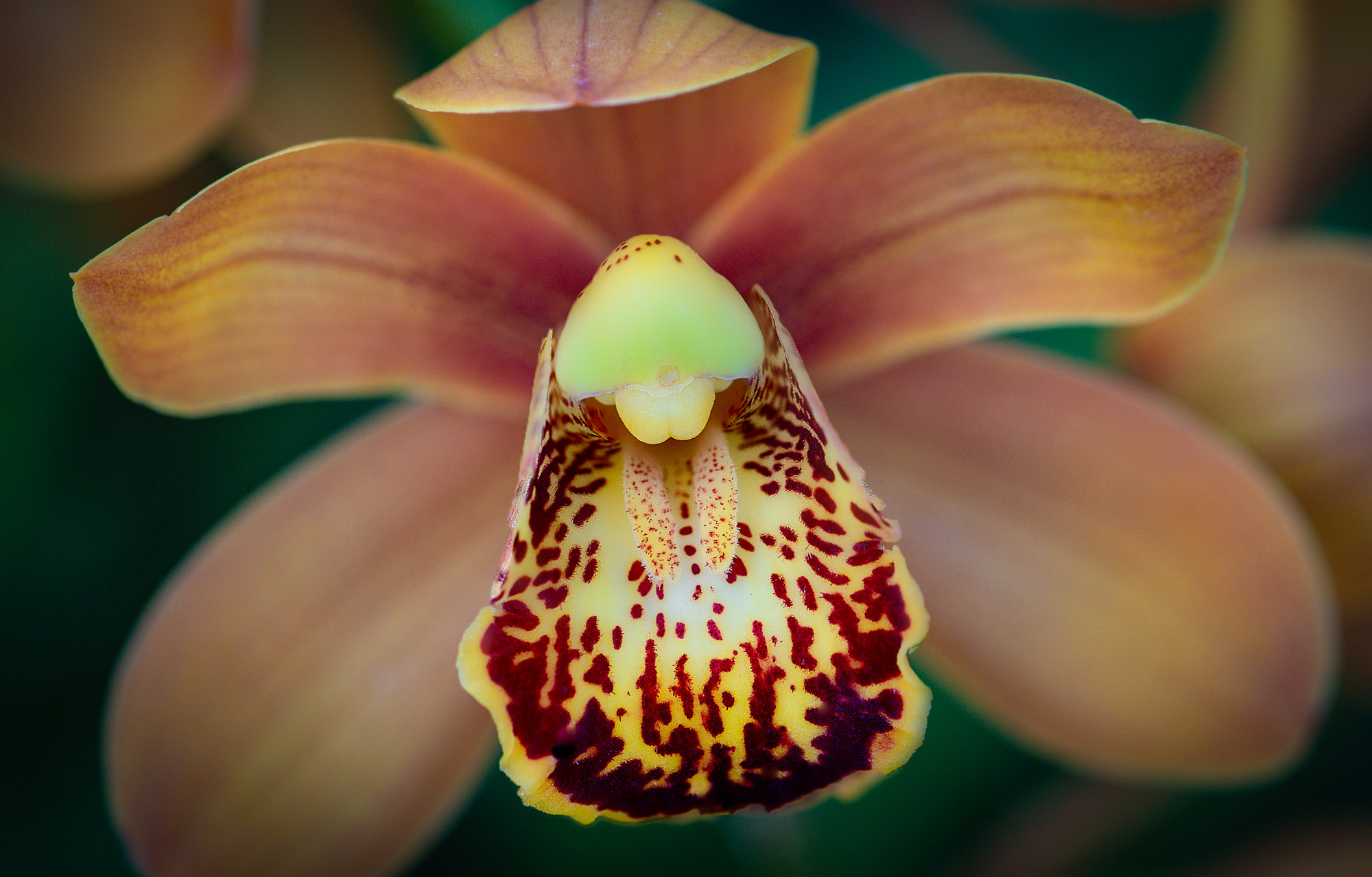
With this technique, everything is uniformly blurred in the background which is not quite right either. I liked the small variance of focus in the original background, but was thinking to just have that front section sharper.
Here's an experiment using a mask to show a top layer of all in focus for the main section, and a bottom layer of the original defocused areas for the other parts.
One other thing that I like from your original (compared to the edit) is that it is a little softer. The edit to looks a more contrasty and burned out vs. the natural softness of the petals. In that case, this version I'm posting looks weird as the front part is that contrasty version but the back part is the original soft petals.
Anyway, all just experimentation, don't know if I would pick one of the other per se, depends on what you are going for and your personal preference, |
Dec 7th |
 |
| 78 |
Dec 18 |
Reply |
I like this edit Richard. Looks clean and has a kind of soft effect as well.
What did you do to remove the flare? Lots of cloning? |
Dec 6th |
| 78 |
Dec 18 |
Reply |
Thanks Sunil
I didn't notice the small spots , good catch |
Dec 5th |
| 78 |
Dec 18 |
Reply |
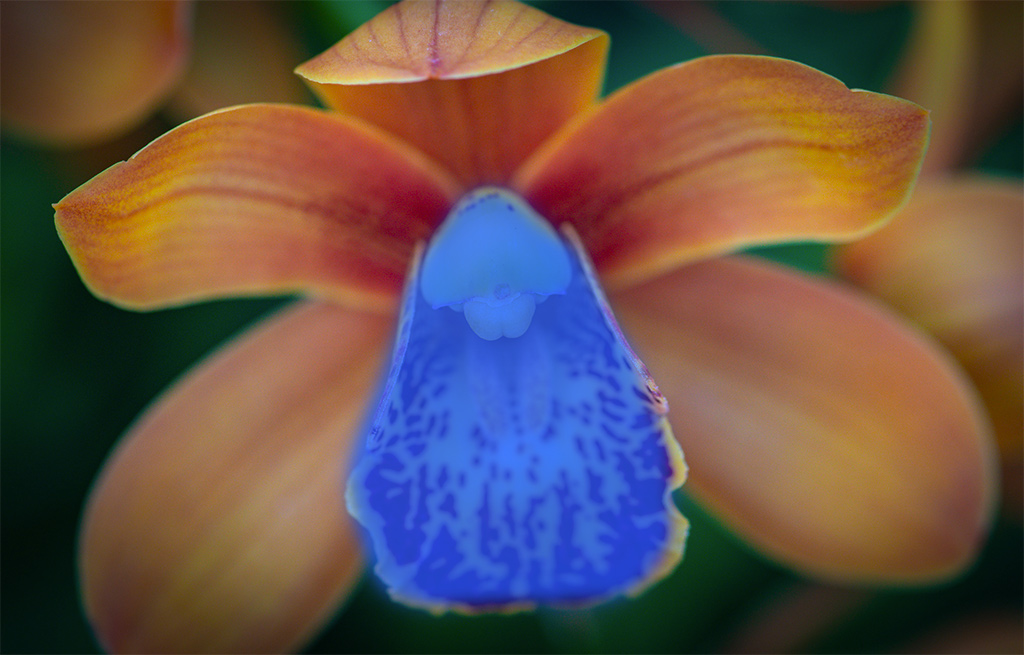
I was envisioning this area in focus - if that is possible with the stacking options. |
Dec 5th |
 |
| 78 |
Dec 18 |
Reply |
One feature on some newer cameras which is kind of fun is to do focus stacking in the camera. I have it on my Panasonic G9 though I don't use it so often as it requires a tripod.
But basically you can take a photo and either select the exact areas you want in focus, or make everything in focus and the camera shoots a bunch of images going through every single focus range and then combines them together to make a single image.
I imagine more camera makers will add this in the future.
|
Dec 4th |
| 78 |
Dec 18 |
Reply |
Thanks Alan. I appreciate your feedback and trying the edits...
I think it is a good exercise to do your own edits on other people's photos to see how you might change things (and helps to learn what may or may not work in the process). |
Dec 4th |
| 78 |
Dec 18 |
Reply |
Thanks Brenda. Here's a version with some of your ideas which I think make some improvements. |
Dec 4th |
 |
| 78 |
Dec 18 |
Reply |
I think this looks good Alan |
Dec 4th |
| 78 |
Dec 18 |
Comment |
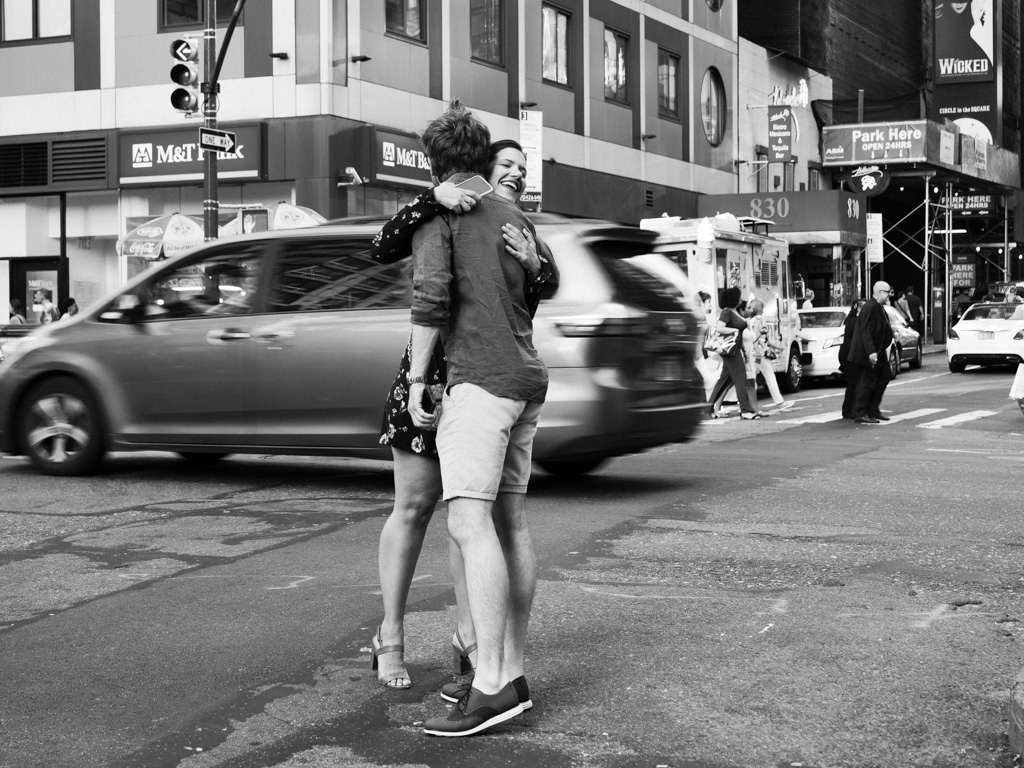
I think your edits and frame do add to the old timey feel of this classic scene.
For me it is a little bit of a boring image in that there is not really a whole lot going on other than the idea that we are in New York. I think it would be a good one to set the scene in a series of photos maybe, though on it's own is a little less interesting.
Maybe if you were to reshoot it, you could have waited for another car or two in the foreground to add something else to the scene. Though it is kind of distinct in the emptiness of the street as well. Or if you wanted to play around with some compositing, adding something in the sky like an old time plane might be fun or I could see a plane with a banner flying to the left of the Chrysler Building (I think that's it). |
Dec 3rd |
| 78 |
Dec 18 |
Comment |
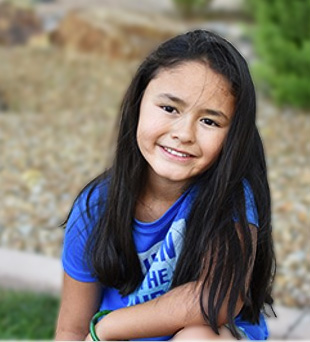
Great idea Alan to minimize the background to bring the attention to your subject. Also a really nice relaxed portrait.
One thought, instead of swapping in a totally different background, did you try cutting her out on one layer and on the layer beneath, blur the original background to deemphasize? (as well as cropping in tighter)
Here's a quick sketch using a slight Gaussian Blur on the background.
I also added a curves layer to add more contrast. |
Dec 3rd |
 |
| 78 |
Dec 18 |
Comment |
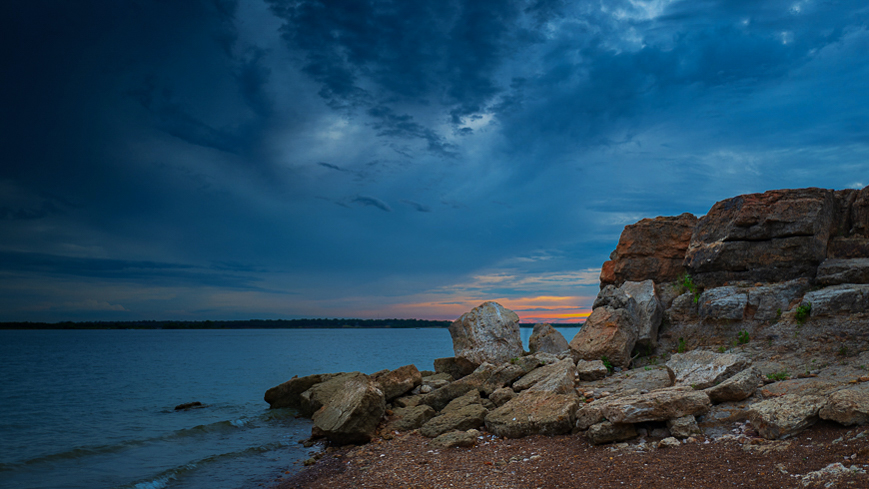
This is a pretty sky and scene which benefits from the HDR combo.
I find my eye goes to the rock in the center of the frame and gets stuck there. I think it would have been better to change your perspective slightly when this was shot, so the rock didn't bisect the horizon line. Especially given that that is where the sun and orange color is which further distracts from that somewhat.
Still, with some cropping, it could pull that out of the center and create more balance in the frame. Maybe something like this (which also crops out the sand and the plants on top of the rock which Brenda suggested were distracting). |
Dec 3rd |
 |
| 78 |
Dec 18 |
Comment |
I don't know of any hard rule for post processing grafitti, though I think it is one area where an HDR like process can work giving it a vivid painted look (push shadows, reduce highlights etc).
In this case, I don't think emphasizing the grafitti takes away from your subject too much, it might help to bring the eye into the frame on the right with the big lioness and the lead the viewer to the bright red door and woman as she walks out of the frame.
Here's a sample edit with the right side brightened and some clarity added as well (in LR). I also cropped some of the left side out to keep the interest between the right wall and woman.
On the subject itself. This looks like a great place to wait for a subject to come through. The woman in blue is a good match as well for the red door. If you could do it over again, I would have suggested trying to get her in front of the window just before the door, as she is getting a little lost in the tree. Also the point of focus does not seem to be fully on the woman, which is not ideal if that is your intended subject.
I think you had the right idea with this to both show the graffiti and the surroundings. |
Dec 3rd |
 |
| 78 |
Dec 18 |
Comment |
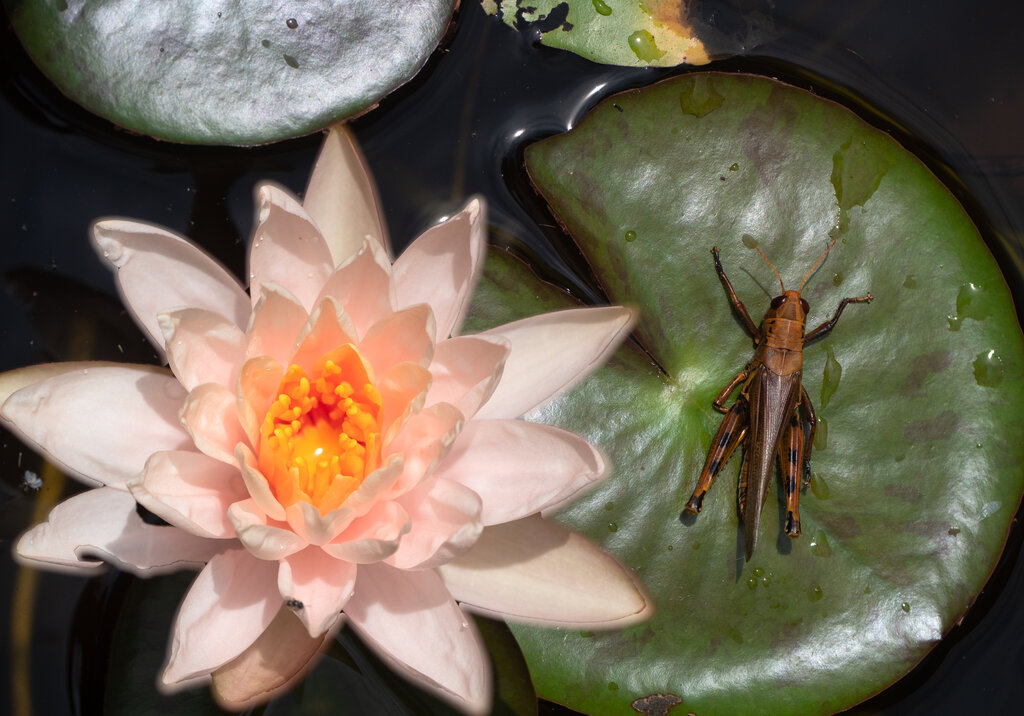
Sometimes orchids remind me of an otherworldly creature opening a mouth and sticking out it's strange and colorful tongue! With your tighter crop, it adds to that effect somewhat, drawing me deeper into the center of the flower.
I appreciate that you keep mentioning your thoughts on creating tension. It is not yet something I tend to think about but would like to consider more in my compositions. I think it does add a more dynamic quality to the image that has the potential to set it apart from similar photos.
Focus stacking is a cool technique, though in this case, I'd be interested to see a partial stack where the center and "tongue" are in focus but the other petals are still blurred into the background somewhat. |
Dec 3rd |
| 78 |
Dec 18 |
Comment |
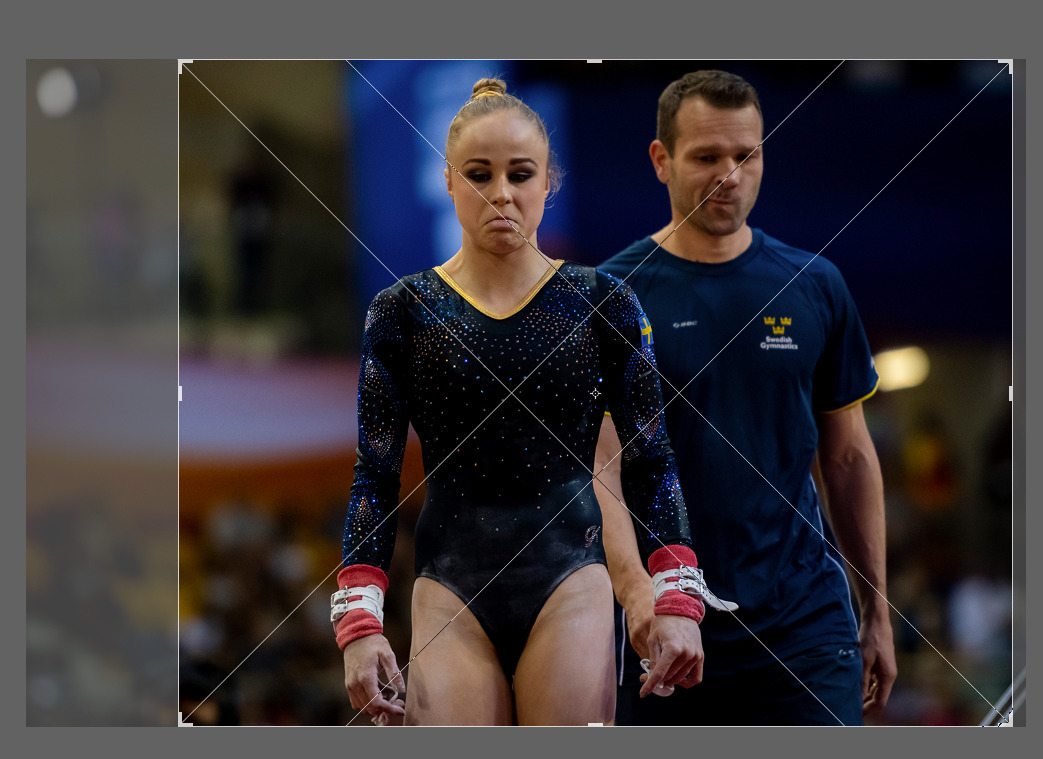
This is an interesting moment you've captured Abdo. It makes me wonder the story behind the photo. Did they get a bad score as Brenda suggested, or perhaps had a problem in their performance and this was just at the end?
I agree to remove some of the distracting elements that Brenda pointed out.
I would also suggest cropping so that the people are more centered. True that a centered subject is often frowned upon, but in this case with the two people, it seems unbalanced or a little random to me to have them positioned like this in the frame. I posted a suggested crop which brings out some nice diagonals as well.
One small critique on the focus. I can imagine shooting indoors has lighting challenges requiring that wide aperture, but in this case you lost one of your subjects as a result. May have been worth pushing the ISO to get a larger depth of field @ f5.6 (if possible) and have both subjects in focus. |
Dec 3rd |
 |
6 comments - 10 replies for Group 78
|
6 comments - 10 replies Total
|