|
| Group |
Round |
C/R |
Comment |
Date |
Image |
| 77 |
Nov 24 |
Reply |
Thanks Denise! |
Nov 24th |
| 77 |
Nov 24 |
Reply |
Hum, I don't see yelloish snow. White can be affected by many things. Nevertheless, I really enjoyed this chuckle! Thans for your comment~ |
Nov 24th |
| 77 |
Nov 24 |
Reply |
Rita, I no longer have your email, thought Denise, as facilitator has it. I did work on your finished JPG image, so I don't believe that another would be much larger. I do really like the crop that Denise did, as it mitigates the long verticle stem. I find strickly verticle and horizontal stems to detract from images. My preference is to place them at an angle, often just by rotating the camera. But, with some work, one can also move them in PS. |
Nov 16th |
| 77 |
Nov 24 |
Comment |
The crispness of this lovely flower image is impressive. That musst have happened because of the texture you added, as I was surprized that you still have such crispness after adding the Blur layer and Smudge filter. The result, however, is beautiful with the edges of each pedal well delineated. I wouldn't do anything to this image. It is just lovely. |
Nov 9th |
| 77 |
Nov 24 |
Comment |
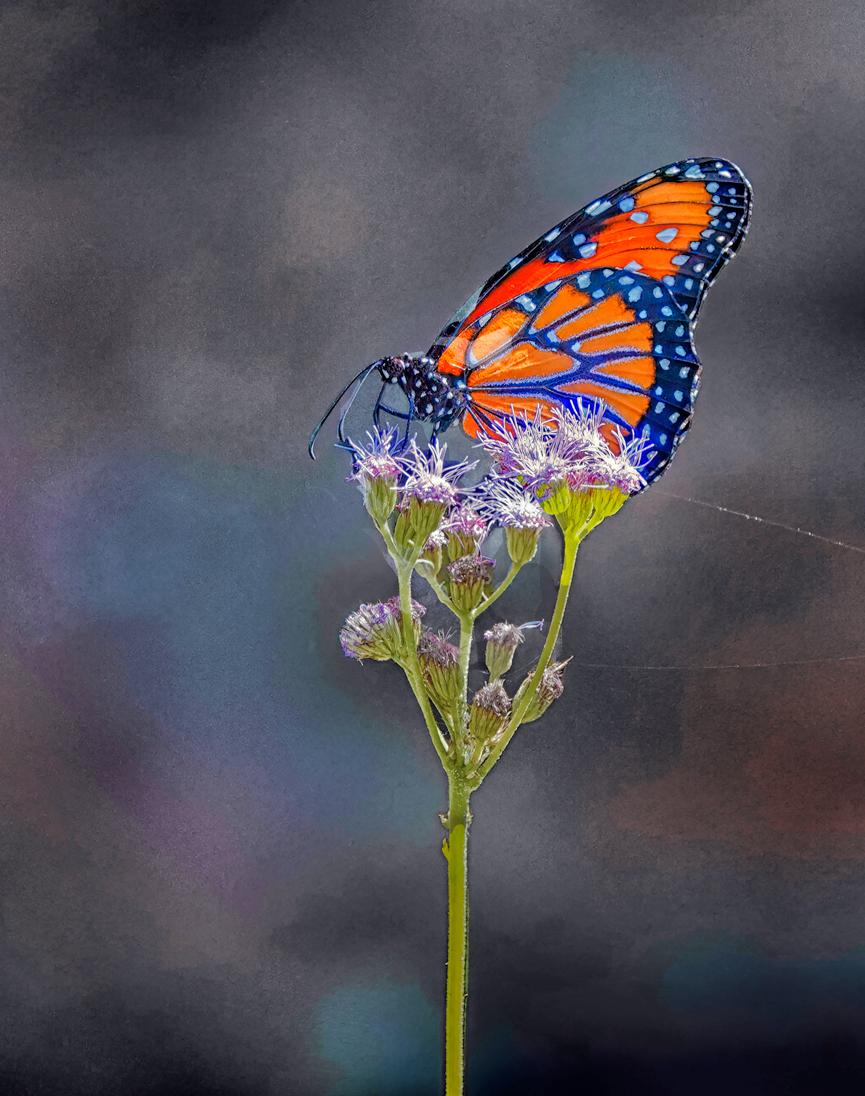
This is an excellent photo. It is hard to get such a clear image of a Monarch. They seem to take flight whenever a camera gets near!
I like the subtle color of the Monarch replicated in the background. However, to me, the subject looks pasted, especially with the darker interior background layers of the subject. I attempted to play with this to replace those areas. To me, the image would be enhanced with a slanted stem rather than a straight down stem, but I didn't want to play with that.
In my opinion, there needs to be more contrast between the background and the subject. Also, that bright yellow-green seems too bright to me So I attempted to remediate those issues.
I played a lot with this, adding and deleting layers until I got the result I wanted. Here is a summary of the major steps.
1 I selected the subject as well as the stem, and saved those selections. I used them a lot later.
2 The background needed to have more of a blue tone to contrast with the brilliant butterfly. So I used NIK Color Efex 6 with Darken/Lighten Center and Tonal Contrast plus Nik 6 Viveza. Near the end, I also added a light blue Solid Color adjustment layer to enhance those blues.
3 I loaded the stem selection and painted a darker green over the stem.
4 I loaded the subject selection and removed the dark interior of of the subject from the selection, left from the original's missed selection.
5 I selected the subject from the original, as I wanted to emphasize that sans any tweaking of the background which affected the subject. Using a mask, and the stem selection, I removed the stem from the original, so the painted stem would show through.
6 I stamped up and using the adjusted subject selection inverse, I masked out the dark remnant spots.
7 I also tweaked the image with Hue/Saturation and Brightness/Contrast adjustment layers, along the way.
|
Nov 9th |
 |
| 77 |
Nov 24 |
Comment |
You did an excellent job of bringing back Sophia's face. I'm glad that you did not smooth out those lovely freckles! Sophia certainly is beautiful. Black and white is the correct persentation for this image, in my opinion.
I found myself wishing that the background were a little lighter around her hair, as it is almost indistinquishable from the background. I understand, however, how hard it is to select such flyaway hair and your decision to blend it into the background seems appropriate.
If anyone has a suggestion on how to effectively select such flyaway hair, we surely would like to see an explaination! |
Nov 8th |
| 77 |
Nov 24 |
Comment |
This is a stunning portrait. I like the way you smoothed out her skin. The dark texture around her feet is a vast improvement over the floor of the original.
My only suggestion is that you might try increasing the opacity of the background, just a tweek, in order to make it more apparent that she is emerging from a forest. That's just a thought.
Excallent improvement on the original photo! |
Nov 8th |
| 77 |
Nov 24 |
Comment |
Jan, some of the most impacting and beautiful images come from experiementation. YOur image attracted me immediately. It is absolutely stunning, in my opinion. I love the various transitioned colors. Blending mode really excells here. The various shapes emerge with clarity and appeal. At first, I thought I was looking at a macro of a beautiful flower. But this 'flower' is your stunning creation, using some simple and availabel PS tools! |
Nov 8th |
5 comments - 3 replies for Group 77
|
5 comments - 3 replies Total
|

















































































































