|
| Group |
Round |
C/R |
Comment |
Date |
Image |
| 3 |
Jul 20 |
Reply |
Nice to hear from you, Mary Sue!
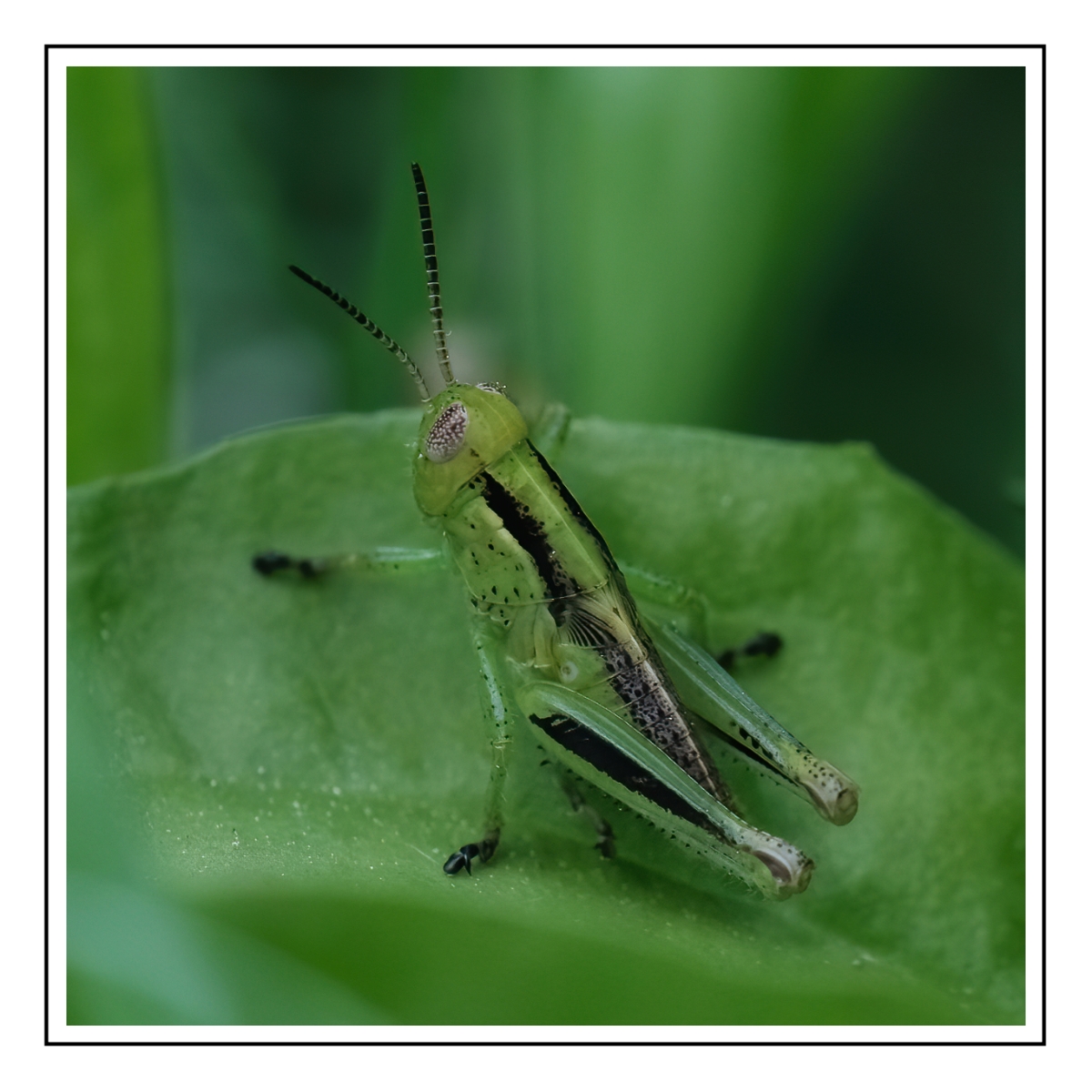
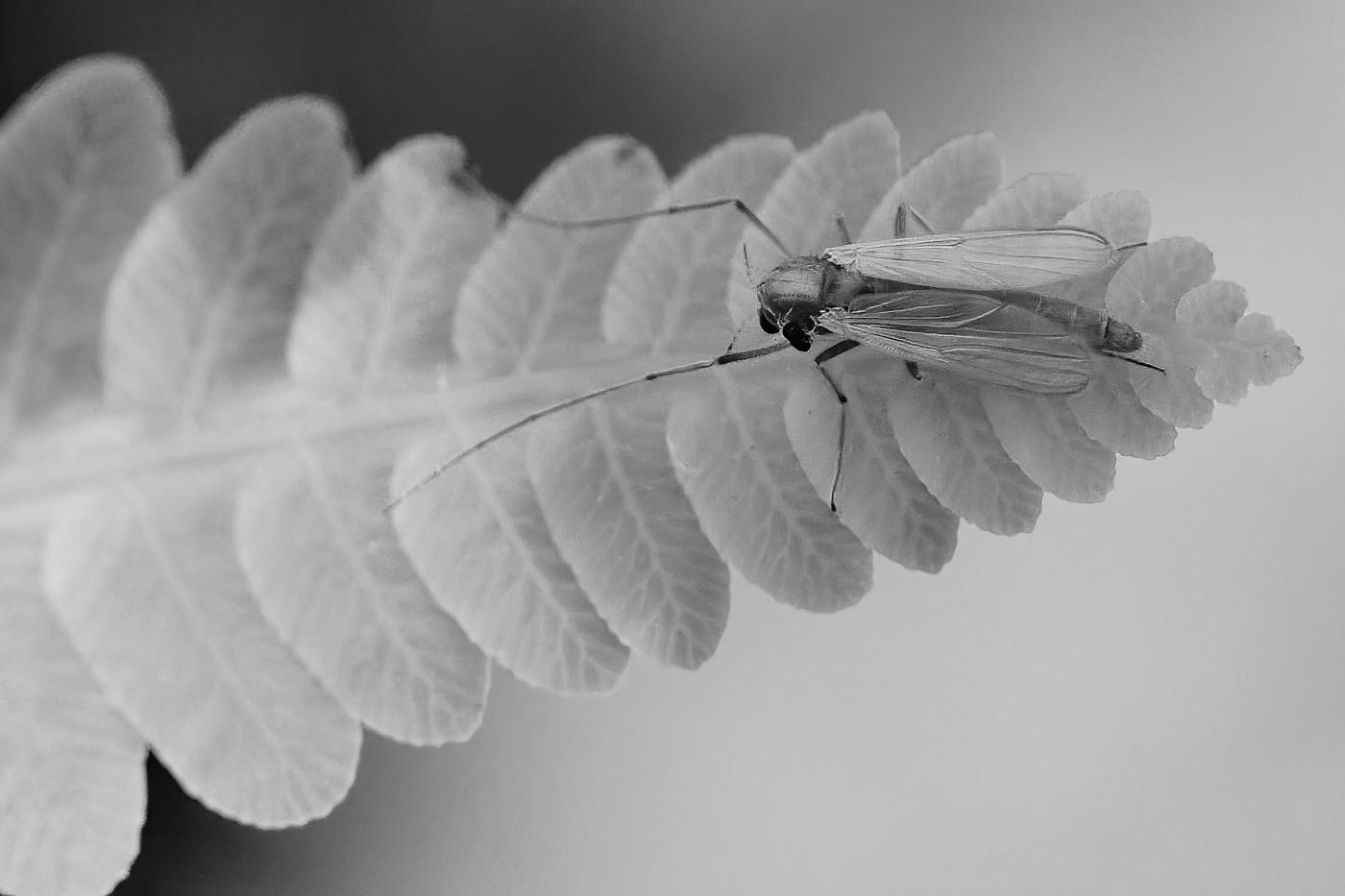
I chose to shoot my grasshopper from the side because his face was small and had nothing of interest in this photograph. The insect photographers I follow all shoot insects from the side because that angle has the color and details of its femur, tibia, wing, the prothorax is cool with the thick black stripes, and I did get the details in the antenna and eye as well.
For me, I always look for ways to break the rules, but that is just me.
Best regards,
LuAnn
|
Jul 28th |
| 3 |
Jul 20 |
Reply |
That's funny, forgetting to change settings is one of my biggest challenges glad to see I am not alone.
Have a great day,
LuAnn |
Jul 22nd |
| 3 |
Jul 20 |
Reply |
Ruth, can you give me a sample image of how much you suggest to crop?
Thanks,
LuAnn |
Jul 22nd |
| 3 |
Jul 20 |
Reply |
Thanks for your comment, Lisa.
The trouble with macro photography and insects is you don't get a lot of time to set up the subject. I did try to get most of his face; I got his eye and how interesting that is!
Best regards,
LuAnn |
Jul 22nd |
| 3 |
Jul 20 |
Reply |
Thanks, Randy, for your comment.
No, I do not clone; I'm too lazy to figure out how to do it. I try to keep my editing very simple. I shoot with a Fuji XT4 and I find the Fuji produces great results with very little editing. The less editing I do the better I think my images come out. I like to shoot street photography so in that genre you don't do much editing.
I love frames on images. White ones don't always work but I agree with you it does work on this little guy. I think he looks like a little soldier!
Best regards,
LuAnn |
Jul 22nd |
| 3 |
Jul 20 |
Comment |
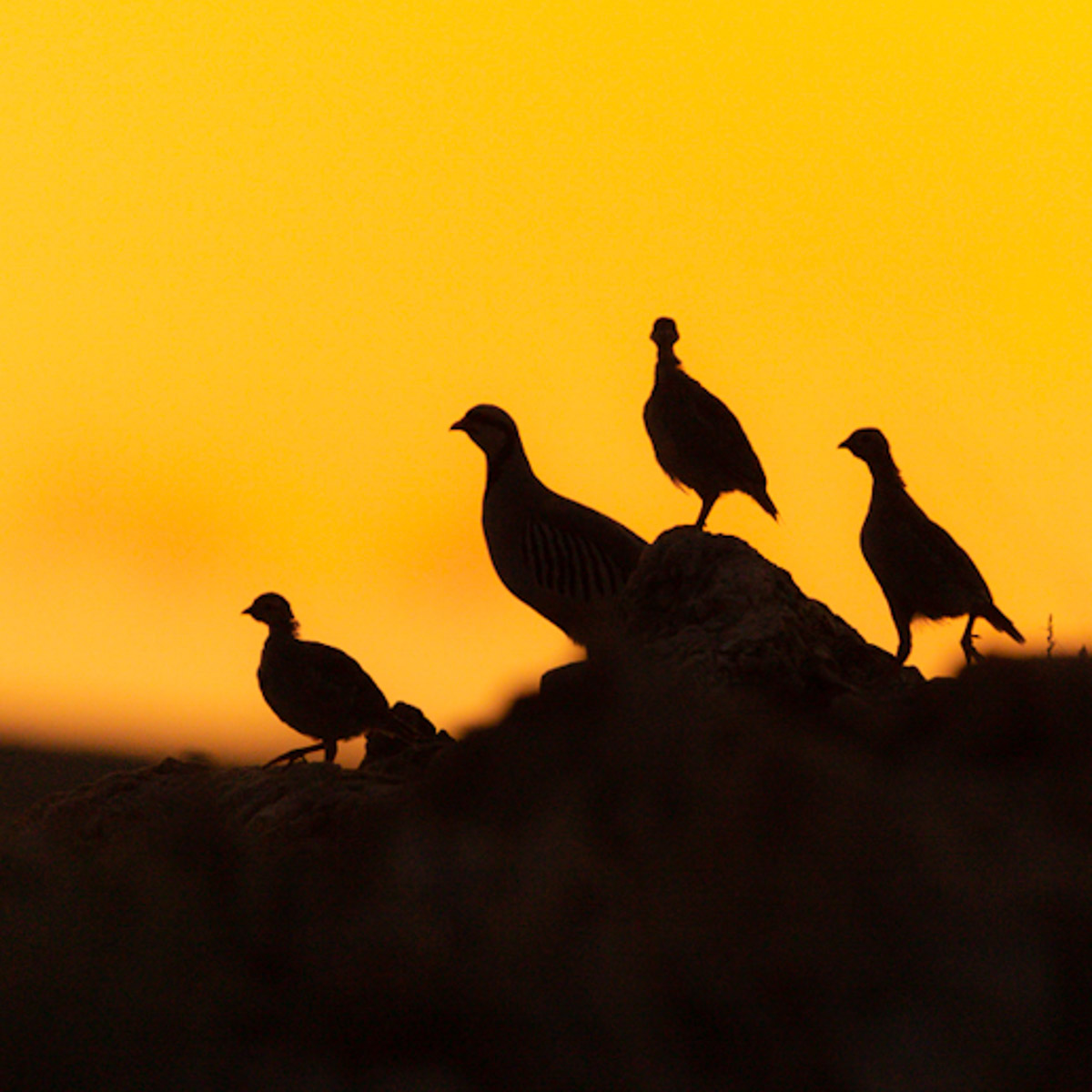
Your image is a nice silhouette, Lisa. I like the golden sun.
My image sample is a square crop, and I tried to give the birds a little more space on the left to walk. I couldn't see a way to use the weeds in the frame as it brought the birds too close to the edge.
Did you use auto ISO? Can you comment on why you made the camera setting selections you chose?
Best regards,
LuAnn |
Jul 22nd |
 |
| 3 |
Jul 20 |
Comment |
Hello Kieu-Hanh,
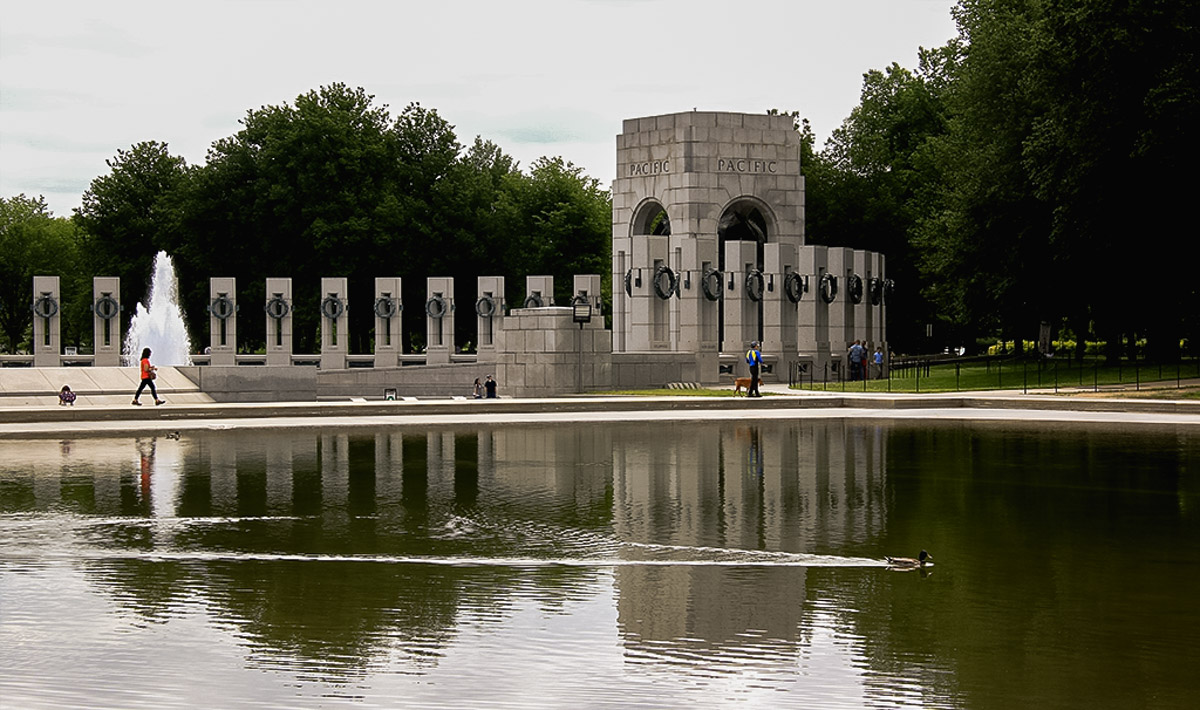
I like your image, and it does give the feel of a peaceful place to be. It shows a family-friendly environment that the man and dog, lady, and child tell in the story. Even the duck implies this is a family-friendly place.
The highlights I noticed are hot, so my edit in Lightroom was mostly with the tone sliders (exposure -60, contrast -6, highlight -100, shadows -22, whites -12, blacks -10), and the clarity and dehaze increased by 10 and 5 respectively.
In my opinion, I do not see removing the duck to gain anything. I think the duck adds an element of family-friendliness to the story. Removing the duck doesn't bring the people close enough to be able to see details about them. You lose image quality when cropping the duck too.
Best regards,
LuAnn |
Jul 22nd |
 |
| 3 |
Jul 20 |
Reply |
Great comment, Lisa, it is good to hear your opinion!
I see your point about the trees in the foreground, and I can see that because they have color (yellow and green) it is clashing with the rest of the scene; the trees are calling for attention in the scene.
I really like the blue and white frozen winter scene idea. I see scenes in blue and white frozen landscapes in fine art, but what could Ruth do to this image to make the image more appealing? Recrop and remove the yellow and green trees in the foreground for one, but what else? Can you do a sample image for her of your idea?
LuAnn |
Jul 22nd |
| 3 |
Jul 20 |
Reply |
Thank you, Oliver, for visiting our group!
I am looking to discuss this topic with all my fellow photographers, whose opinions I greatly value.
I agree with you; Oliver, POV is not static; it has to change and evolve for a photographer to grow. We critique pictorial images that carry a subjective perspective on how we create them. As opposed to photojournalism, which has a more objective perspective. We are also in study groups because we want to hear what others have to say when they see our images. So far, so good we are on the same page.
For me, this is a difficult point to put into words. Here's my point: when an artist second guesses themselves and changes why they took a photograph to the viewpoint of the subjective opinion ("your comments make me rethink my choices"), then I see the artist start to lose confidence in themselves. I think guiding the photographer to fine-tune their image from their point of view would be an excellent place to start in helping them.
Don't get me wrong; I had given my personal opinion on images and failed to understand where the photographer was coming from when they took the photo, but now I am rethinking how I handle my critiques. If, in the end, working from the photographers POV doesn't create the image they initially intended, then a lesson was learned. I think this way, we grow and develop a style that is unique to us as individuals. We are always struggling to find our niche in this highly competitive photography world, and then stand out from the masses; maybe this approach can help us all. Then we will create truly unique compositions. |
Jul 21st |
| 3 |
Jul 20 |
Reply |
Ruth, I think you need to hold onto your artistic point of view. Larry is right in having his subjective opinion, and I understand his concerns. But, we also have to recognize the artist that made the photograph has a POV they are trying to tell in their image, and our subjective opinion has to keep that in perspective.
Artistic POV is a topic that I see regularly bypassed in our critique groups, not just Group 3 but in salons and discussion groups elsewhere when we talk about photographs. I find value in it and want to get this thought out for discussion.
I would love to hear everyone's opinion on this topic.
Best regards,
LuAnn |
Jul 21st |
| 3 |
Jul 20 |
Comment |
What a dynamic image you have this month, Ruth. The waterfall, I have read, is the tallest in Colorado. The small (in the frame) powerhouse and the mountain cliffside bring grand scale to this image. On its own, the powerhouse is not a little structure. At first glance, I thought there was a walking bridge next to the house, but with a closer look, I see it is the power cable, maybe? Fascinating elements to observe when looking at this photograph.
I think both images have merit. I re-cropped the original because the placement of the powerhouse on the rule of thirds seems high in the edited version. The sample image I cropped up from the bottom. I don't think you need all the trees in the foreground. The tree that is tipping right is distracting. This new suggested crop gives more space at the top of the frame for the powerhouse.
The cool blue tones versus the natural brown color of the mountain both work for me. Colorado mountains with snow cover are cold, so I feel that depicts what actually would occur. It is a unique look at the mountain range compared to the natural brown tones of the rocks that you would typically see in an image of this area.
Other than that, the last thing I would suggest is to do your sharpening after all your edits are complete.
Best regards,
LuAnn |
Jul 21st |
 |
| 3 |
Jul 20 |
Comment |
Hello Randy,
Beautiful image this month! I agree with all Ruth said about this image. I like your cropped version with the single open door. The color is accurate and not over saturated; the brick walkway brings leading lines that take the viewer's eye right to the doors. You have no distractions to take away from the subject, and your foreground is a nice compliment to the overall scene.
I again agree with Ruth that you should adjust your crop at the top; the gray part of the statue is showing through that is not necessary. That is it!!
Best regards,
LuAnn |
Jul 20th |
| 3 |
Jul 20 |
Comment |
Hello Mary Sue,
I enjoyed viewing your image. I agree with you; this must have been a very inspiring moment for you. You found creativity in the mundane (everyday objects), and I like how you captured and made the pieces into a still life.
I love the texture of the apron. For me, the strength of the surface of the apron allows me to feel its coarseness visually.
The only thing I see to suggest to work on is the lighting a bit. I see your light source is coming from the upper left side of the frame; it is producing a shadow. The shadow isn't a problem, but the overall lighting is over the whole image. Because of this, my eye doesn't have a place to rest.
What do you think, Mary Sue?
Best regards,
LuAnn
|
Jul 11th |
| 3 |
Jul 20 |
Reply |
Ian,
If you could suggest one thing you would change in this image, what would it be for you?
Thanks for your visit!
LuAnn |
Jul 11th |
| 3 |
Jul 20 |
Reply |
Beverly, Can you explain further why you think the texture strength should be brought down?
Thanks for visiting our group!
LuAnn |
Jul 11th |
5 comments - 10 replies for Group 3
|
| 62 |
Jul 20 |
Reply |
I really like your edit, Oliver.
LT |
Jul 30th |
| 62 |
Jul 20 |
Reply |
Thanks for the visit, John. Are you referring to his shirt?
LuAnn |
Jul 24th |
| 62 |
Jul 20 |
Reply |
Very nice, Israel, and thank you for your kind words.
I like how you added more to the frame on the right. I think the white border looks better narrower. Comparing the two images the wider border makes Meir look smaller in the frame. I find that interesting how it does that. What do you think?
Best regards,
LuAnn |
Jul 21st |
| 62 |
Jul 20 |
Reply |
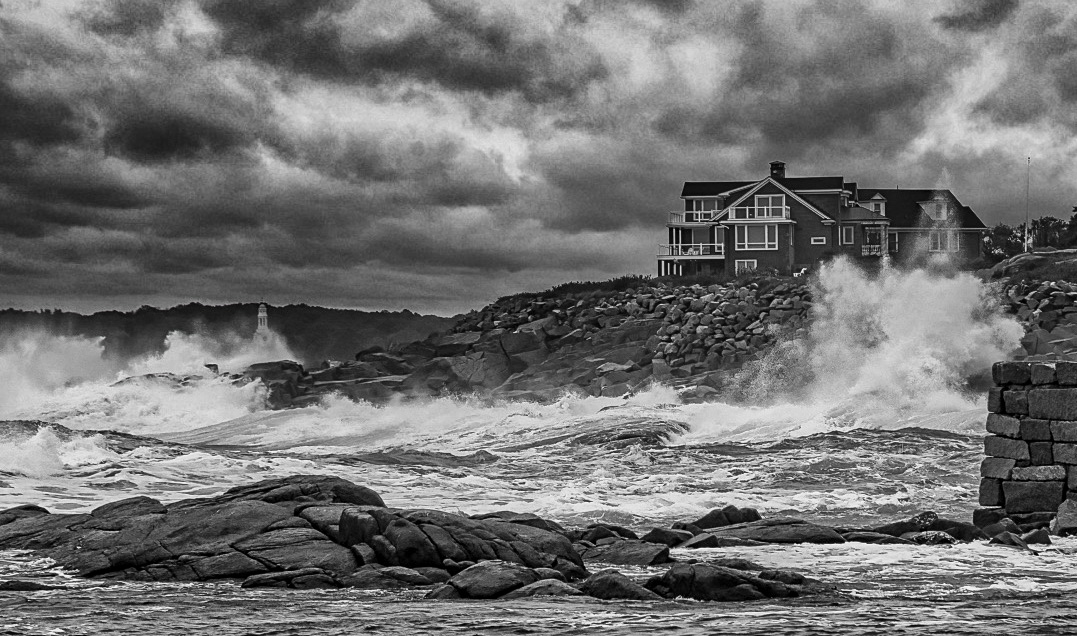
Wow, that really changed the whole image. Is that the chapel you were talking about? I never saw that in the original image.
You are right, Bob, there is not enough to the right side of the house if the crop, crops off the wall.
Last suggestion, what if you cropped on the left side?
Here's a quick try. Not sure if it will work never worked off my IPad before.
Best regards,
LuAnn |
Jul 20th |
 |
| 62 |
Jul 20 |
Reply |
Thank you for your opinion, Leah!
LuAnn |
Jul 20th |
| 62 |
Jul 20 |
Comment |
Great portrait, Israel! I have to agree about Meir's left shoulder being too close to edge of frame. I think you can extend the right side of the frame there in Photoshop since the background is blurred well you can add space in post.
About the catchlight. I don't think you should add a catchlight if the face is in shadow. His face is shaded from the light source so it is not reflecting in the eye. To add a catchlight would look out of place. But do open those shadows on the face.
What do you think? Great thought though!
Best regards,
LuAnn |
Jul 20th |
| 62 |
Jul 20 |
Reply |
Am I missing it? Is the chapel in this image?
That is an incredible sea wall!
LuAnn |
Jul 20th |
| 62 |
Jul 20 |
Reply |
I share your compassion for the brick wall, Bob, it does have great tone and texture.
The only problem that is standing out with that wall is, it is bigger in size than the house on the hill so it has now taken over as the subject of the scene and it is in the foreground. I think if the wall was closer to the house it could work as a foreground element, but as it stands it is too far away.
Anyone have an additional comment on this thought?
LuAnn |
Jul 20th |
| 62 |
Jul 20 |
Reply |
I agree with your comment here, Oliver.
LuAnn |
Jul 20th |
| 62 |
Jul 20 |
Comment |
Very nice image, Bob. I like your sky replacement and the powerful waves crashing on the shore. The storm adds mood and tension especially taken from your vantage point looks like you were close to the action.
My only comment is I am wondering if you could eliminate the house on the right and that wall. The wall acts like a stopping agent and my eye feels like I have to peer over the wall to see instead of having an unobstructed sight line to the building ahead. For me, that would free the image of some distractions and give a minimalistic view of the waves crashing and the house keeping things simple.
What do you think, Bob?
Best regards,
LuAnn |
Jul 20th |
| 62 |
Jul 20 |
Comment |
Hi Leah, hope you are doing well.
I like the store front image very nostalgic. I enjoy the image Just as you have it.
I am not bothered by the solid block wall. For me, I see the bottles first. The wall is not white so it isn't distracting, and the fact it has nothing on it to distract me from the bottles. I would leave it. I see a lot of dark tones in the image so I think darkening the wall will just add more darker tones and take away from the balance of the image.
I tried an edit myself and brightened the bags a bit and liked the look. You could even give each bag a different level of brightness from left to right making the center most bag the brightest. I would recommend trying it but only brighten so they have a feel of brightness don't make them look brighter that would be too much.
Best regards,
LuAnn |
Jul 17th |
| 62 |
Jul 20 |
Comment |
Hello Emil,
Great old truck image, Emil, and it makes a perfect black and white. I like how you were able to reverse the lighting issue from the original and put the focus on the truck. You have accented the vehicle with areas of light that feel natural to the day. I also think the sunlight on the road behind gives the image depth.
The only thing that I suggest you think about is the sky. I like the blank sky because the scene itself has enough details. But because you darkened the sky it now has white banding around the darkened center. I have heard people correcting it by adding a layer of noise as it can mask the harsh edges. It is a balancing act to take the brightness out of a sky sometimes. What do you think? How have you fixed this sort of problem?
I think you might be able to add this image to your list of images that meet your expectations of an ideal image: clouds, a man-made object and foliage.
Best regards,
LuAnn |
Jul 17th |
| 62 |
Jul 20 |
Reply |
Hi Leah,
Thanks for the comment. Can you tell me more as to why you think the background is a little busy? And, what are your recommendations to fix this from being so detracting?
Thanks,
LuAnn |
Jul 11th |
| 62 |
Jul 20 |
Comment |
Hello Oliver,
I like that you too have turned to bugs! That is all I have been doing this summer. I struggled greatly with macro photography in years past, but this year that is all I have been shooting. I figure the more I do macro, the easier it should get, right!
I agree with Leah on the close crop. I think you have nice detail in the bee and the coneflower. The overall image is simple, and you have minimized distractions. I also like the color version as well; pink is my favorite color.
There are two things I am noticing. The first is I think the whites could be a little brighter on the bee so it stands out. The other thing I am struggling with is seeing the bee's eye. Can you try to lift the shadows on the head to see if that would make the eye more obvious? Right now as I look at the image, I keep trying to enlarge the photo so I can make out the eye detail just enough to define them (not necessarily see close detail).
I hope this helps. What other bugs have you found to shoot?
Oh, almost forgot, Love the border it really finishes the image.
Best regards,
LuAnn |
Jul 11th |
| 62 |
Jul 20 |
Reply |
Oliver, I like your edit!
Balancing highlights to view online has always been a challenge for me. On my desktop, I see one thing but online quite another. I have heard some people use the Snapseed app on their phone to balance highlights for online viewing. Then they download the image back to the computer to finish with editing and posting online. I either forget to do it or get lazy.
I also like what you did to the frame for an alternative. I really believe, as a judge once told me in a salon, that an image is never finished till it is framed. So that is why I am more apt to add a frame to my online images. I think they just look more finished. With our background on PSA digital groups being black that was why I used white.
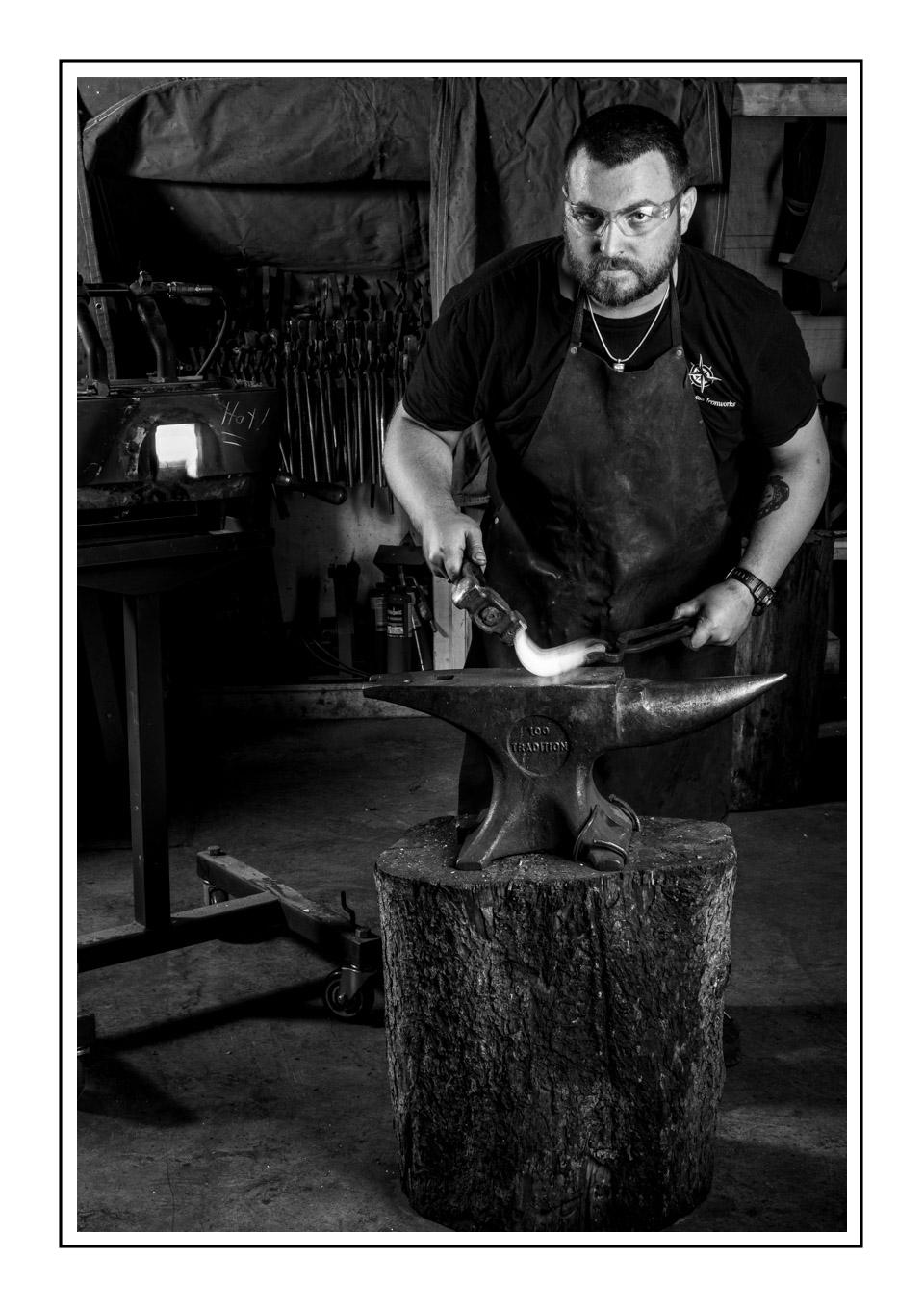
The oven behind Robert on the left side of the frame was running right around 1600 degrees to melt the steel he was shaping. We spent quite a bit of time getting everything right for the shoot. You know how photographers are, just one more shot, please - LOL!
Every once in awhile I saw Robert shaking his left hand. That was when he told me the temperature of melting steel. No glove for the photo - brave soul. I thanked him 100 times for his patience.
|
Jul 2nd |
5 comments - 10 replies for Group 62
|
| 96 |
Jul 20 |
Reply |
I like what you did, Robert. The only thing I can see being a problem in competition is the dark shadow areas.
Great job!
LT |
Jul 30th |
| 96 |
Jul 20 |
Comment |
Hello Robert,
I am visiting from group 3 with great thanks to Larry for telling us about this discussion!
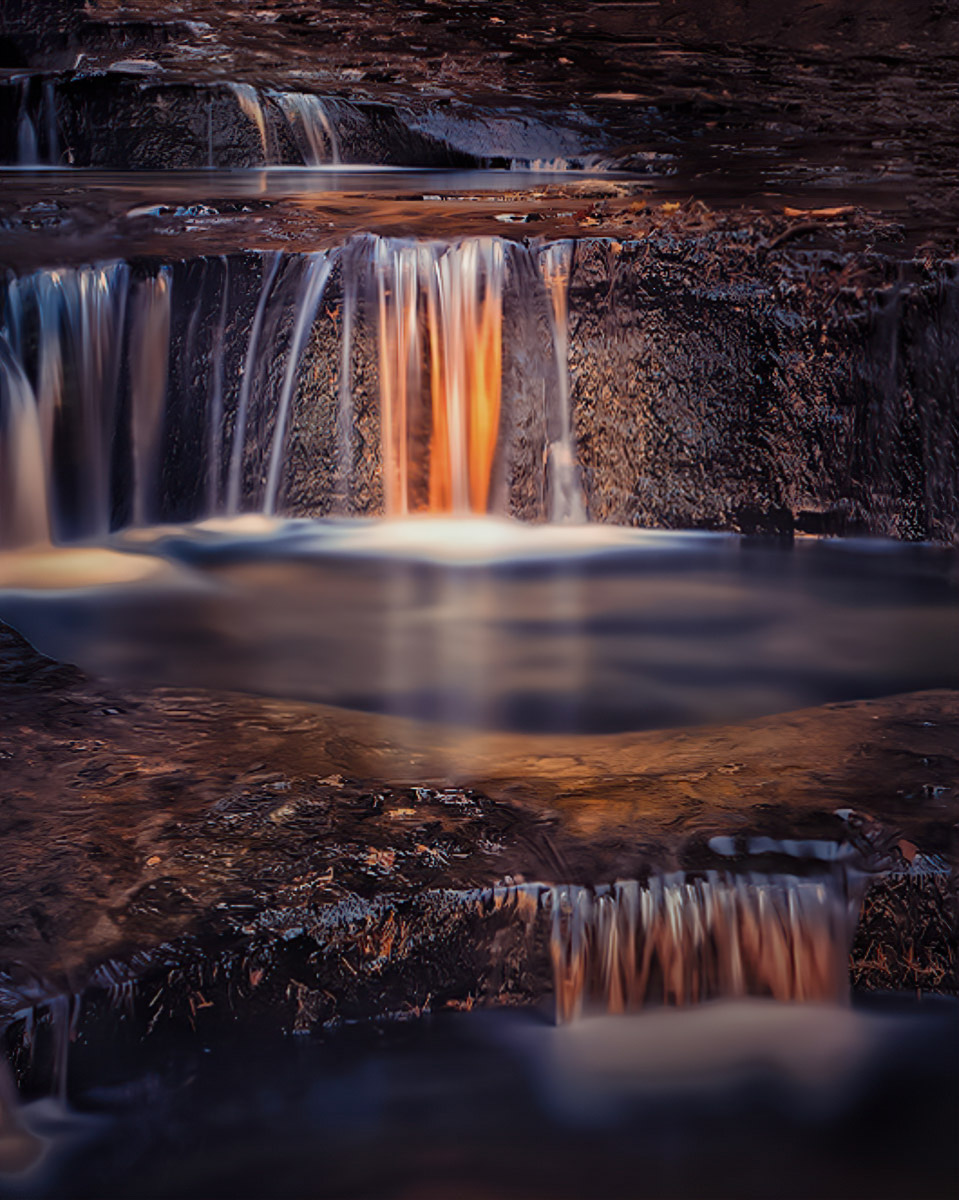
You initially said what caught your eye to this scene was the sun's reflection from a nearby canyon wall and how it was painting the falls with an orange glow. You compared it to Horsetail Falls, so I did take a look at those images online and how beautiful they were, breathtaking in person, I am sure. I also checked out Galen Rowell and what a tragic end to a fantastic photographer.
Many have offered you great suggestions and sample images for feedback, so I have an opinion and some comments about what I see in your edited image.
I initially agreed with the group's opinion on the pool and the space between it and the foreground falls. I sided with Larry when he said it lacks flow and a dominant subject. But as I look at it now and compare it to my edited version, what might be of some help is working on your lighting more. Your photography has the golden light accented on all three falls. The foreground falls to my eye seems to be the brightest. The golden light, as Cheryl LaLonde pointed out, is too saturated. I say that after comparing the original to your edited copy. I am curious was this scene filled with the golden-light as much as it really was that day? Maybe not quite like Horsetail Falls perhaps but close.
In my image, I played with the crop. I liked the idea of cropping the foreground in more. I am not a Lightroom user, but I used it for quick editing. I used radial filters to dodge and burn, I used gradients to shape the light on the center falls, most of the edits were in the Presence category in LR, I also used Split Toning for highlights and shadows. Then I sharpened at the end.
I look forward to continued discussion on this topic and to hear your thoughts, Robert, on this attempted edit.
Best regards,
LuAnn |
Jul 24th |
 |
1 comment - 1 reply for Group 96
|
11 comments - 21 replies Total
|