|
| Group |
Round |
C/R |
Comment |
Date |
Image |
| 25 |
Feb 17 |
Comment |
Thanks everyone, I appreciate the comments. |
Feb 20th |
| 25 |
Feb 17 |
Comment |
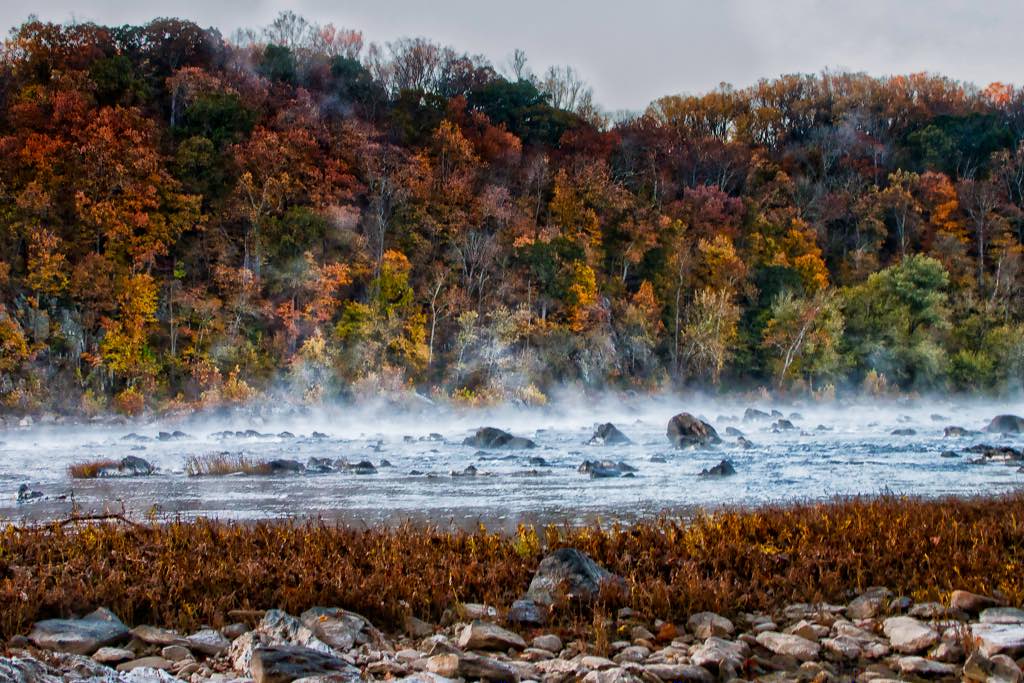
I like the scene that are trying to capture with the mist from the river against the colors of the trees, but there are a couple of things that bother me about the image. The first is that it is pretty flat. Without going too wild I think there is more color that can be brought out of the trees in the background. I brought the image into Aurora HDR 2017 and used one of the landscape preset to bring out some of the color. There also seems to be more texture in the sky that could be brought out, but trying to do it on the jpeg image introduce some noise into the image that was hard to get rid of. The other thing was the foreground. I like that you had some foreground elements in the picture, but the horizontal layout kind of stops your eye and doesn't lead you into the picture. I'm thinking that a slightly different vantage point could have used the river's edge to lead you into the scene. I hope this is helpful. |
Feb 12th |
 |
| 25 |
Feb 17 |
Reply |
It usually takes a little trial and error and some time to master new equipment and techniques. I know some photographers that are using Helicon software (http://www.heliconsoft.com/heliconsoft-products/helicon-focus/) focus stacking and it seems to work well. Good luck and looking forward to seeing more images. |
Feb 12th |
| 25 |
Feb 17 |
Comment |
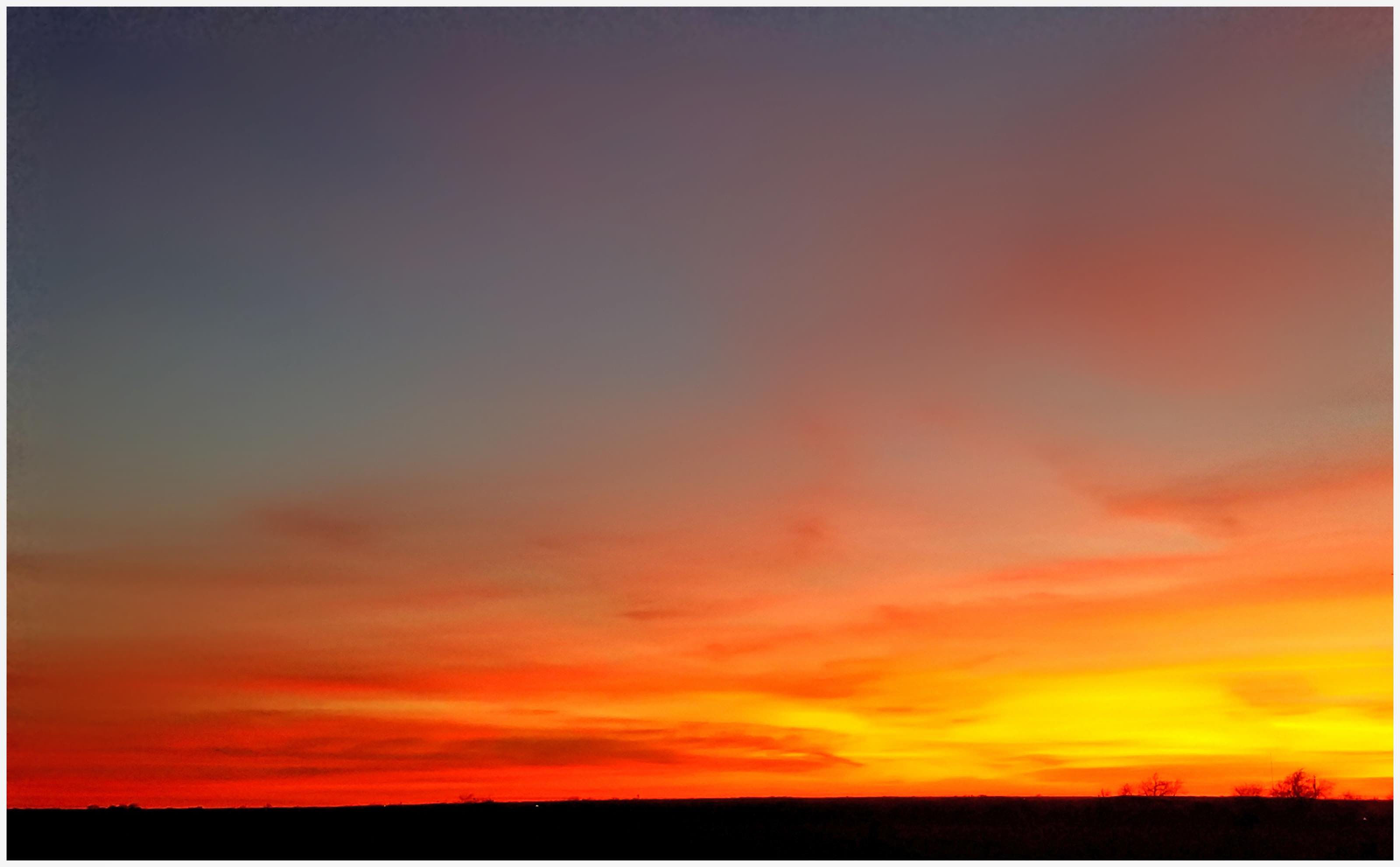
There's a lot of range between the brightest part of the image and the upper left. Since you are working with a jpeg you already loose some of the detail in the image with the compression. I use my iPhone 5s occasionally when I don't have my DSLR (the best camera is the one in your hand) and on an scene like this one I'd probably use the HDR setting to try to capture that range in intensity. I saved the image and imported it into Aurora HDR 2017 and put a denoise mask and a slider they call Super Smooth on the most of the top half of the image. I think it took some of the noise out, but it may just be too must dynamic range to correct it all from a jpeg. |
Feb 11th |
 |
| 25 |
Feb 17 |
Comment |
Nice for your first attempt, but I'm surprised it's not sharper if the photostacking is supposed to add the sharpest part of each layer to each layer. Were you using autofocus or did you manually focus for each image? I haven't tried this myself, but have seen a lot of others that are tack sharp through the image. I wish I could be more helpful. |
Feb 11th |
| 25 |
Feb 17 |
Comment |
Nice job Darin. The set up that you prepared really does the trick for this flower. Great reflection and as Kim mentioned you'd never know there was an interface between the felt and acrylic. The lighting is superb. I can't tink of a thing I would change. |
Feb 11th |
| 25 |
Feb 17 |
Reply |
Congratulations.
|
Feb 6th |
| 25 |
Feb 17 |
Comment |
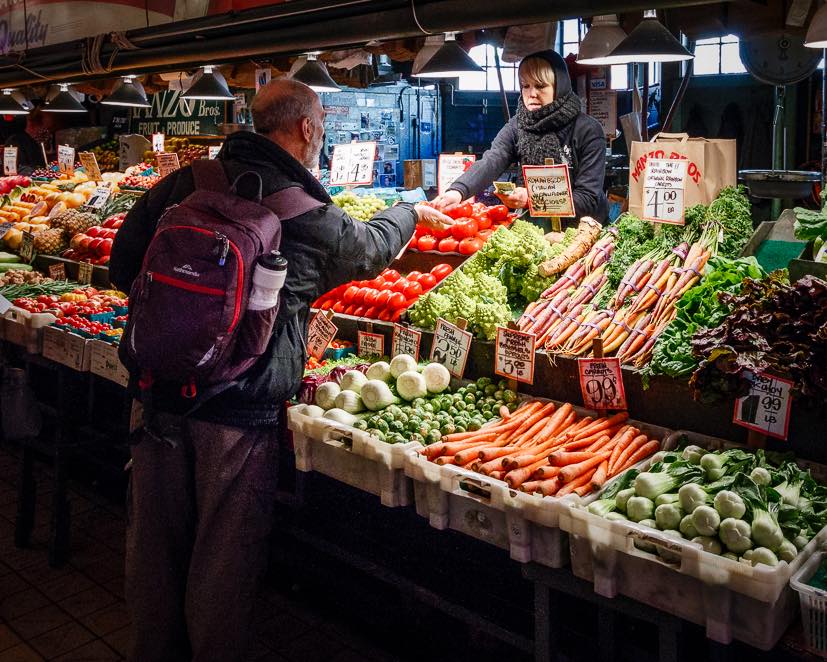
Great subject matter and color. I like to get pictures of produce displays whenever I can. The stars of the image are the 2 people making the transaction. I thought that by removing the 2 onlookers with a crop places the remaining 2 people at the focal points of the rule of thirds. I added a slight amount of vignetting and brightened the center to try to add more attention to the subjects. |
Feb 6th |
 |
| 25 |
Feb 17 |
Comment |
I think the image address the intent of the competition. My eye was drawn to the axle of the wheel and moved out to the great detail on the spokes and passenger baskets. Even though the entire finial wasn't/couldn't be removed, the black and white rendition of the scene camouflages it in the spokes of the wheel. I'm not sure there is anything I could add to make it better. Nice job. By the way did it win? |
Feb 6th |
7 comments - 2 replies for Group 25
|
7 comments - 2 replies Total
|