|
| Group |
Round |
C/R |
Comment |
Date |
Image |
| 63 |
Aug 24 |
Reply |
If I had thought of it at the time, this would be an interesting decision as it would serve a purpose here. As it happened, I just neglected to even consider adding the pinstripe border until our conversation. Oh well ... |
Aug 17th |
| 63 |
Aug 24 |
Reply |
In the last 3 years or so, many camera models have introduced the ability to collect focus slices with a single shutter click (often called "focus bracketing' or "focus shift"). These were generally the upper end models (although this is now moving to mid-level models as well) and requires that your lens has autofocus. Far less models had the ability to stack (called "focus stacking") within the camera. This process is one of a series of processes called "Computational Photography". Some Olympus OM models, and some Panasonic models had this ability albeit in a limited fashion (limiting the number of images to stack) while most others could not stack 'in-camera' at all. This is currently changing, again with upper end models, with stacking built into the camera. In the Canon line this is called "Depth composite" and is currently in the EOS R7, R10, R6 Mark II and R5 Mark II (perhaps also in the R1 and R3 but I am not sure). Not yet sure how good the capability is. In the Olympus OM models, this ability has improved allowing more images to be stacked (is 15 still the upper end in the OM 1?). Not sure about Nikon or Sony models.
Beware, that often the term "focus stacking" is used to describe the process of collecting the focus slices (more appropriately called "focus bracketing" rather than the processes of actually stacking the slices. Lots of poorly used language that can confuse you.
Again, not sure how well the in-camera stacking works. If it is like in-camera HDR, it may work, in a limited fashion, and may depend upon your image, camera model and your personal requirements and expatiations. |
Aug 13th |
| 63 |
Aug 24 |
Reply |
Shooting a focus stack while hand holding the camera is a challenge. Although there might be slight movement between the slices, the trick here is to shoot at a high enough shutter speed to avoid movement during each shot. If there is not a lot of movement between the slices, the re-scaling function in the stacking software can adjust. Too much movement between shots means it just won't work. How much is too much? Trial and error. |
Aug 13th |
| 63 |
Aug 24 |
Reply |
Isn't interesting how such a minor changer can have a significant impact. Cropping and composition are one such area, although it's not always clear why this is so. |
Aug 11th |
| 63 |
Aug 24 |
Reply |
Funny you did not mention a pinstripe border. In retrospect this might have been helpful here given the dark background and the black backing these images are set on in this application. I do keep in mind comments made over the months. |
Aug 11th |
| 63 |
Aug 24 |
Reply |
I agree, that in a focus stack, the aperture has little to do with the final sharpness. It is the cumulative depth of field among the slices collected. For stacks I generally use an aperture where the macro lens preforms best, typically around f/8 - f/11 or so. Had this been a single image (rather than a stack) these comments might have been on track. |
Aug 11th |
| 63 |
Aug 24 |
Comment |
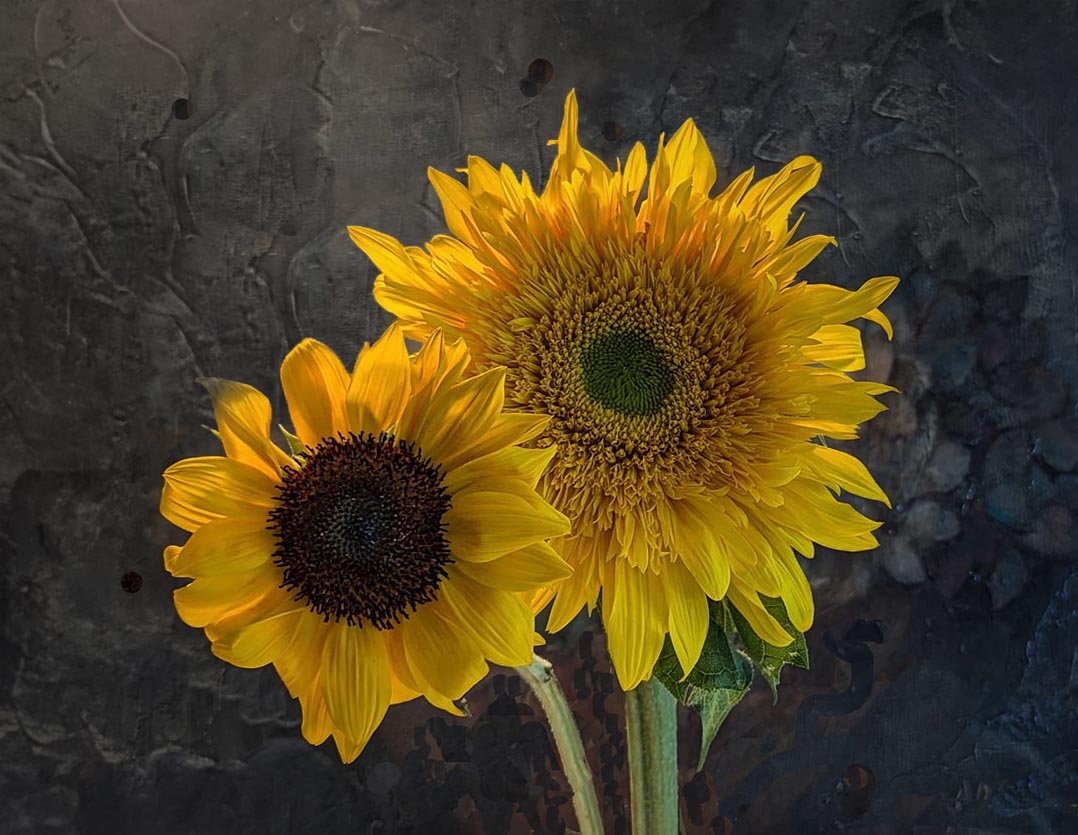
Here you have captured a clear rendition of these blooms against an interesting background. The blooms are as sharp as they need to be and the detail inherent in the petals are nicely displayed. I thought that the central area of the smaller bloom was a bit dark and would have liked to see a bit more detail within this region. May I also suggest that you expand the canvas on the top and left to adjust the composition slightly (along this line previously suggested). Finally, while the background is interesting to my eye, parts of it are beginning to compete with the main subjects. Here I might suggest removing the light 'flower-like' elements that are peaking from behind the top and top left portions of the blooms. I have included a version of this image where this was done to illustrate my thoughts. See what you think … |
Aug 8th |
 |
| 63 |
Aug 24 |
Comment |
This is a wonderfully clean and detailed image of this interesting Robber Fly. The insect is sharp and clean defined, and the exposure is spot on. The background is sans distractions, and the stem provides a parallel element that enhances the presentation. I wonder if you need as much open space at the bottom of the image, as to my eye this does not add a lot to the image. Perhaps you might consider cropping in from the bottom and some from the right to increase the presence of the fly. Finally, if one is not opposed to removing distractions (i.e. this were not to be entered in a competition where pixel removal not allowed), you might consider removing the green stem element above the branch that passes above the perched fly. This simplifies that presentation some and pictorially enhances the image some. I have included a version of this image where this was done to illustrate my thoughts. |
Aug 8th |
 |
| 63 |
Aug 24 |
Comment |
This is an impressive capture of a beautiful subject. Nice job in seizing the moment and using the tools at hand it generating this image. Here I find myself in agreement with Pierre's comments, especially is regard to the cropping. I don't like to spout "rules", but when I adopt Pierre's suggestion and crop in from the left, I find that I relax into the image and it is even more impressive (don't you just hate it when the old generic rules really do help?) One final suggestion might be to brighten the tip of the wing at the lower left to allow this element to emerge further. Nice Job! |
Aug 8th |
| 63 |
Aug 24 |
Comment |
I am really enjoying this presentation of your Hydrangea. The subject is clean, clear and interesting. The colors are magnificent, and the image is as sharp as it needs to be. I do find that the crop is a bit tight, and the bloom image could benefit from more space around it. Also, I noticed that the light was a bit uneven with the upper left quadrant of the bloom being a bit lighter than the remaining bloom. Luckily this is easy to balance out. Finally, here I might add a subtle pinstripe border to separate your image from the presentation background. I have included a version of this image where this was done to illustrate my thoughts. These are minor points though, and this is an image to be proud of. |
Aug 8th |
 |
| 63 |
Aug 24 |
Comment |
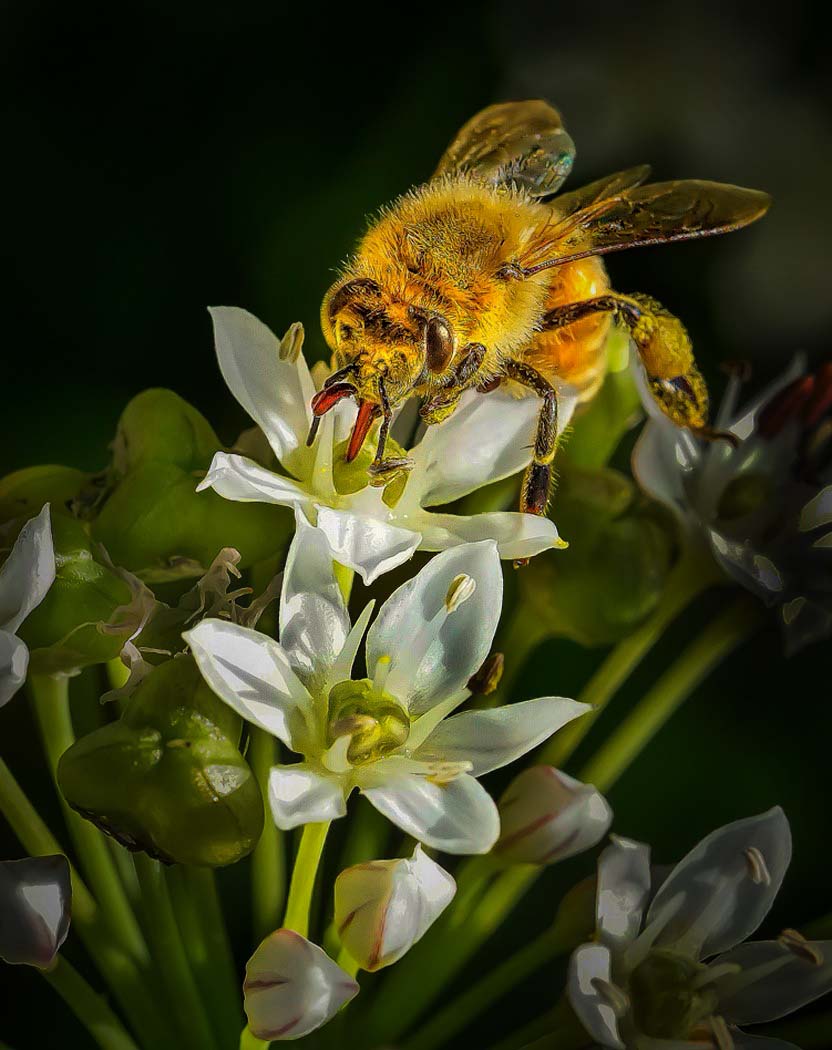
This is a wonderful image in which you have successfully captured the detail of both the bee and blooms. That being said, there is almost too much of a good thing in that the lower half of the bee and the white blooms are almost being lost in the surrounding flora. Luckily, we do have to accept all that the camera capturers, and we can emphasize and deemphasize selected areas to shape our images. Here I would select the bee and white blooms, invert the selection and darken the resulting background areas some. This is a step beyond what you had attempted with the vignette and the processes previously suggested. In doing so the bee and the blooms it is on emerge from the clutter of the remaining presentation and come to life. You did a great job in capturing the bee and blooms, so now we need to work a bit more to show them off to the best advantage. I have included a version of this image where this was done to illustrate my thoughts. |
Aug 8th |
 |
| 63 |
Aug 24 |
Comment |
In this image the "ayes" carry the day (or in this case the eye does). Great composition and color. I agree which the comments already given. I also appreciate the artistic blend of focus exhibited here. In our macro images, not everything needs to be tact sharp. It's important that this is a conscious decision though and not a result of the technique. Nice Job ! |
Aug 8th |
| 63 |
Aug 24 |
Comment |
Funny you should mention cleaning the glass. We did spend a fair amount of time trying to clean the glass (in fact the blue liquid in the glass is really Windex glass cleaner), but a rather extensive cleanup was required in post processing as well. My experience is that in Macro and Close-up images, regardless as to how carful a clean-up you do, our techniques amplify spots and dust so cleanup in post processing is nearly always required. |
Aug 8th |
7 comments - 6 replies for Group 63
|
7 comments - 6 replies Total
|










































