|
| Group |
Round |
C/R |
Comment |
Date |
Image |
| 63 |
Feb 22 |
Reply |
In my experience editing bright white or blown-out areas in an image is challenging. In "blown-out" areas there is actually significantly less information for our editing platforms to work with. So changing the color of the white areas does not work well with many of the tools available. Dodging also is less successful, and often results in the "gray areas" that you noted. The one potential solution might be to add information over the bright areas (such as color wash on it's own layer) and to work upon that added information. The best solution though. is to watch our histogram while shooting to avoid blown-out or overly bright areas. |
Feb 25th |
| 63 |
Feb 22 |
Reply |
In my experience I find that close-up and macro photography images often require a fair amount of post processing. This is especially true with focus stacked images. The stacking process often can bring out all sorts of odd bits of "stuff" that you originally did not see (dust, grit, hairs, specular highlights), and may add a few weird artificial artifacts (especially in the background). Also, unedited stacked shots tend to be rather flat, and lack the "distance perspective" that typical shots contain (elements further away being darker and less sharp). Post process editing is needed to remove the undesired "stuff" and artifacts, and to restore a sense of depth to the image. Stacking aids in increasing the apparent depth-of-field of our images, but alas, "there is no free lunch". |
Feb 25th |
| 63 |
Feb 22 |
Reply |
To me Close-up and Macro images taken from a side angle are always far more interesting than head-on shot. In such shots the viewer is asked to transvers through the environment to reach and pass over the main subject. However, this often means that there is a much larger subject field to sharply capture. My solution is to increase the number of "focus slices" I capture as I shoot the scene. It is not unusual for me to capture 20-60 slices when I move through a 2-3 cm field. While this may seem like a lot of work, I don't find it too daunting. Lots of patience if I am hand adjusting the plane of focus, and relatively easy if I use the "focus bracketing" capability of my Canon R5 mirrorless camera. I find that it takes me about the same effort to deal with 6 slices as it does to deal with 60. Yes, it takes a bit longer for Photoshop and the stacking application (Helicon Focus or Zerene Stacker) to process the stack, but once stacked it's as though I have a single shot to process. Give this a try and don't be afraid of the number of slices you capture. |
Feb 25th |
| 63 |
Feb 22 |
Comment |
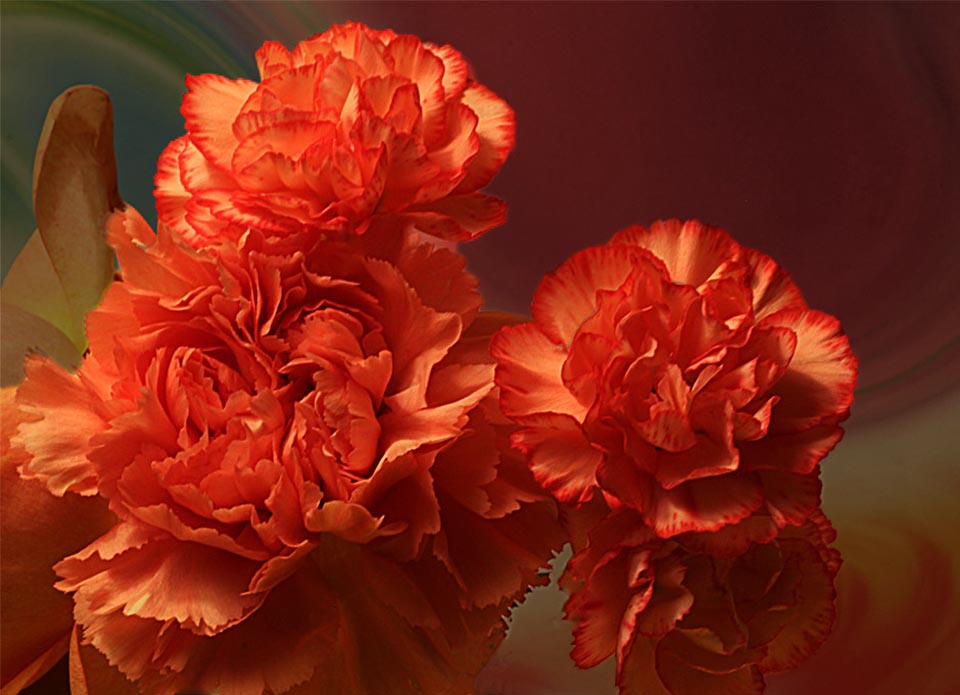
Let me echo the comment s that this is a wonderful image in subject, composition, color and clarity. There is a softness to the blooms that is nicely complemented by the background. I also agree though, that the bloom appear to blend in with the background and to some extent get lost. To get the subjects to emerge a bit more from the background I would be tempted darken the background a bit relative top the actual blooms. I would also crop in rom the right a bit since there the area at the far right is not adding to the image. I have attached an image to demonstrate what it is I am trying to describe here. Aside from these points, it is a beautiful image. |
Feb 24th |
 |
| 63 |
Feb 22 |
Comment |
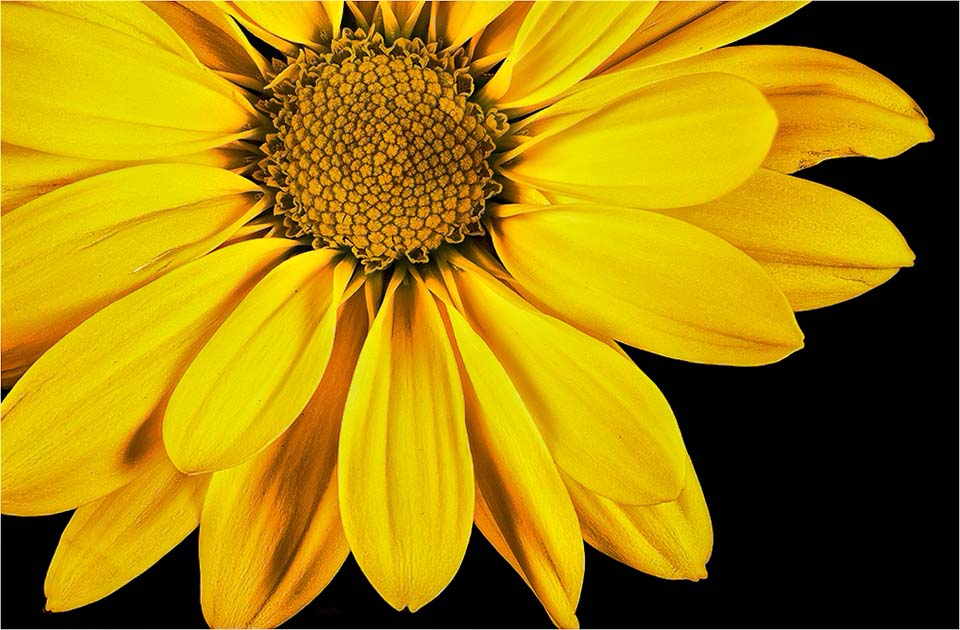
This image is very strong in both the impact, color and presentation. There is a lot to like in this presentation. I do agree with the comments made earlier. Let me add that the appearance of the actual bloom appears a bit flat (not physically but in texture and dimension). I believe that there is more to the bloom than what you show here, in both depth and texture, and that the image may be enhanced by showing it. I might try adding a bit more micro contrast and contrast to the petals to bring out this detail. I have attached an image to demonstrate what it is I am trying to describe. |
Feb 24th |
 |
| 63 |
Feb 22 |
Comment |
Great capture of this scene. The colors are wonderful and the background clarity (softness) nicely complements the blooms. The blooms are defiantly the stars of the show, and it is good that you included the stems to show how the blooms are anchored to the surrounding world. Let me ask, do you think that this might be a bit more effective if the stems were a bit more sharp ? This might require a greater depth-of-field to accomplish this. I also agree with the earlier comment that the darker petals are a bit too dark, and that lightening them might yield a more balanced presentation of the blooms. Nice job. |
Feb 24th |
| 63 |
Feb 22 |
Comment |
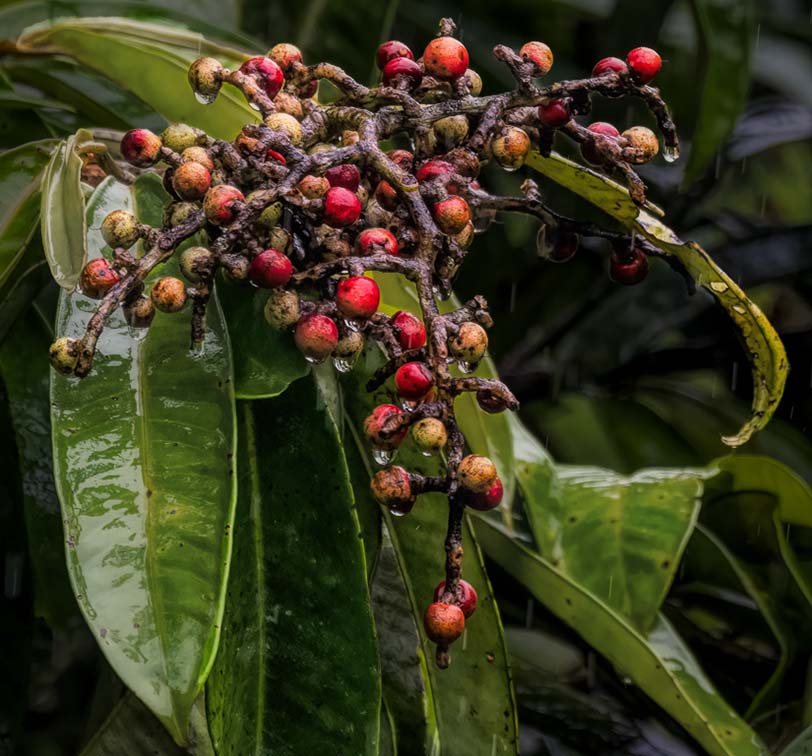
Great capture with a lot of color and texture. The composition is effective, and the subject is sharp enough to take the stage. An earlier comment stated that the "berries is sharp with some sharpness fall off the background". I would expand upon this and suggest that you also darken the background elements to be a bit less distracting and to allow the main subjects (berries) to really emerge. This is not difficult to do in Lightroom given the enhanced layers masking that has been recently added to this program. I have attached a version to demonstrate this. |
Feb 24th |
 |
| 63 |
Feb 22 |
Comment |
As noted earlier, a wonderful image. I agree with most all of the previous comments. I do note that the bright white area of the leaf (silk?). is so bright that it tends to compete with the main subject and pull our eye away from the subject. This may be due to the flash employed. If this were my image, I might attempt to tone down this bright area a bit. I might also try to reduce the "hot spots" that we see on the subject's body (mid thorax) as well. |
Feb 24th |
| 63 |
Feb 22 |
Comment |
This image displays an extraordinary use of a controlled "depth of field". Your selected depth helps to tell the story of your vision, and to me that is the goal of our photography. I appreciate the "PUNisment" you inflect upon us all with your image description. |
Feb 24th |
6 comments - 3 replies for Group 63
|
6 comments - 3 replies Total
|










































