|
| Group |
Round |
C/R |
Comment |
Date |
Image |
| 85 |
Mar 24 |
Comment |
Hi Alex,
I don't have a lot more to add, but I would recommend being careful of a cyan sky. The processing made it a little more cyan, and even moreso in the second iteration. I agree with the others about cropping out some of the sky, but I think you cropped it a bit too much, it feels crowded at the top of the image.
Is there a reason you reversed the image from the original? |
Mar 29th |
| 85 |
Mar 24 |
Comment |
Hi Don,
While I just spent quite a bit of time telling Richard his image is over-saturated, I think I want to say the opposite here. Usually with the Asian buildings and temples the red columns are quite beautiful when they stand out in stark contrast. I would suggest kicking up the red in this photo. If you can kick up the green in the roof, that would be cool too, because red and green are complimentary colors.
I'm not sure I like the warm colors added. It made the concrete a little too yellow for my taste, and turned the water at the top more gray. But I realize it is just a personal preference.
You mentioned the long shadows. I like the composition with respect to the building. I have found that buildings shot straight on with the drone do not look as good as when shot from an angle, and I'm betting that would be true here too. However, if your intent was to accentuate the shadows and make that your subject rather than the building in the center, then you should have moved the drone to the right to put them more firmly into the picture. As is, they are way too close to the edge to carry the weight of the main subject in the photo, and they divide the viewer's attention between two subjects, the building and the people/shadows.
I would also recommend removing some of the people in the background, especially the one whose feet are hidden by the roof. I would also take a couple of them from the path. They only serve as distractions.
One thing that drew a lot of my attention were the footprints leading from the bottom center of the picture up through the top of the shadows and across the brick walkway. I spent a lot of time trying to discern if they were somehow made by the people standing there, or where they came from. On looking closer, I saw there were two sets. I'm still not sure why there would be footprints in the picture, but unless they add something to the picture, I would suggest removing them if you do not want your viewer to spend time staring at them trying to figure them out.
As Lisa mentioned, I wouldn't mind seeing a little bit more of the water, at least to the top of the palm trees. |
Mar 29th |
| 85 |
Mar 24 |
Comment |
Hi Richard,
I like the adjustments you have made with the cropping and the tilt of the image. I also like the sharpening you have done, although it looks a little bit overdone in the tree trunks and branches on the center-left.
As the others mentioned, the saturation is way overdone. The image does not look natural. The ability to adjust saturation and increase colors in an image came a bit before the software to process HDR images became popular, and with that came the popularity of oversaturated gaudy images. It didn't take long for the fad to die out, and most photographers scaled back on pushing the colors to this state. Unfortunately, a lot of laypeople still love and purchase those images, but things are moving back to more natural, pleasing images.
For this image, I recommend you scale back on the saturation of the reds, which are mostly in the center of the image and in the row of bushes near the highway on the right side. I think the saturation for the yellows, oranges, and greens might be ok (except I would try to bring down that orange color in the bridge a bit).
The saturation for the blues also needs be to tamed down. Darkening the sky is ok, but the clouds have been made so contrasty and saturated that they look more like illustrations than a photograph. Soften up the sky and perhaps add a tiny bit of magenta to reduce the cyan color (Photoshop and Lightroom tend to turn skies more towards cyan while processing images, it is good to watch out for that). And the blue color in the water needs to be tamed down some. It is good to make the water more blue than your original, but not to the point which it has been taken!
The new Point Color tool in Lightroom is now available for color grading images. One can adjust individual colors, even in masks. If you use Lightroom, I recommend becoming comfortable using the tool if you haven't already!
|
Mar 29th |
| 85 |
Mar 24 |
Comment |
Hi Lou,
I have found that some of the most difficult images to process are icebergs and glaciers. Making them look as you saw them is difficult. The beautiful turquoise color often doesn't show up in images, and when you process to add it back, people often don't believe it. Glacial lakes have the same problem.
But you have done a good job with processing this image. I really like how the beautiful turquoise wall of the glacier comes out of the lower left corner and leads the eye up to the subject. The star of the show in this image is the reflection of the dark mountain.
I don't mind the sky, I think it depicts how the sky often looks in these environments. But darkening it a little and giving it a little bit of an S-curve to increase contrast might get you a little more of what you want. I see that you have increased contrast on the mountain, including the low-hanging clouds, and I would recommend you back off on that a little, especially the clouds. The wispyness of the clouds is what gives beauty to the scene.
One small change I would make is to try to bring down the warm/brownish colors in the water and in the sky. I see you have done that somewhat, but I would recommend even more. And kick up the contrast on the reflection to make it stand out more, perhaps using a radial gradient in the water. I don't mind the ice chunks in the water. It creates a leading line up to the tip of the reflected mountain. You might want to remove the one little piece that is cut in half and is mostly out of the picture, but otherwise, I think it is fine there.
Overall, good job and a beautiful image! |
Mar 29th |
| 85 |
Mar 24 |
Comment |
Hi Pete,
There must be something in the air, for I also haven't shot anything in the last month. I'm hoping my passion will re-emerge when springtime finally hits this area!
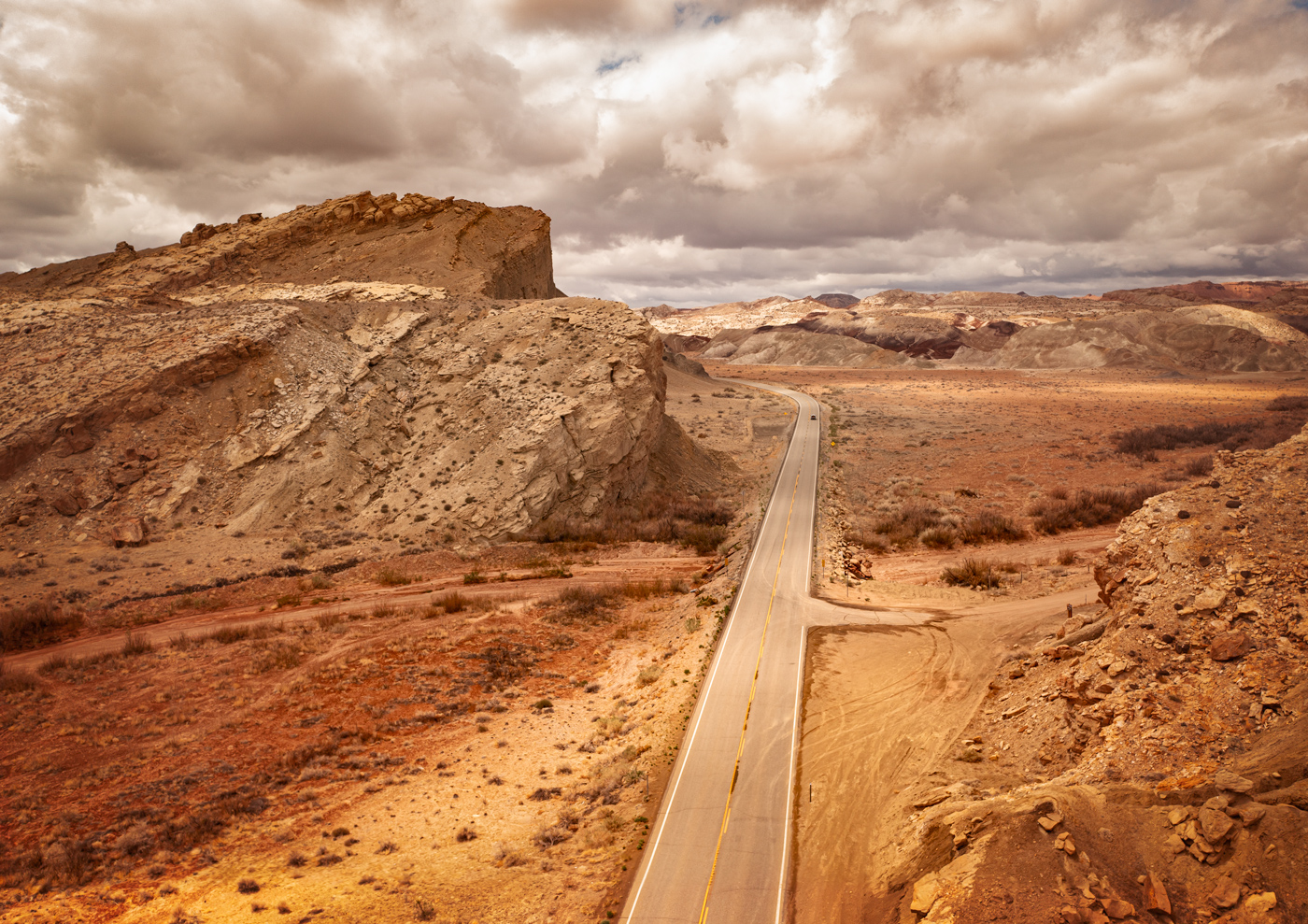
I don't think this is one of your best images. The composition seems to be just ok... not great. It has several different areas of interest. The road ties them together somewhat, but none stand out on their own. I think it is the lighting that is lacking, as you alluded to. A beautiful sunset in the sky would help the photo. Golden hour sunlight casting beautiful shadows on the mesas or casting interesting light on the bentonite hills might give this photo some oomph.
Perhaps it is just the location. I have a ton of drone shots taken in the Cainsville area from a trip there a couple of years ago, and they just sit on my hard drive because I couldn't bring out anything that makes them compelling photos. I thought it was just because I was fairly new to drone photography, but I took an amazing drone shot down by Factory Butte the next day that is one of my best all-time photos. So perhaps it wasn't me, perhaps it is just not a great location (but having seen your other photos, I'm betting if you go back there when there is great light, you would be able to pull some great images from the area) |
Mar 28th |
| 85 |
Mar 24 |
Comment |
Hi Lisa,
I love the composition you chose. I actually like the building in the background. It pulls the eye upwards towards the upper right and seems to stretch out the image a little. At the same time, the line of cars pointing towards the lower left pulls the eye in that direction. For some photos, this might be a negative thing, but I think the visual tension it creates in this photo adds to the interest!
And the repetition of the colors in the houses and in the cars is great! The reds and blues outline and frame the yellow houses, which draws attention to the center.
There are so many details that make this a great photo. The repetition of the stairs, the closely packed parked cars as mentioned by Richard, and I even like the power pole and wire. Its busyness adds to the story!
Well done! |
Mar 28th |
6 comments - 0 replies for Group 85
|
6 comments - 0 replies Total
|