|
| Group |
Round |
C/R |
Comment |
Date |
Image |
| 49 |
Nov 25 |
Reply |
Hey Alan
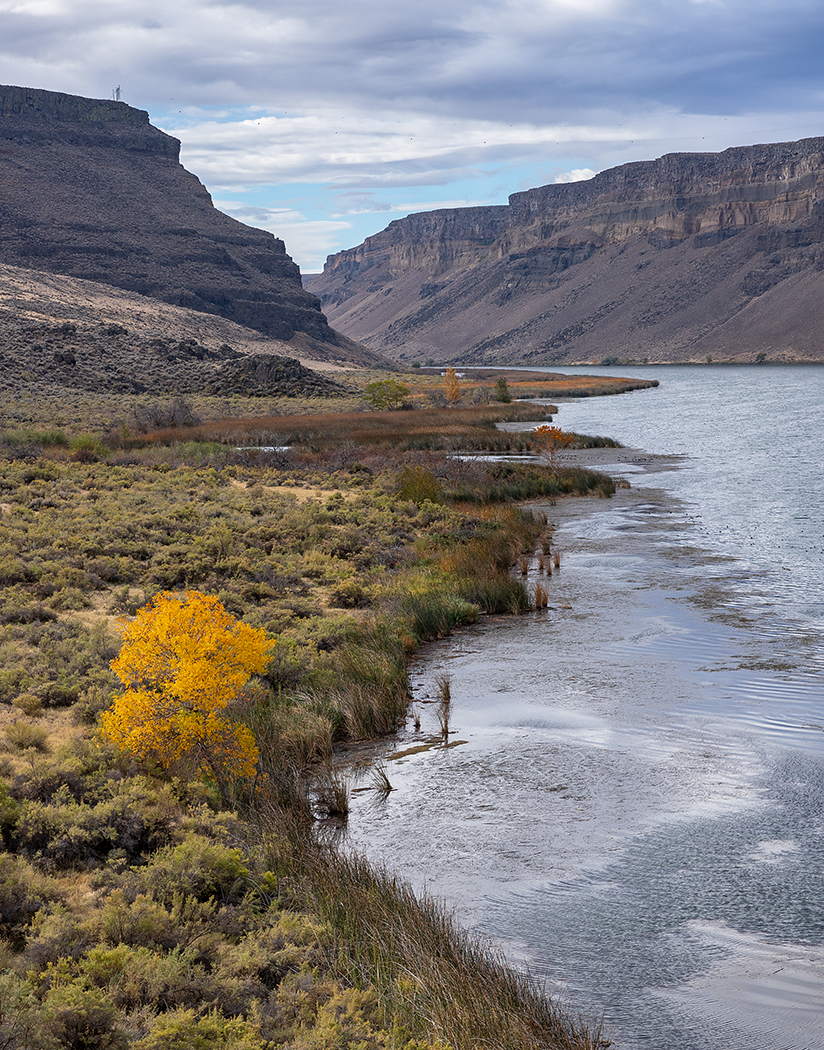
Nice image here as well. All the nice curves, the river, and those mountains - MAN! |
Nov 23rd |
| 49 |
Nov 25 |
Reply |
Hi Alan
Thanks for the feedback, I'm grateful. Taking an image that has nothing blown out in it to use for masking-in is a great idea... never thought about doing that.
Good eye on the reflections, there are many. I tried doing some cleanup but found they looked more distracting than what I was trying to eliminate, so gave up.
Thanks again!
Josh |
Nov 23rd |
| 49 |
Nov 25 |
Comment |
Hey Morrie
What a capture - there's so much going on here, but you've boiled the image down to this one subject so nicely, great eye for seeing it and nicely executed! My eye jumps right to the person with bag of goods, and their awesome reflection, and then starts exploring.
I understand David's point about blurring the background, but to offer another perspective, I think that's part of what makes this image so effective. We're getting to see this wonderful little snapshot in time of this person's life, and part of that is existing in all that busyness and bustle.
The crop you've chosen works well too, with images this busy, it can be hard to decide where to draw your edges, but this "feels" just right.
Thanks for sharing
Josh |
Nov 16th |
| 49 |
Nov 25 |
Comment |
Hi Alan
This is a nice clear shot, which I'm a little surprised by at 1/100 sec. Good choice of aperture too, I like the details of the train it affords. I guess I could take or leave more steam… A more macro shot of more of the cars, the mountains, and the steam would be cool, but I also like the details you've captured with the tighter crop.
One thought for this image is to consider cropping up from the bottom just a hair. It centers the engine vertically and runs those tracks into the corner, which I always find pleasing. I think left and right is just right, with the train disappearing off frame and that nice rock divider between the pine tree and the edge.
Thanks
Josh |
Nov 16th |
| 49 |
Nov 25 |
Comment |
Hi David
I like the impact that this image carries, particularly the stark contrast you've captured and created. There's some great detail in the opened pod and seeds, apparently just in the cusp of blowing away - great timing! I can't get over how the leaf, branch, and pod looks like a woman putting her two arms out, releasing the seed - I love it.
I do find my eye returning to the little speckles in the top right corner, which you might consider cleaning up. Or… now that I play with it, maybe crop down from the top a little? It does eliminate a little distraction and really bring the focus to our subject. A 5x7 crop makes it a little elongated too, which gives some left-to-right direction that supports the subject.
Thanks!
Josh |
Nov 16th |
| 49 |
Nov 25 |
Comment |
Hi Craig
What fun! I like the overall presentation; it's a cohesive piece that you've tied together nicely. The image of your wife is crystal clear and tac sharp and nicely exposed.
There are a few hard transitionary lines on her left side that could do with a little softening, but great job properly masking through her hair, so that we're seeing the flower image through it.
One thought for consideration, if you still have the layered file, throw a full white layer behind the background image and try reducing its opacity by a few percent. It would subtly deemphasize the "flower power" ???? and emphasize your lovely bride a bit.
This is a fun one, thanks for sharing!
Josh |
Nov 16th |
| 49 |
Nov 25 |
Comment |
Hi Cindy
I don't know if it would have occurred to me to articulate, but I like David's point about the stem (which if it weren't for those flowers, looks just like a piece of asparagus) being composed at an angle. I feel like my inclination would have been to make it vertical but angled the way you've chosen gives it something more - I like it. You've also given your subject a little room to "breath", which also works well.
In terms of ideas to explore, there are some blacks/shadows on the bee itself that are clipped, which you could try to recover by bringing up your shadows a bit. If you go into the Develop module in LR and hit the "J" key to toggle the highlight/shadow clipping indicators, you can see what I'm talking about and monitor your progress of recovering them.
Thanks for sharing!
Josh |
Nov 16th |
| 49 |
Nov 25 |
Reply |
G'morning David
Thank you for the feedback sir! It's funny you mention the stopped cars, I took a bunch of these to try to avoid those and it just occurred to me, I probably should brush up on my Photoshop skills and just figure out how to stitch light trails in from other images that have movement at the locations of the stopped cars and clone them out! A project for another day.
Good catch on the two bright signs, you're right, they completely distract from the whole point of this image! More emphasis on the vehicles' light trails, and ultimately the capital, is what this is all about.
Thanks again for your thoughts!
Josh |
Nov 16th |
5 comments - 3 replies for Group 49
|
5 comments - 3 replies Total
|