|
| Group |
Round |
C/R |
Comment |
Date |
Image |
| 40 |
Jan 23 |
Comment |
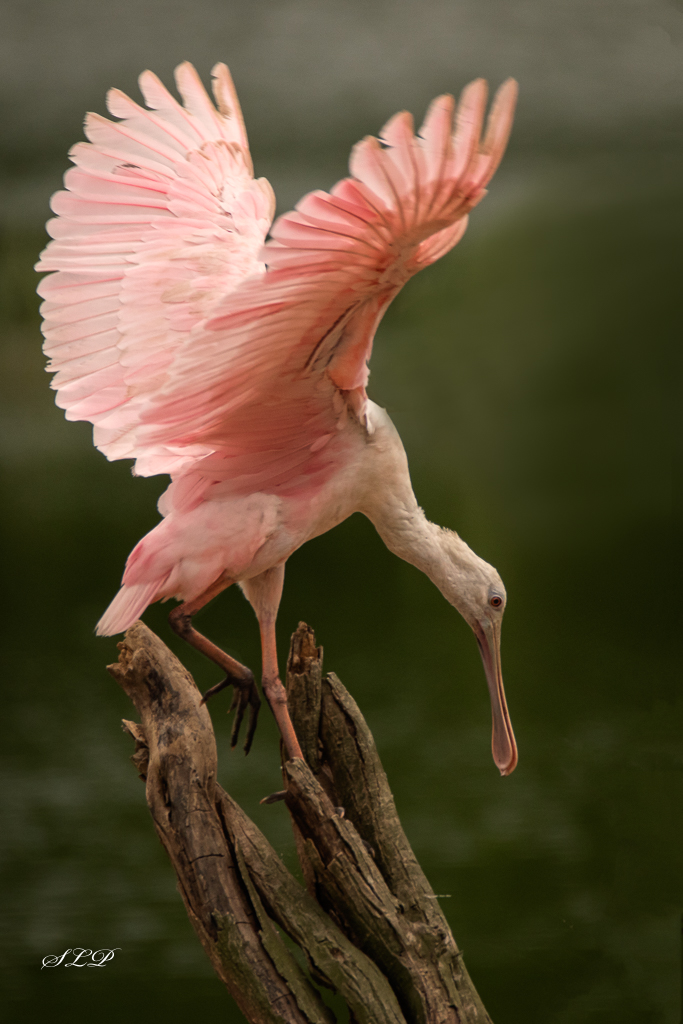
Hi Catherine, I am visiting you again from Group 52 at Andrew's request. I think you have done a fine job of capturing this action with the wings fully extended - so congratulations on being patient. That is a hugh asset in wildlife photography. The image as displayed is so small that I cannot tell for sure, but it appears that you have correctly exposed for a white bird - no small feat! As for the slight slant Mike has referred to, you can test that out, but if it makes the bird appear to be leaning backward, then I would not do it. The shoreline may just be slanted. We have to decide what it the nost improtant part of the image to have straight. If you have enought pixels I would crop at least a third of the space in the foreground. It would create a more panoramic image - which is a metter of personal taste - but it would also eliminate some space that, in my opinion, does not have much interest for the viewer. |
Jan 15th |
| 40 |
Jan 23 |
Comment |
Hi Julie, Andrew has asked me to contribute to your group this month. You have definitely captured a decisive moment with this image. I think if you could provide your fellow group members with some EXIF data about this image they could learn a great deal from your capture. I agree with Mike that the top wing-tip is a tiny bit too close to the edge of the frame for my taste. Were you using burst shooting? Turning that on increasese the chances of capturing an equally sharp, almost identical image that is framed up a little better. (Also, it is a fun way to shoot wildlife action!) I would suggest using the making tool in LR to select the background a darken it a bit which would make the pelican pop out more. |
Jan 15th |
2 comments - 0 replies for Group 40
|
| 52 |
Jan 23 |
Reply |
Thanks, Ally, for the details. I am amazed that you captured this handheld. I have been practicing (indoors) with my macro lens, trying out different depths of field. The f/4.5 was an excellent choice of aperture for this image in my opinion. |
Jan 16th |
| 52 |
Jan 23 |
Comment |
It is always an adrenalin rush for me when I catch a warbler or songbind in flight. They are so challenging and their movements seem to me to be very erratic. However, like you, I really want it to be at slightly different angle. I am not sure what I would do with this if it were mine. I do not think any further post-processing is needed, but for me, it just lacks impact. Have youvthought about using it in a composit image? |
Jan 15th |
| 52 |
Jan 23 |
Comment |
You are terrific at encouraging us to see beyond the immediate impression of all of our subjects. The blue-orange palette in this image is lovely in my opinion. However, overall, this image seems to me to be lacking impact. I'll bet there is a lot more tha could be done with it. Right away I think about duplicating it, flipping the copy horizontally then putting it together with this one for a whole leaf. It would take some work, but might be worth a try. Or how about rotating it to the left then in PS adding a drop shadow on the bottom? These are just randowm thoughts. You are much better at this than I am, but I would be you can make something more impactful with this image. |
Jan 15th |
| 52 |
Jan 23 |
Comment |
Ally, This is a beautiful nature image. I agree with Mike about the crop. Otherwise I would not change anything.
You make some lovely images, but I often feel disappointed that you do not tell us more about the technical aspects of how you accomplished the final product. We know this was done with a macro lens, so can we assume you used manual settings?What aperture setting did you use to achieve that lovley bokeh? What about ISO and shutter speed? Was your camera tripod mounted or hand held?
Group 52 is ten years old this year and I have always tried to emphasize to the members who have come and gone, that we want to learn as much from each other as possible. If you could, in the future, tell us more, it would be greatly appreciated. |
Jan 15th |
| 52 |
Jan 23 |
Comment |
You were definitely in the right place at the right time!. I appreciate that the eyes of all three subjects are sharp and life-like. Did you use the new animal eye tracking feature?
I would concur with Mike's suggestion about the center ram, but I do not think I would remove the grass - especially if you are going to use this in a nature competition as, in my opinon, the grass adds to the context. The snow seems to have a blue cast which does not seem right ot me, so I would select the background and tweak the WB slider. You can add snow in OnOne Textues, or you can create a snow-like effect using teh brushes in PS, but you will have to do that carefully so it looks real. Of course that would make it ineligible for Nature Division competition.
This image has a lot of potential. Well done. |
Jan 15th |
| 52 |
Jan 23 |
Reply |
Thanks, Ally. In your LR Develop Module you will see a bar right under the histogram that has 5 tools in it. The last on on the right is for masking. When you click on it you will get a drop down menu that allows you to select subject, sky or background. This makes it possible to edit each portion of your images independently. It mimics what ca be done in PS but is much easier and does an excellent job in most cases. |
Jan 15th |
| 52 |
Jan 23 |
Reply |
Thanks, Mike. Those are all good suggestions. I will see what I can do with them. |
Jan 15th |
4 comments - 3 replies for Group 52
|
6 comments - 3 replies Total
|