|
| Group |
Round |
C/R |
Comment |
Date |
Image |
| 76 |
Oct 24 |
Reply |
Thank you Sophie for your thoughts and I appreciate your comments. The one thought that comes to mind is that in the evolution of the thought process it takes a lot of post-processing to get to the point where you are happy with the results. Sometimes I'd like to the finish line sooner with good results. |
Oct 22nd |
| 76 |
Oct 24 |
Comment |
The angle of the couple to the square box, the pair's expression between each other and the couple's body position all add to a well executed image. I would take out the distraction of the lights at the bottom but, to me, some context thought light, is provided with the lettering in the background. Your highlights look fine and are not blown out. This is one of my favorite images of yours. |
Oct 22nd |
| 76 |
Oct 24 |
Comment |
It takes a lot of knowledge in the planning, execution and post-processing skills to produce an image of this caliber. I've only taken a few images of the Milky Way but it was always in a workshop. So, currently I don't possess all the skills/equipment (photo pills, etc.) but would love to learn. Thank you for sharing the information on how you achieved your Milky Way image. I admire your willingness to challenge yourself to difficult situations and execute them well in the realm of photography. I like how the foreground and background look in the final image especially with all the challenges that were presented to you in the final execution. Well done Gordon. |
Oct 22nd |
| 76 |
Oct 24 |
Comment |
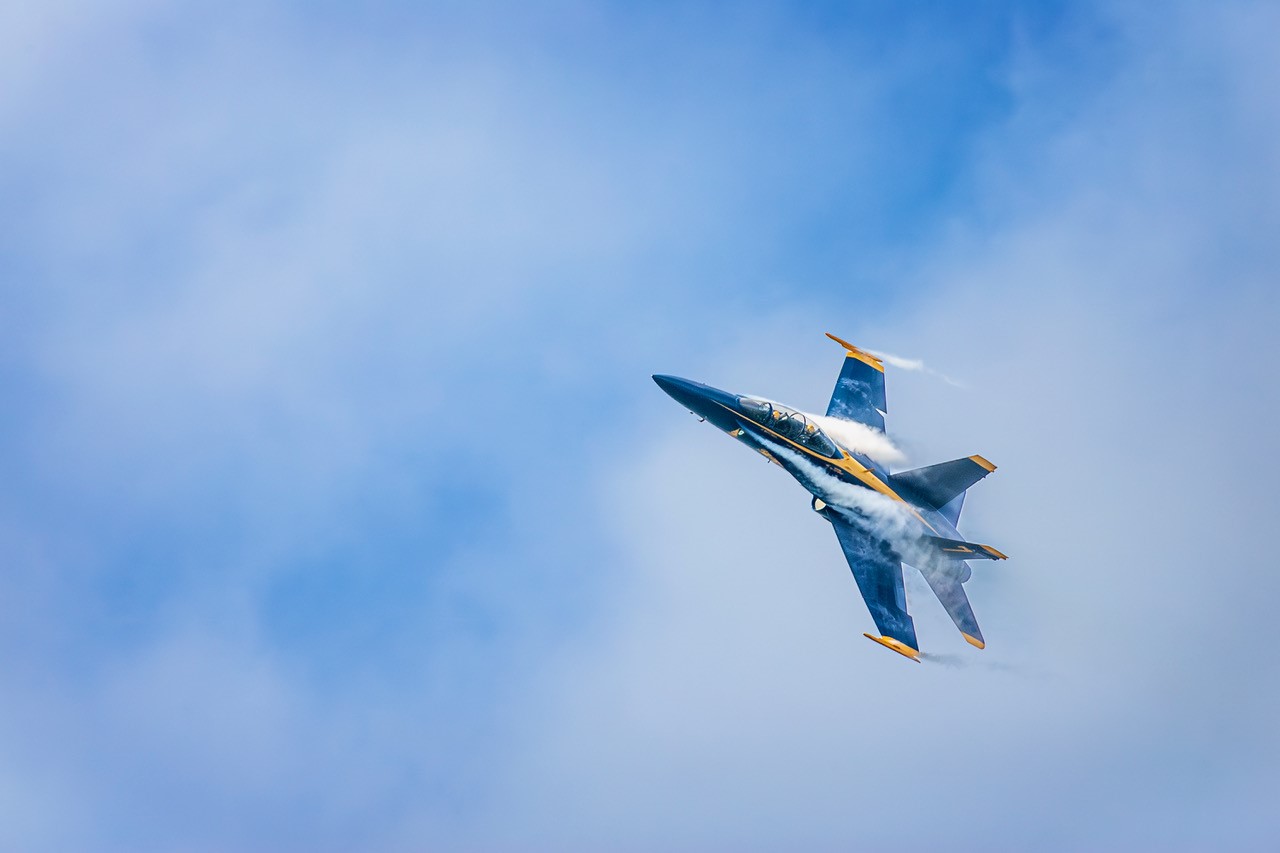
Jay, what a sunning "wow" image. Just had the air show here (didn't go this year) in San Francisco, but when I do, I use high speed synch as these images are hard to get with the right spacing but sometimes the planes are so close together that it is difficult.. This is such a a nice image with the sky, clouds, smoke and planes...all nice elements to add visual interest. Well done, Jay. |
Oct 22nd |
| 76 |
Oct 24 |
Comment |
I don't want Gordon to feel alone in his opinion that the sun should be cropped out. I also feel that if you just crop out just below the sun the image would direct our focus on the outline of the three people and the eruption. The bright outline of the person's hair in the middle of the trio lets us know that the hair is backlit by the sun and we don't really need to see the sun. You will still have some of the rays from the sun in the image. All this said, this is a great image and your post process is really nice. I like the contrast in the foreground rocks, the back lit hair, the silhouette of the people and the eruption. Nicely done, Sanford. |
Oct 22nd |
| 76 |
Oct 24 |
Comment |
Love this image...This image is all about perspective, lines and rectangles. And, it is the photographer's personal vision of what he wants to present to the viewer. I do like Gordon's interpretation of the final image using guidelines to straighten out the building. I don't need to see the whole building because the important thing is that the symmetry, lines and rectangles are still present in the image and provide strong impact. Trey, your willingness to learn a new tool to employ are admirable as well as Gordon's input. The person in the image gives us scale and the reflection (blue) in the window add to the overall image. Well done Trey. |
Oct 22nd |
| 76 |
Oct 24 |
Comment |
I think Trey's suggestion of making this a 16x9 crop would enhance this image and draw the viewer's eye to the skyline as the most important feature (less a bit of sky and water). The skyline with the Sydney opera house is very impressive and the angle of view quite nice. I look forward to seeing more of your images from Sydney and elsewhere in Australia. |
Oct 22nd |
| 76 |
Oct 24 |
Reply |
As always I appreciate your opinion, Ian. Glad that you like the b/w image. I'm beginning to understand the power of b/w and when to select an image that is enhanced by b/w treatment. I mentioned to Trey that I really like this group because of the exchange of comments and opinions on one's images. I've really learned so much from everyone and always look forward to seeing the work of the people in our group every month. What I've learned from posting this image is to keep working at it t and to make it into an image that I'm proud of...my first interpretation was kind of flat (to be honest). |
Oct 21st |
| 76 |
Oct 24 |
Reply |
Thank you Jay for your nice comment. I really like how B/W focuses on the different elements in an image whether it's mood, lines, shapes, etc. and I am beginning to revisit b/w photography once again. |
Oct 21st |
| 76 |
Oct 24 |
Reply |
Trey, I'm always open to suggestions and different interpretations. I do like how you interpreted the b/w image and the reasons why. For years my post processing techniques were just ok but not great. I knew my images could be better but didn't know many of the techniques to enhance my images. This past several months I've been working on my post processing techniques and hopefully it is beginning to show. One reason why I like this group so much is the willingness to help each other by comments, opinions and showing techniques that will better enhance our images. So Trey, thank you for showing me a different way of interpreting this scene. |
Oct 21st |
| 76 |
Oct 24 |
Reply |
Gordon...When you mentioned lightening the water by adding a white layer using an Overlay Blend Mode and painting it over the water, this is what I did. I added a new layer, changed blend mode to Overlay, went up under the menu and changed the brush percentage to 10%. This method really lightened the waves and made the image stand out so much more and I am much happier with the results now. But, the one question I have for you is you mentioned adding a white layer, I think perhaps I missed something here....by white layer, did you mean adding a new blank layer as a new layer? As always, I am always appreciative of your suggestions. |
Oct 19th |
| 76 |
Oct 24 |
Reply |
Oh, thank you for Gordon for the suggestion. Previously I did apply a gradient to the water to lighten the water a bit but think it can go a bit lighter. I will try what you suggested.. didn't realize you could lighten the water by adding a white layer using an Overlay Blend Mode painting over the water. |
Oct 15th |
| 76 |
Oct 24 |
Reply |
Sanford...I did a second edition of the B/W image of Pfieffer Big Sur State Park image and I like this 2nd rendition better than the one I submitted for October posting. The 2nd B/W image is more dramatic. Thanks for your comments because you got me to thinking that the first image kind of fell flat.
|
Oct 11th |
 |
| 76 |
Oct 24 |
Reply |
Ok, Sanford....here is the colored version of the image. Most likely people might like the color version more because of the warmth and light. I chose to render the image in b/w because I wanted to emphasize the rock wall more. I painted some rocks on the wall and on the splashing water near the rock wall to give contrast to the darker rocks. My idea was to give the image a more subtle look with the b/w treatment but I do like the color image as well. It's just a different feel. |
Oct 9th |
 |
6 comments - 8 replies for Group 76
|
6 comments - 8 replies Total
|