|
| Group |
Round |
C/R |
Comment |
Date |
Image |
| 77 |
Jun 21 |
Reply |
I absolutely love what you have done here Witta! Such a creative idea and well executed. I will attempt to duplicate what you have done as I can see using your approach on other images as well. Thanks for sharing a very clever perspective. |
Jun 20th |
| 77 |
Jun 21 |
Reply |
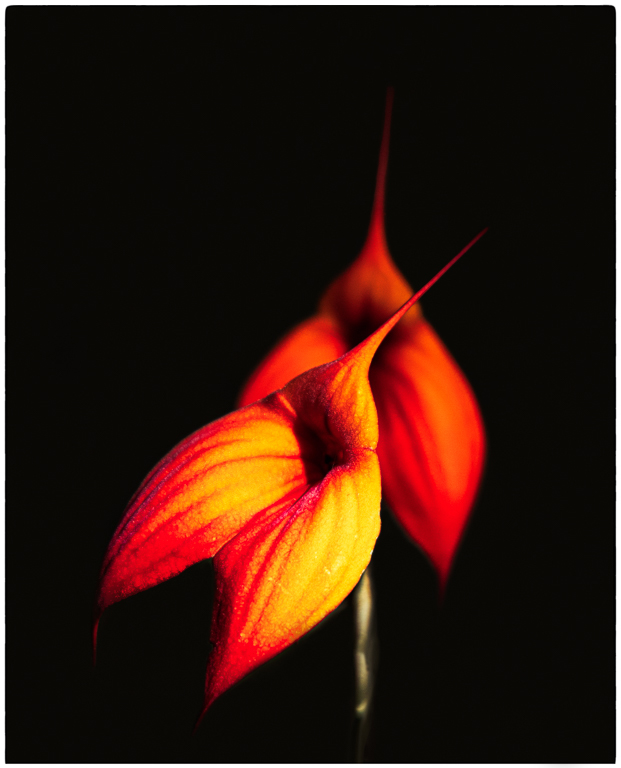
Thank you so much Mary. They say photography is a subtractive process - subtract enough distracting elements and we just might end up with a pleasing composition. I am not sure whether your camera does photo stacking automatically or not. I'm using a Canon R5 which will do focus stacking automatically but I prefer a manual approach. The R5 has focus peaking which makes it very easy to see exactly where I am focused. Regardless of your approach, do dive in and have fun with it. |
Jun 17th |
| 77 |
Jun 21 |
Comment |
Your original photo is a wonderful capture and your editing has resulted in a really lovely image. I agree with the suggestions others have offered. Just love those backlit petals, the focus on your subject and the soft ethereal feel of the background. |
Jun 16th |
| 77 |
Jun 21 |
Reply |
Thank you for showing me another take on this image that I really like Denise. I have not used the smudge filter in Topaz and you have used it to great effect here. The seed heads have indeed been softened but all the detail in key areas has been retained - I really like the effect. I'm learning from you all that tools like Topaz can be used in very subtle ways that have eluded me. I tend to end up getting very heavy handed when using Topaz to add filters, textures, etc. I see in our group you all using the same tools I use but with a more sensitive approach and it is inspiring me. Thanks! |
Jun 16th |
| 77 |
Jun 21 |
Reply |
I really love what you have done here Georgianne! It would have never occurred to me to invert the image which results in this high key look that is just lovely. I agree that your image is one I can more easily see on a wall. The inversion process also opens the possibility of using subtle textures which might enhance the look although I like it just as you have edited it. Thanks for sharing your approach. |
Jun 16th |
| 77 |
Jun 21 |
Reply |
You have captured a very appealing rose image and I think your second version brings it all together. You might want to go with even a little more stem for balance and flipping the texture helps to make your yellow rose pop more to my eye. Your texture is very subtle and suits your subject well. |
Jun 3rd |
| 77 |
Jun 21 |
Reply |
Thanks Witta. You have my attention when you suggest taking this image to the "next level of fine art photography". It makes me realize that I'm not even sure I fully understand the concept of fine art photography. I get that these images are meant to evoke an emotion, to capture the imagination to ..... not be a documentary snap shot. At any rate, I am completely open to your suggestions. |
Jun 3rd |
| 77 |
Jun 21 |
Comment |
What a great capture Mary. the image looks quite cinematic in my opinion. I agree with Witta's comments and much prefer the color version which has a warmth appropriate for this happy couple. Cloning out the stray lights and balancing the color of the remaining lights really harmonizes this lovely image. |
Jun 3rd |
| 77 |
Jun 21 |
Reply |
This is a fantastic image and one that you can easily imagine on the wall. You have done a great job with blending your textures to achieve your final product and have certainly given me some ideas to explore regarding using multiple textures. |
Jun 3rd |
2 comments - 7 replies for Group 77
|
2 comments - 7 replies Total
|