|
| Group |
Round |
C/R |
Comment |
Date |
Image |
| 20 |
Mar 21 |
Reply |
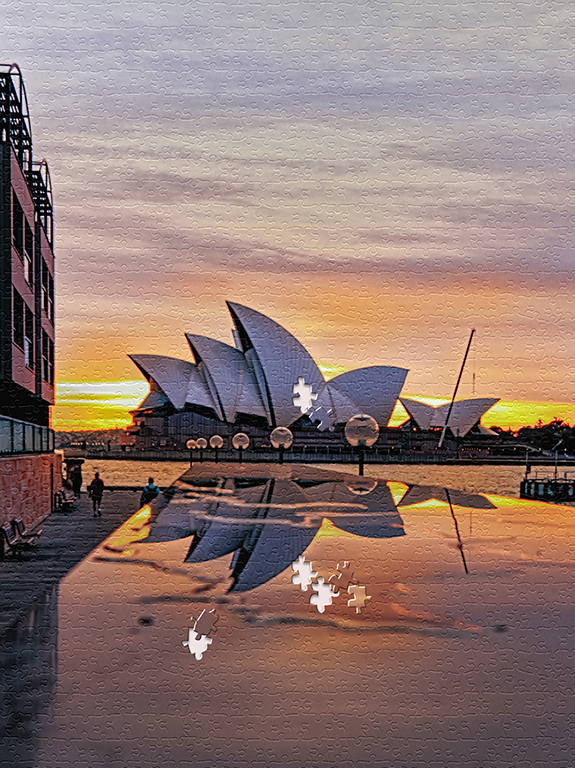
Thanks for your comment. The foreground reflection is a kind of effect I want for this picture.
Water has been poured over a surface of a marble block which create a reflection of the Sydney Opera House.
|
Mar 25th |
| 20 |
Mar 21 |
Comment |
I agree with the others the ape needs to be bigger. By looking at the original picture of the ape, I noted that you have modified the direction of the ape looking (from sideway to gazing to the reader) interesting... |
Mar 19th |
| 20 |
Mar 21 |
Comment |
Shirley, well done, you made the yellow car pop out more than the original picture |
Mar 19th |
| 20 |
Mar 21 |
Comment |
A very unique creative masterpiece. |
Mar 19th |
| 20 |
Mar 21 |
Comment |
Beautiful presentation! Cleverly use the original bouquet(enlarge version) as a background, well done. |
Mar 19th |
| 20 |
Mar 21 |
Comment |
Pat well done! I totally agree with the others that it is a great way to tell the story of a tulip |
Mar 19th |
| 20 |
Mar 21 |
Comment |
I like the final color. It is so sharp and beautiful |
Mar 19th |
| 20 |
Mar 21 |
Reply |
Dear Shirley;
Below is the way to find puzzle effect in PS
Filter->filter gallery-> texture ->texturizer
Once in the texturizer, there are boxes to adjust
texture: choose image 1_1_puzzle
scaling:200% (depend how you want the puzzle size)
Relief:13 (depend what you want as well)
click ok
Once you have the puzzle template on your picture, then follow the steps I wrote for the PS puzzle effect
Hope you will find it this time :)
|
Mar 19th |
6 comments - 2 replies for Group 20
|
6 comments - 2 replies Total
|