|
| Group |
Round |
C/R |
Comment |
Date |
Image |
| 24 |
Apr 21 |
Comment |
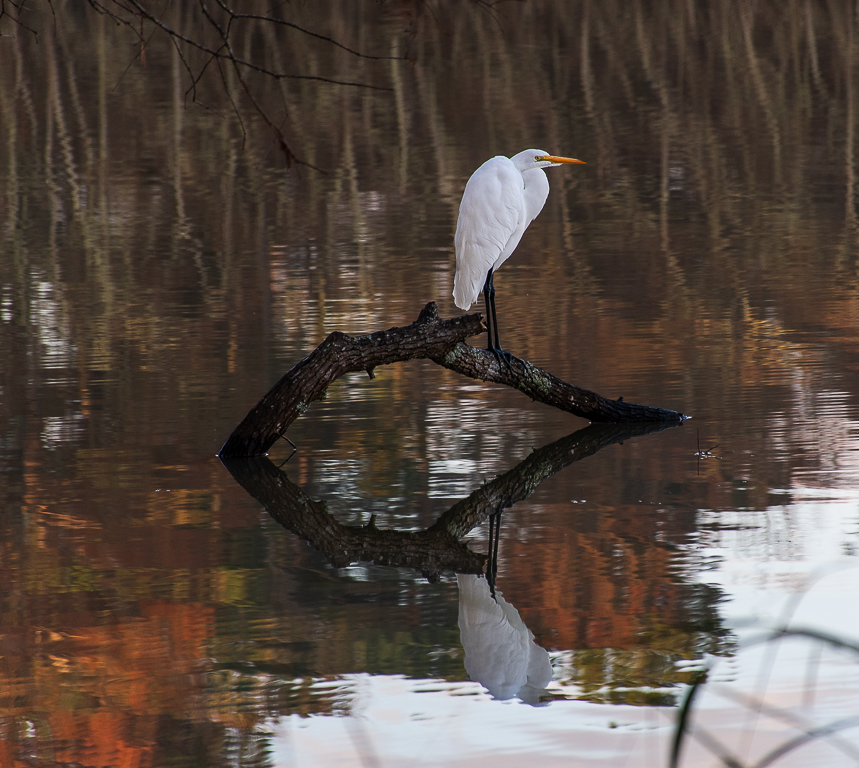
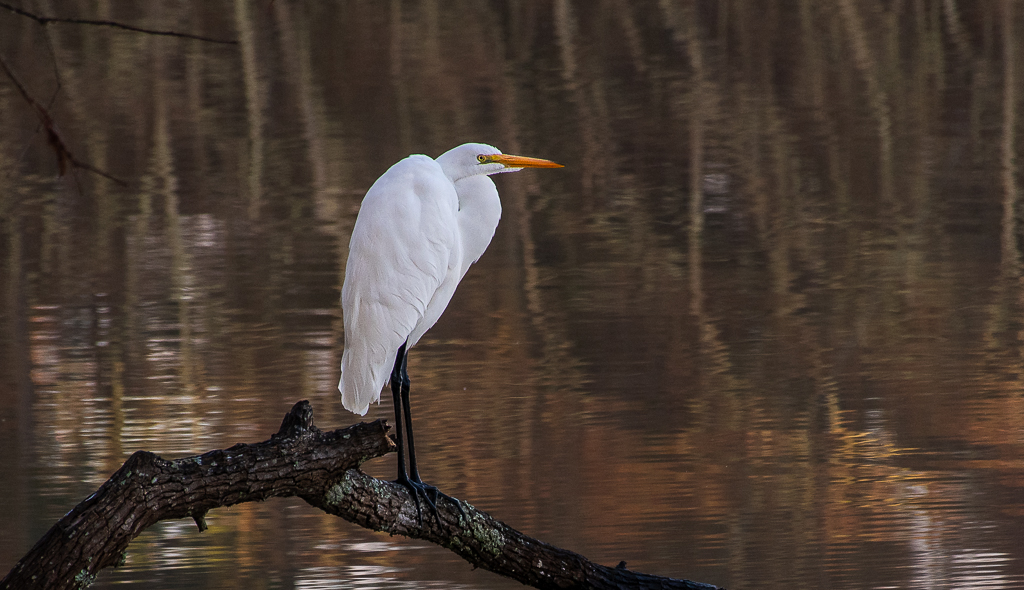
Sam this is an interesting project. My only suggestion would be to crop a little off the right side and top of the photo. The dark area along the middle of the right side is distracting. |
Apr 9th |
 |
| 24 |
Apr 21 |
Reply |
Tab I see your point. If the photo is truly about the egret and not the reflections, then I would crop even more off the bottom to entirely remove the white area at the bottom. Let me know your thoughts on the updated photo.
Jim what are your thoughts on this updated photo. |
Apr 5th |
 |
| 24 |
Apr 21 |
Reply |
Jim I hated to crop more off the left side and bottom as I would have lost the wonderful autumn colors reflecting on the water in the bottom-left corner of the photo. However, I like your edits as it places more space on the right-hand side of the photo in the direction the egret is looking. |
Apr 5th |
| 24 |
Apr 21 |
Comment |
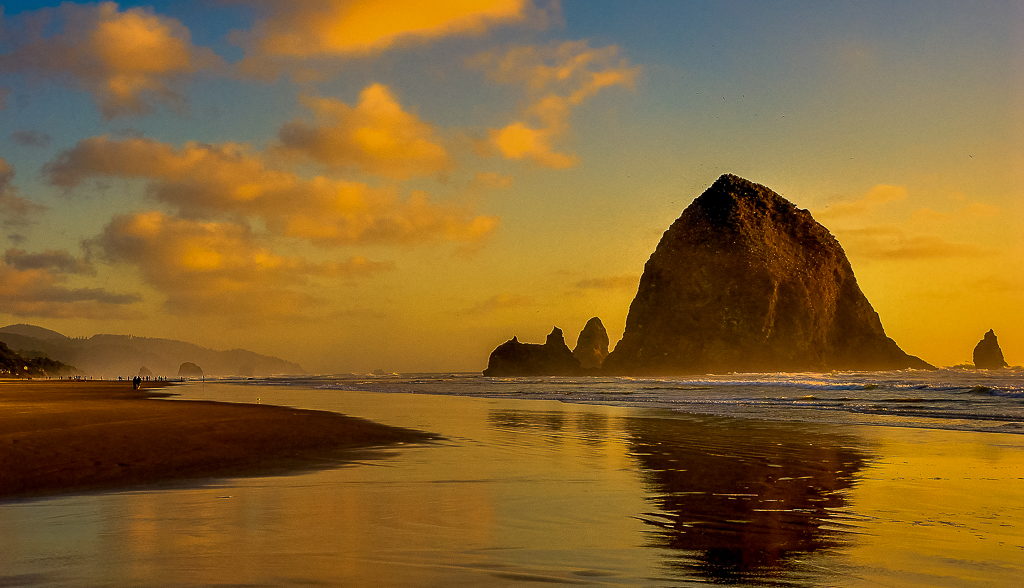
Tab what a beautiful beach sunset scene. I love the golden sunset colors on the clouds and reflecting on the water. If you are only looking at the colors this is a wonderful photo. However, when looking for subjects in the photo there seems to be a lack of details in the people walking on the beach and the birds on the rocks. I used Lightroom to sharpen and bring out these details. I also think the lower left brown patch of sand is distracting. I cropped the bottom of the photo to eliminate this area. I also cropped a little off the top to remove the dark round spot (looks like something was on the lens or sensor) on the upper-left side of the photo. See attached edited photo. |
Apr 5th |
 |
| 24 |
Apr 21 |
Comment |
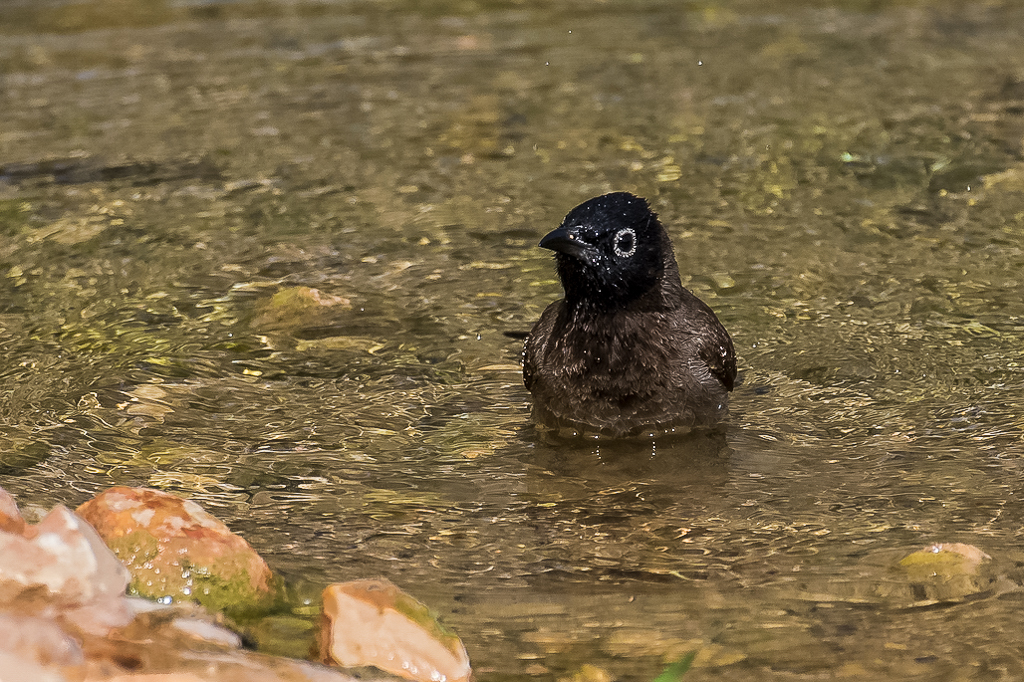
Steven I like the tight crop on the photo that you did with the bird slightly offset to the right. Also, the rocks in the foreground help to anchor the photo. The bird's eye is nice and sharp and the water cascading down the feathers adds visual interest to the photo. I do think you lost some of the details in the bird's dark feathers. I did some lightening and sharping using Lightroom adjustments to bring out the details in the feathers and water droplets. Along with darkening the highlights on the rocks. See attached edited photo. |
Apr 5th |
 |
| 24 |
Apr 21 |
Comment |
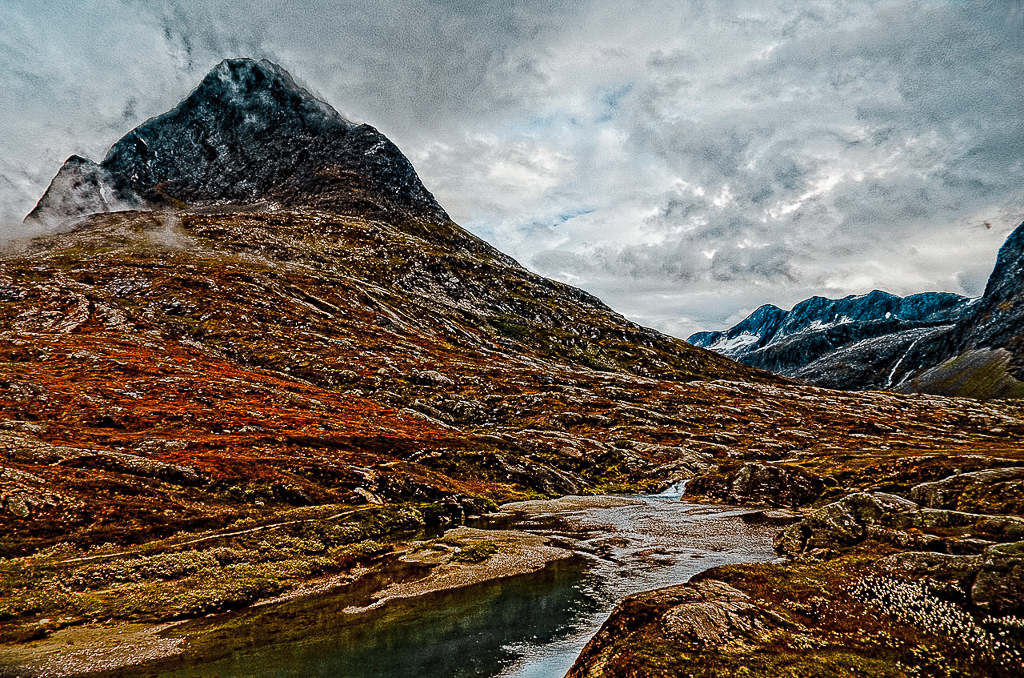
Albert what a wonderful landscape to photograph. I love the clouds hanging on the mountain and variety of colors in the landscape. I do not see a strong subject in this photo, therefore to me it's the wonderful colors flowing throughout the photo. To create the ominous feeling you were going for and to emphasis the colors of the native plants, I would have sharpened the clouds in the sky and lighten the landscape. Let me know what you think of the edited photo. |
Apr 5th |
 |
| 24 |
Apr 21 |
Comment |
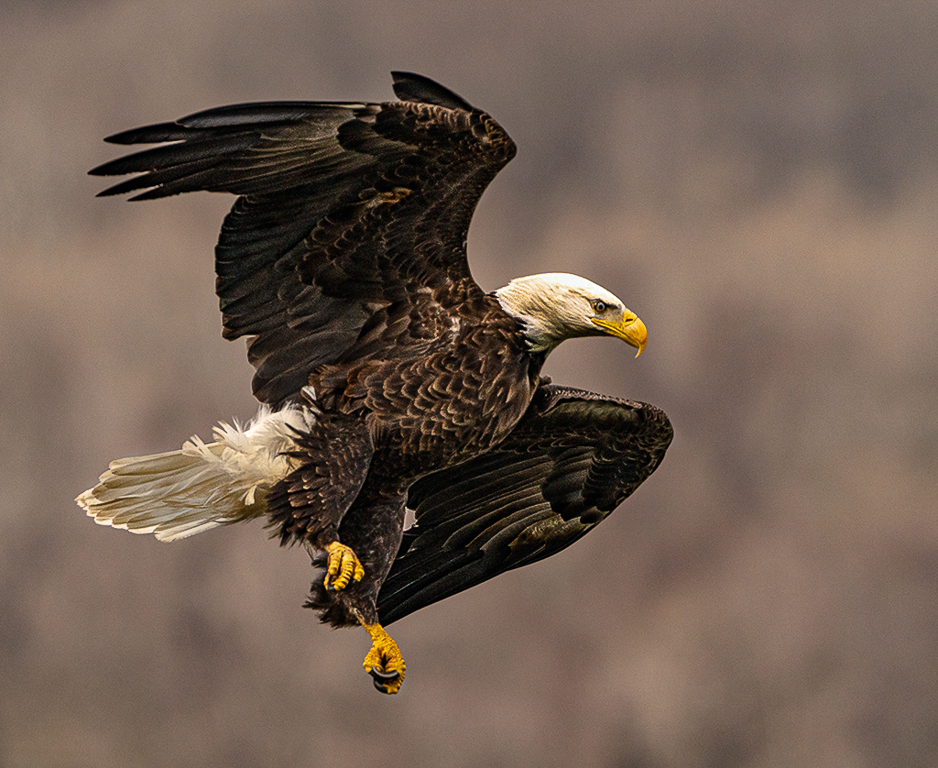
Jim what a wonderful photo of our country's national bird. You did a great job brining out the details in the eagle's feathers and face. The slight offset to the bird when cropping is perfect. The blurred background puts the users focus on the main subject. My only suggestion would be to try and bring out some of the details in the eagle's white head feathers. I tried doing this using the Lightroom adjustment brush. I also reduced the background noise and brought out some more details in the eagle's feathers using the adjustment brush. That's the limit of my skill set. Still, you have captured a wonderful photo of the eagle. |
Apr 5th |
 |
5 comments - 2 replies for Group 24
|
| 97 |
Apr 21 |
Reply |
The original photo had a lot of shadows. I tried to lighten some of the rocks and crop out most of the dark areas. |
Apr 3rd |
| 97 |
Apr 21 |
Reply |
Stan if you find a solution to sharpen your photos let me know. I have a lot of old JPEG photos in the same boat. |
Apr 3rd |
| 97 |
Apr 21 |
Comment |
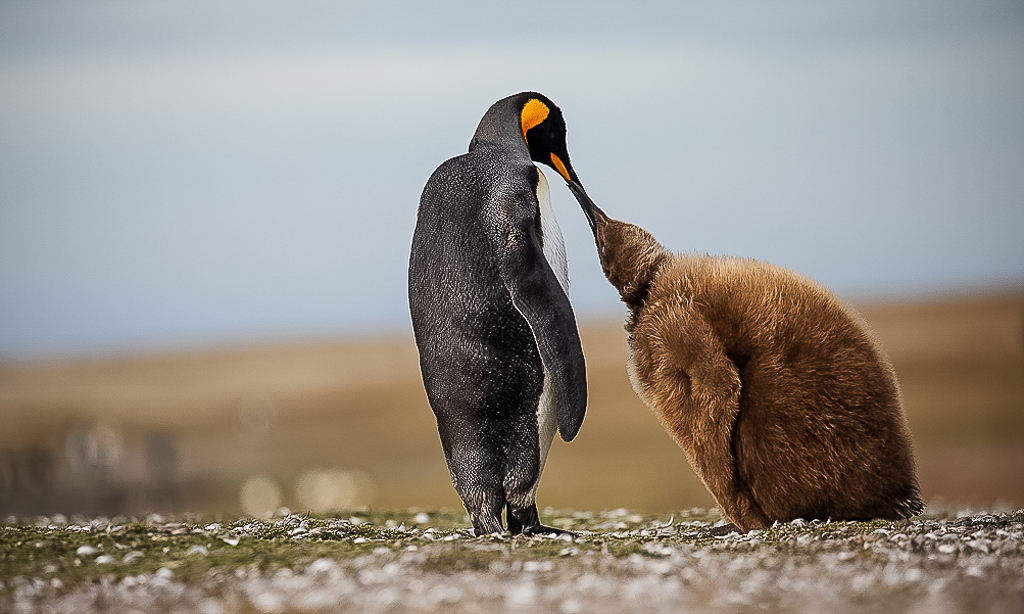
Andy what a great opportunity you have to take wildlife photos. I like how you cropped the penguins slightly off centered. I would suggest cropping the bottom and left sides slightly to remove some of the background and foreground distractions. I would also lighten the penguins a little to bring out the details a little more in their feathers. |
Apr 3rd |
 |
| 97 |
Apr 21 |
Comment |
Jeffrey what a great job during your post-editing to bring out the details and colors in the back and white lemur's face and fur. The mother's eye is nice and sharp. I also like the look in the baby lemur's face saying, "don't let me fall!" ðŸ˜Å I like how you tightly cropped the photo to emphasis the mother and baby lemurs. Great photo and post-processing job. |
Apr 3rd |
| 97 |
Apr 21 |
Comment |
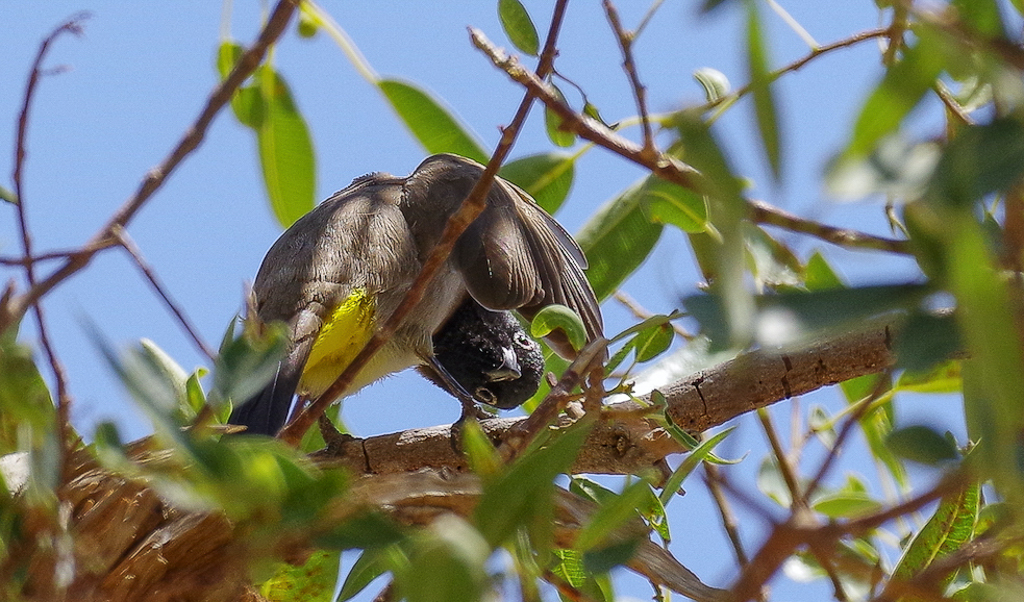
Steve I love that you where able to capture this bird in such a funny pose. The title is perfect for the photo as I am sure everyone that sees it will smile at the bird's pose. I also like that you off-set the bird slightly. I would suggestion that you crop the bottom and right-side of the photo slightly to remove the distracting out-of-focus brown branch in the bottom righthand corner. I also recommend lighting the birds head to bring out some of the details in the black feathers. See my edited photo. |
Apr 3rd |
 |
| 97 |
Apr 21 |
Comment |
Stan I love that you had the opportunity to take a photo of this wonderful looking turtle. This is a nice closeup of the Galapagos Green Turtle and I like how the turtle is framed in the photo. As I am sure you are already aware that the photo is grainy and looks slightly out of focus, I am not sure what kind of feedback you are looking for from us. |
Apr 3rd |
| 97 |
Apr 21 |
Comment |
Sophia what a beautiful photo. The egret's eye and feathers are nice and sharp. I also like how you used Vignetting on the blue sky to further emphasis the bird. My only suggestion would have been to turn on the "Auto Mask" when you used the brush to lighten the egret's head and eye. When you brightened the egret's head and eye the brush carried over into the shaded body feathers on either side of the head. This effect makes the photo look unnatural. |
Apr 3rd |
| 97 |
Apr 21 |
Reply |
Thanks Jeffrey. |
Apr 1st |
5 comments - 3 replies for Group 97
|
10 comments - 5 replies Total
|