|
| Group |
Round |
C/R |
Comment |
Date |
Image |
| 77 |
Dec 20 |
Comment |
Denise, gallbladder surgery and a new grandchild last month--Wow! Congratulations on the new grandson. While you have captured him beautifully, I tried out another version anyway. In LR, I removed some of the red/orange saturation from his skin. I exported to PS where I duplicated the layer and used a Luminar 4 preset called "Escape" which brightened and smoothed is face a little. I made another layer that I flipped horizontally and moved around to fill in some of the blurred portion of the blanket. That required some cloning as well. Back in LR, I reduced the highlights on the white portion of the blanket, slightly desaturated the blue, desaturated the image corners that didn't have the blanket, and added a reverse vignette to lighten all the the edges and make him look like he was sleeping on a cloud. |
Dec 6th |
 |
| 77 |
Dec 20 |
Comment |
Linda, The lensbaby imparts a dreaminess and you have captured peacefulness of this beautiful place. Your final image with its toned down highlights and vignetting invites me to wander in to lie down in the sun-dappled space between the trees. It's lovely. |
Dec 6th |
| 77 |
Dec 20 |
Comment |
Connie, I found Lisa Cuchera inspirational as well. I like your color scheme and the square crop pairs well with the yin-yang of the seed pods. I tried to duplicate your steps and got lost on the bas-relief filter. I found it, but I don't know how it works or how it should be used. I appreciate your "unplanned wanderings" and hope that you can duplicate your steps again because your final image is really nice with the colors and also the way it is separated from the textured background. Well done. |
Dec 5th |
| 77 |
Dec 20 |
Comment |
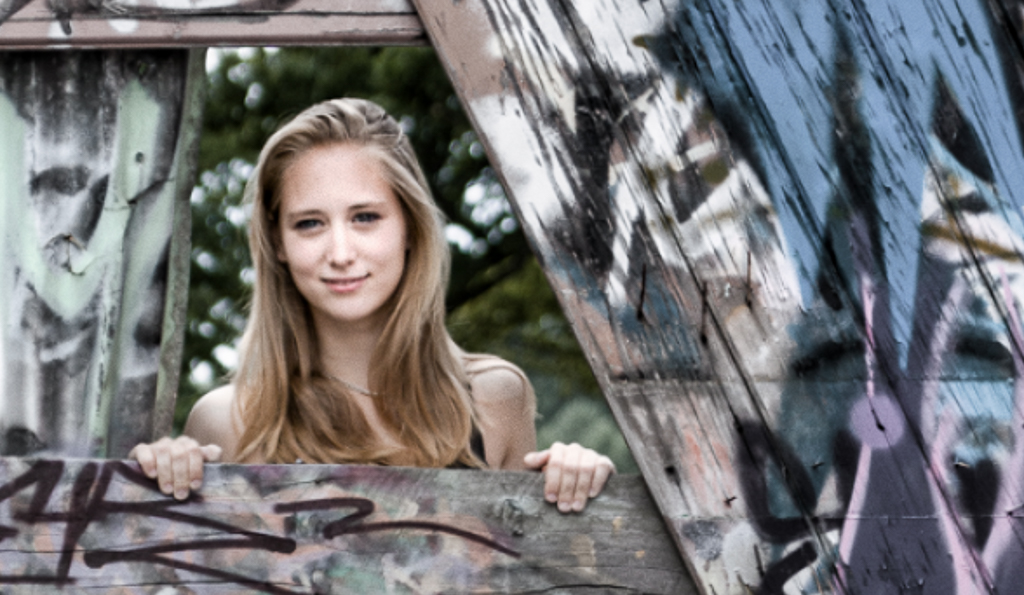
Witta, Kudos to you for learning more PS and LR processing techniques. I've recently upgraded both programs to the newest versions and they have so many new features. It is your reviews that included LUTs in PS that convinced me to update and seek them out. The young woman is lovely and your portrait of her so interesting. I like the contrast of the graffitied sale yards and the unblemished girl in her stylish black dress. I tried my hand at your photo. From PS I used Luminar 4's Portrait "Street Matte" setting. I reddened her lips, enlarged her eyes slightly, but she is so perfect, that was really not necessary. In PS I desaturated the layer about 50% but masked out her face/hair. Back in LR I cropped. I also like your full length image. Which color toning you apply for this is really a matter of taste and your final vision. |
Dec 4th |
 |
| 77 |
Dec 20 |
Comment |
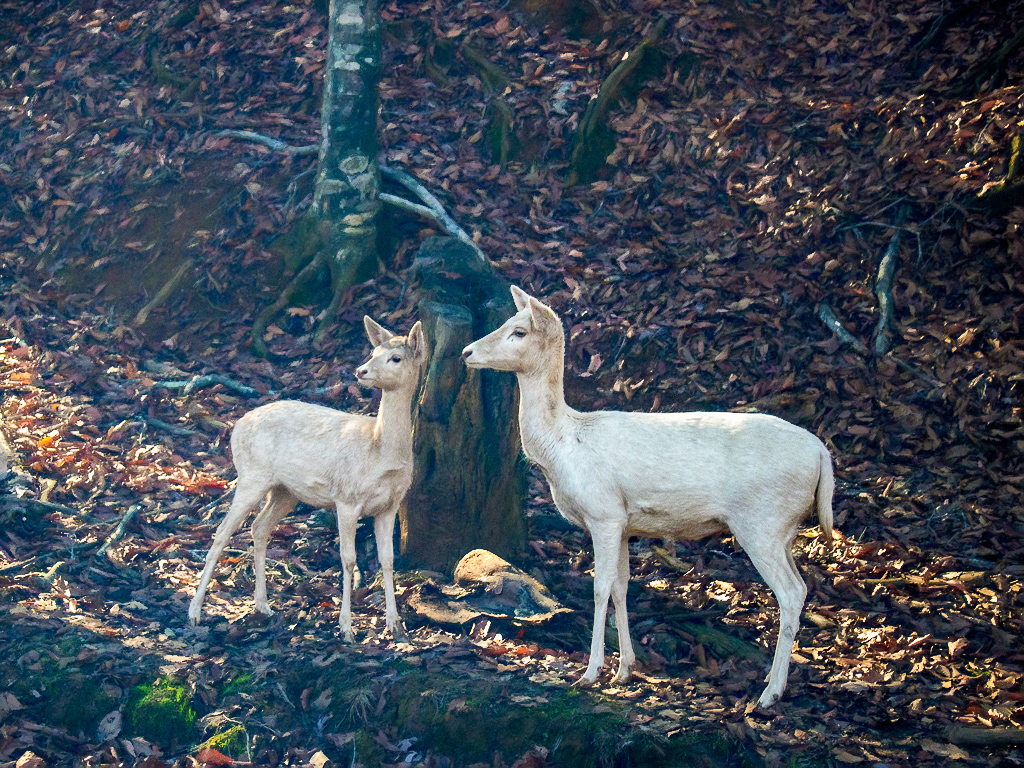
Georgianne, I have not seen white deer before. They are beautiful as is your photograph of them. I like the way you've emphasized the side lighting entering the space. I see the green brush strokes that you've added to hide the tree stump and trunk as distracting from the overall simplicity of the scene. Working from your original image I adjusted exposure in LR, exported to PS, duplicated layer, and applied Topaz Impressions VanGogh 1 (original background) no brush adjustments. Back in PS, I reduced opacity of this layer to 50% and masked out the white deer. Added a curves adj layer (clipped to the TI masked layer) to increase the highlights and darken the background. One more adj layer set to multiply (also clipped to the TI masked layer) and 29% opacity to further darken the background. Back in LR, I slightly warmed the image and I added +16 dehaze. |
Dec 4th |
 |
| 77 |
Dec 20 |
Reply |
Hi Witta, To my eye I need more contrast than you have achieved. I followed your steps as best as I could with my starting point having more contrast. Because my starting point was warmer, the Crisp Winter LUT made the image too cyan so I added a hue/sat layer to move it to blue. Regarding my final image submitted above, I liked the warmth lent by the rust texture. Also, when I made the image a vertical, I thought the dark side liked like bird feathers. Thanks for exploring another way to make this. Not sure if I'll ever create an abstract that works for me. |
Dec 4th |
 |
5 comments - 1 reply for Group 77
|
5 comments - 1 reply Total
|