|
| Group |
Round |
C/R |
Comment |
Date |
Image |
| 45 |
Mar 26 |
Reply |
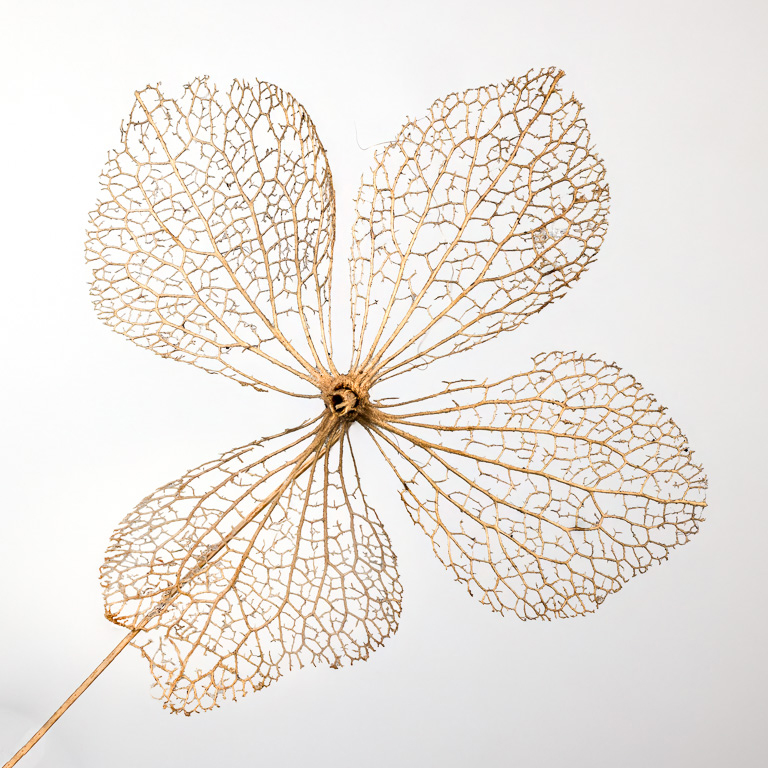
The camera lets you select the number of bracketed images and incrementally focuses in small steps automatically. If you select too many shots, everything after the last shot needed to keep the entire subject in focus will be out of focus. I checked the 48 bracketed images on the computer, and the 25th image was at the far end of what needed to be in focus. The skeleton leaf looks flat, but it isn't. It actually has a curve to it, and the four skeleton leaves aren't in the same plane. I also used the smallest increment to shift focus automatically. |
Mar 22nd |
| 45 |
Mar 26 |
Reply |
Thanks, Mike, and welcome to the group. You aren't the odd one out because I posted the white background image as my preference. So, it's 2 for black, and 2 for white. |
Mar 15th |
| 45 |
Mar 26 |
Comment |
This is a fascinating bridge design with only one tower on land. The cables are so dramatic against the small houses in the background and stand out nicely against the dark green foliage. It's a splendid composition as is. I wondered what it might look like in B&W, so I took a stab at it. |
Mar 8th |
 |
| 45 |
Mar 26 |
Reply |
When stacking with Helicon Focus, the process is simple and relatively fast that it doesn't really matter if you're stacking 10 images or 99 images. The program stacks images automatically with a click of a button. I've tried using focus stacking with my Olympus OM-1, but find it a bit cumbersome and the jpeg results are hit or miss. For this image, I used a Canon R5 with a RF 100mm macro lens. With Canon, I find it difficult to predict how many bracketed images I will need, so I tend to overshoot. I will shoot RAW images and stack them in HF with no issue, and the resulting stacked TIFF file can be edited with plenty of latitude. The cost of HF is a one-time payment with no additional costs for upgrades. I bought HF Lite (now $115). It rarely has upgrades and is good for a life time. Once you have it, you'll probably end up using focus stacking a lot more. |
Mar 7th |
| 45 |
Mar 26 |
Reply |
Thank you, Paul. I just realized that I forgot to mention that I bracketed this image with 48 shots, then focus stacked the 48 images in Helicon Focus. I didn't need all 48 images though. Only the first 25 or so were focused on the skeleton even though I used the smallest (+1) increment. |
Mar 6th |
| 45 |
Mar 26 |
Reply |
Thank you, Cindy. I also like the image with a black background because the flower skeleton shows up much better. However, I learned that some organization's nature competitions (e.g., PSA) reject images with a black background because it is not naturally seen to have a perfectly lit subject with a black background. Either the lighting is artificial or the background is not natural. |
Mar 5th |
| 45 |
Mar 26 |
Comment |
I like your final image as well as your description on how you got there. The final image is intense, dramatic, and powerful. The colors are strong, but not over-saturated or unnatural. I have no further suggestions. Well done! |
Mar 5th |
| 45 |
Mar 26 |
Comment |
The warm light and mist create a moody scene. With a square crop, the woman in the red blouse in a power point strongly draws the eye towards her. However, the image appears quite pixelated as if it were heavily cropped and oversharpened, and the upper portion of the image has repetitive elements as if it were cloned several times. |
Mar 2nd |
| 45 |
Mar 26 |
Comment |
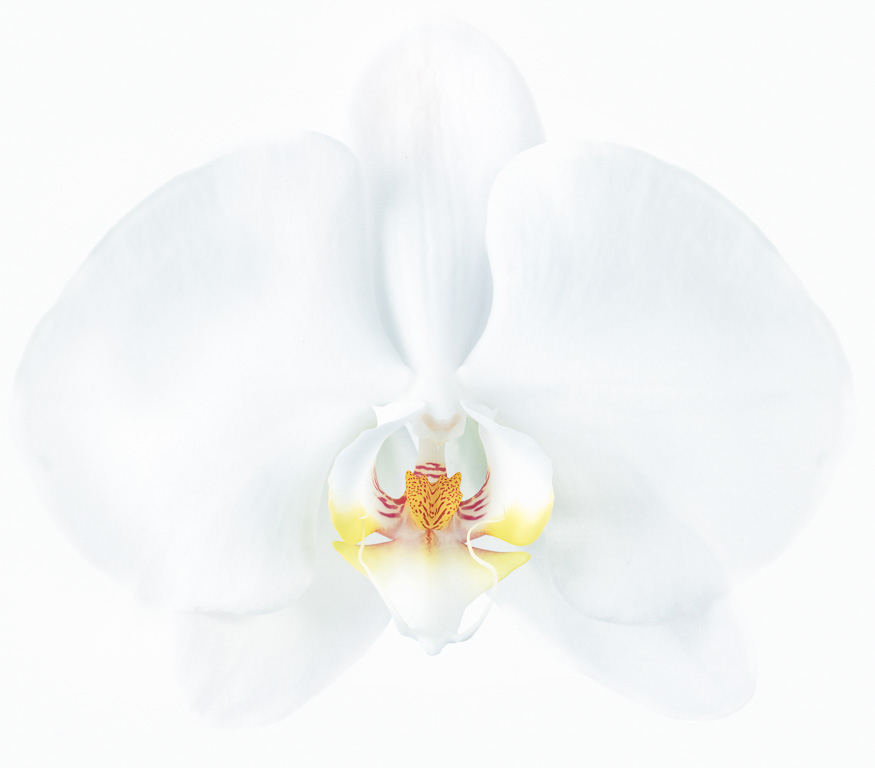
Orchids can be difficult to photograph, but you did an excellent job in capturing its subtle shades of white. The smooth gradation between the pure whites and grays is very appealing. Beautiful! |
Mar 1st |
4 comments - 5 replies for Group 45
|
| 65 |
Mar 26 |
Reply |
Thank you, Dick. I know what you mean about shooting white flowers against a white background. I wasn't sure it would work when I shot this image. In post-processing, when I increased the brightness of the background to set the white point, I had to darken portions of the white flowers to make them stand out from the background. |
Mar 10th |
| 65 |
Mar 26 |
Reply |
Thank you, Maria. I, too, was thinking the image might need a little bit more room on the left and on top. Thanks for your feedback. |
Mar 6th |
| 65 |
Mar 26 |
Comment |
I really like how you captured this spider plant. The lighting and composition are simple, well-balanced, and elegant. It resembles a fireworks display. And, nice cloning job, too! |
Mar 6th |
| 65 |
Mar 26 |
Comment |
I love this image featuring three tiny shoots with drops of rain on them. I especially like the single drop encasing the tips of two shoots. If I were to make any suggestions, it would be to blur out (1) the edge of the dark stone in the lower left and (2) the moss and stones in the bottom right corner as they pull my eye from the sharply focused subject in the center. Very nicely seen! |
Mar 6th |
| 65 |
Mar 26 |
Comment |
Welcome to our group, Marianne! This is a lovely image of a white rose. The center looks nice and sharp while the white petals have a soft glow about them. I also like the subdued colors in the hazy background. I might suggest cloning out the brown speck on the left side of the petals though. I see you use Luminar Neo, so that should be an easy fix. |
Mar 3rd |
| 65 |
Mar 26 |
Reply |
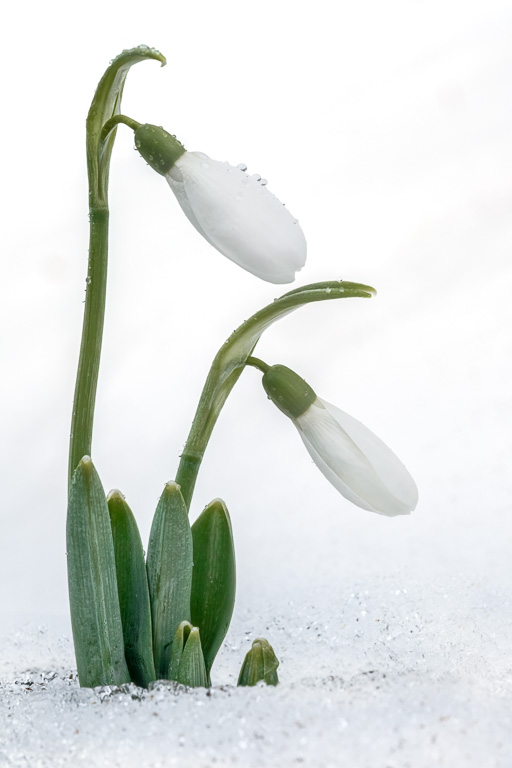
Thank you, Marianne. We've had so much snow this year in the Washington DC area. Usually it melts in a day or two, so I don't get much of a chance to shoot flowers growing in snow. But this year it stayed below freezing for 2 weeks. I was so happy to find these snowdrops in the snow! Actually, it was drizzling that day, and the small droplets you see on the flowers are rain drops, not ice. |
Mar 3rd |
| 65 |
Mar 26 |
Reply |
Yes, I do like your slight darkening of the white flowers as it makes the flowers stand out from the background a bit more without making the flowers too gray. |
Mar 3rd |
| 65 |
Mar 26 |
Comment |
You captured this amaryllis beautifully! I like the play between the highlights and shadows as it gives the flowers such depth. The dramatic drop-off of light emphasizes the open flower and stamen. If I were to make any changes, I might add a bit more black margin on the right side and maybe make the white border a bit narrower. |
Mar 1st |
| 65 |
Mar 26 |
Comment |
What a beautiful image! The white orchids jump out against the dark background and are in sharp focus. I especially like the triangular pattern of the flowers. If I were to edit this image at all, my preference would be to reduce the right black margin by about 1/2 to be about equal to the left margin. |
Mar 1st |
5 comments - 4 replies for Group 65
|
9 comments - 9 replies Total
|