|
| Group |
Round |
C/R |
Comment |
Date |
Image |
| 29 |
Apr 24 |
Comment |
Hey Gunter, I use LrC for much of my editing (depending if Remove tool is needed) and about 50/50 whether I do my swirls in Topaz Studio or Ps. I keep forcing myself to become more familiar with Ps. When comes to sharpening, noise reduction, using the LrC subject masks I prefer the LsC to Ps as I spend too much time in Ps trying to undo a shortcut. I NEVER use Bridge or Camera filter in Ps. My workflow is not consistent as I'm often trying to take a good or great image to an image with High Impact. I don't use Nik either. Nothing wrong with using different tools but my short term memory keeps progressing and very hard to follow a set path of instructions. Great to know what someone like yourself uses and I'm always looking for something else in my toolkit. Thanks |
Apr 22nd |
| 29 |
Apr 24 |
Comment |
Thanks Judy. Thanks for sharing. Too much to learn for me as I don't use my 14Pro for many photos and older iPad I don't use at all for photos. I also think that some of these programs are Windows/Android based. I Love your work but I'm thinking I'll stay with PS and LrC. My brain is just not up to learning that many programs. |
Apr 22nd |
| 29 |
Apr 24 |
Comment |
Thanks Tim, Appreciate I good words.
|
Apr 20th |
| 29 |
Apr 24 |
Comment |
Hate to jump onto the train, Ron, but count me in with not getting the benefits of the soft focus? A bland counter of colors? No way, lots of nice colors and interesting items and justified shooting wide. You saw the perfect image, just one of those cases where the edit was too tight. |
Apr 14th |
| 29 |
Apr 24 |
Reply |
Thanks Elaine. |
Apr 14th |
| 29 |
Apr 24 |
Comment |
A very nice image Gunter. Good practice to include those flowers in the foreground and then the red roof in the middle ground. I do question what happened in the black areas of the left hills? No haze there? |
Apr 14th |
| 29 |
Apr 24 |
Comment |
Very well done Karen. I like the colors and the composition. Good seeing this as a possibility before or during doing the mirror image. |
Apr 14th |
| 29 |
Apr 24 |
Comment |
Oh no, Judy hadn't been using her software on flowers before. Really Judy, This is just fantastic as an image. Can you share that software you are using on your iPad?
Thanks |
Apr 14th |
| 29 |
Apr 24 |
Comment |
Elaine, I agree with Ron that the gazebo is sharper than the area around it. Perhaps you had selected it and used the filter on the remainder?? I very much like the Impressionistic filter effects and use it often myself. The path leading into the flowers is just perfect. Great composition. |
Apr 14th |
| 29 |
Apr 24 |
Comment |
Another great PJ image Tim. Yes, just a fraction of a second would have pointed his finger at you. Great composition and exposure. |
Apr 14th |
| 29 |
Apr 24 |
Comment |
Thanks for your comments Gunter. I agree with you.. sort of... That's a Red Maple leaf not a flower and I do like it not swirled. Select and move it. I spent very little time on this image as we have just moved and time is scarce. Well done. |
Apr 8th |
10 comments - 1 reply for Group 29
|
| 80 |
Apr 24 |
Reply |
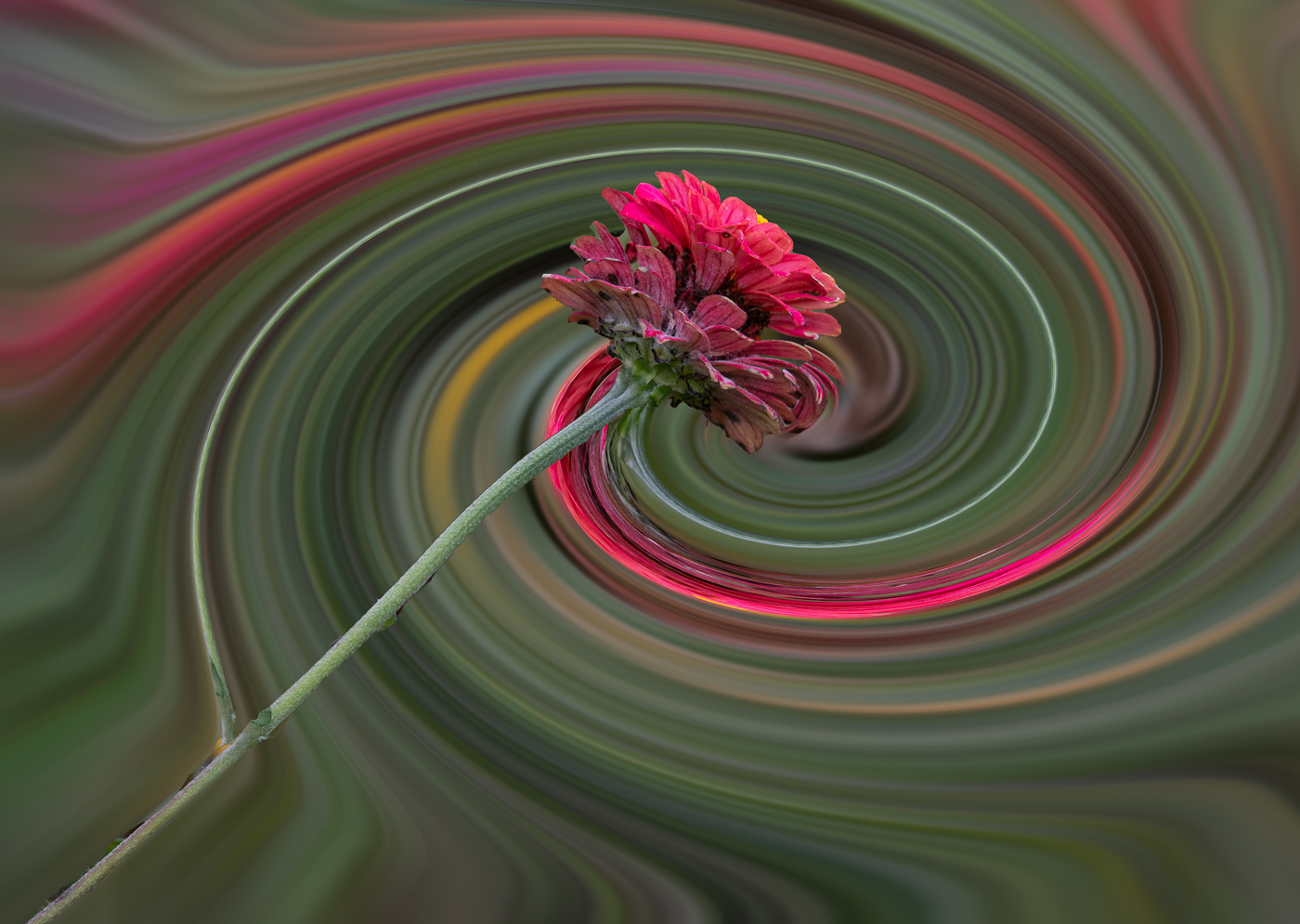
Thanks Doug for your suggestions. I agree with darkening the main flow a tad but set the 2nd Zinnia, really the same flower and do not know how to use the color but not the flower any more than I did. I didn't get the meaning of "chops" in your comment. Please start looking for your May image.
Bob |
Apr 28th |
| 80 |
Apr 24 |
Comment |
Absolutely. Here is the flipped version. In the flipped horizontal version my eye told me to crop from top and the right side. Appreciate your comments Nadia. SORRY, It is not allowing me to enter the flipped version |
Apr 16th |
 |
| 80 |
Apr 24 |
Reply |
No problem with reworks and suggestions in this group. I do think the reworks are more beneficial if the member is given the edits that you made. Most of us can maybe come up with 2 or 3 different ways to accomplish an edit but maybe can't come up with the other 10 or so that are possible and available in most Ps edits. I do like what you have done Marti. Understand, it won't qualify for PSA Nature. |
Apr 14th |
| 80 |
Apr 24 |
Comment |
Marti,Ingrid and Rich. Thank you for your comments and suggestions. As far as I know, this is my type of so there isn't a place for me or you to go. Trial and error is the name of the game. If I start off with a cropped square image I lose some of the colors that get pulled into the spiral. I tend to crop afterward. Concerning the 2nd flower and removing one of the Zinnias. They are the same flower and when I select it (easier as a subject sometimes) I select inverse. I didn't do it this evening, but I could not select the only in focus flower and Twirl it all but then it turns into more of an abstract. I'm not well educated in Ps so perhaps it could be done using a mask. This entire edit method started in Topaz Studio and then I keep trying to do more in PS because many folks do not use Topaz Studio. Note the new image I attached, it was accomplished by changing the Twirl from -199 to -599. Each flower kind and size can also change the Twirl. I also could change opacity for different effects. Your thoughts? |
Apr 14th |
| 80 |
Apr 24 |
Comment |
Rich, a very nice enhancement using the focus stack. I like the out of focus background and the contrast between the flower parts and background. The focus on the stamen brings the viewers eyes to the stamen. I might of cropped the image closer and cut off the brighter triangle in the lower right, but that is minor. Very well done Rich. |
Apr 12th |
| 80 |
Apr 24 |
Comment |
A Very beautiful image, Ingrid. No question what your composition is emphasizing. Stunning colors, composition and sharpness. Only 1 tiny thought at the bottom center of your image you cropped just a bit of a petal. Perhaps by moving a crop border it's there? Also, you might try Generative expand and be surprised with its ability to fill in that piece, if needed. Very well done. |
Apr 12th |
| 80 |
Apr 24 |
Comment |
Kamal, another great find in your country roaming. Just wonderful colors, exposure and reflection of the flower. Composition is dead center and maybe a crop in the lower portion of the image would eliminate the bright water spot on the edge and the out of focus leafs. You can also crop some off the top water and make more of a panorama. Keep up the improvements month after month. |
Apr 12th |
| 80 |
Apr 24 |
Comment |
Another very nice image Doug. Often unique and you edit to make them better. Beautiful colors and thanks for providing editing details. I can't find a thing to "nit" as no distracting areas or improvements I could offer. Very well done. |
Apr 12th |
| 80 |
Apr 24 |
Comment |
Hi Marti. I Love the beautiful colors and water Lily's/Lotus are stunning flowers. No suggestions on your exposure or composition. I might suggest you try Ps "Remove tool" as I think you'll not use the healing brush again. I've been amazed about the edits that can be done in a swipe or two. Might not we worth it to try to remove all the spots on the flower but good to know its capabilities. |
Apr 12th |
| 80 |
Apr 24 |
Comment |
Nadia, a STRIKING and beautiful image. My favorite color red. I don't do many texture backdrops but someday when I can find some time. The faint leaves in the background are very nice. I do have to bring a "nit" to your attention. The Ps remove tool could be used to remove dark spots on lower 1/4 on both right and left.
Do you have the latin name for this beauty. It should grow in NH climate.
|
Apr 8th |
8 comments - 2 replies for Group 80
|
18 comments - 3 replies Total
|









































































































































































