|
| Group |
Round |
C/R |
Comment |
Date |
Image |
| 3 |
Nov 22 |
Comment |
Well done. Michael. That's using the tools you had with you. Beautiful colors in the sky. |
Nov 13th |
| 3 |
Nov 22 |
Comment |
Well, which LuAnn am I commenting on? It's certaintly an abstract and it has color and texture and composition and a mystique about it without giving a hint what the original subject(s) were. The viewer doesn't have to know what it was, the artist determines what's import. The textures are compelling to me and the subject at the top of the frame looks like you went back to the junk yard (bumper) or used an image from the junk yard with some lights from Halloween and textures from frozen water. I'm glad you are expanding your subjects, sometimes I think we all just need to do that. Well done. |
Nov 13th |
2 comments - 0 replies for Group 3
|
| 29 |
Nov 22 |
Reply |
Yes sir, does make sense but I don't let those ideas creep in and change my creativity. I don't analyze. Create and move on. |
Nov 15th |
| 29 |
Nov 22 |
Reply |
Gunter, check out my latest version inspired by Judy's Green bus. Quick and easy edit requiring decision on how much Opacity and masking broken window. |
Nov 15th |
| 29 |
Nov 22 |
Comment |
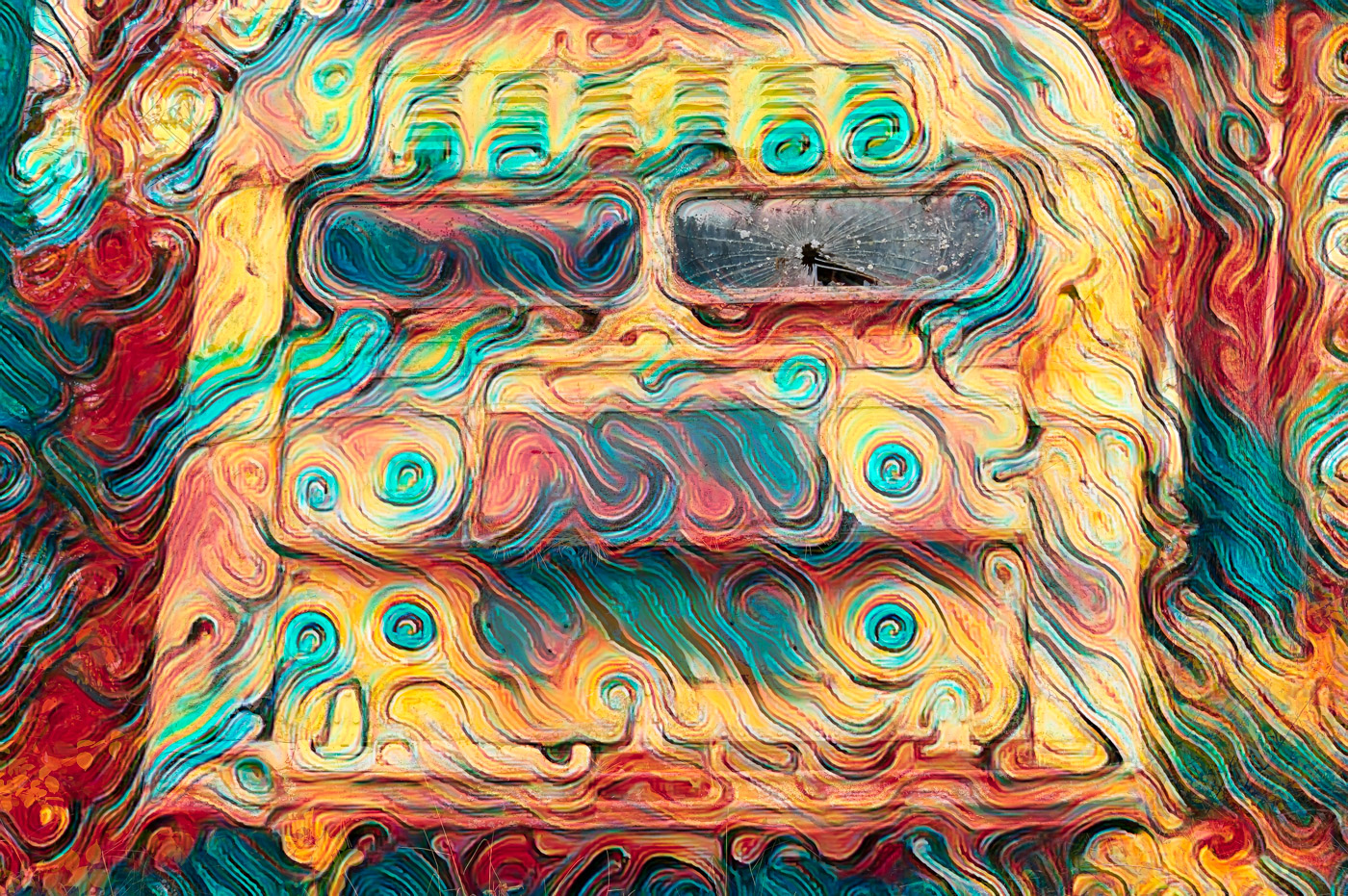
Judy, thanks for your edit. I am so upset that I made my version of a Hippy bus using the new Topaz AI Remix filter that replaced your restyle version. The filter uses Abstract Swirls. May the Flower be with you and save travels. |
Nov 14th |
 |
| 29 |
Nov 22 |
Comment |
Thanks Gunter. No experiment, I had a rust category in another camera club and I'm short on time so thought I'd see.... And yes not as interesting as my flower creatives. Yup, it is an unusual back of a bus, and that's reason to capture it. It might of rusted away by the time I get back to it.
Thanks for working on it. |
Nov 13th |
| 29 |
Nov 22 |
Comment |
Good observation Ron. The bottom of bus was about 3 feet higher than where I was standing and no other angle was worth shooting for, so the top of the bus was way up there and the gray sky above wasn't doing anything for me either. The original version had virtually no color. I had to enhance to make the dingy gray sorta appealing. Thanks Ron |
Nov 11th |
| 29 |
Nov 22 |
Reply |
Thanks Tim, I appreciate your comments. |
Nov 11th |
| 29 |
Nov 22 |
Comment |
Ron, you can sleep when you are home or off the photo venture. I've never been to Moab or Utah but think this a great memory. Great composition and haze helps. My 1 suggestion would be to use content aware brush in the new LrC or Ps and get rid of the flare in the center right. I'd rather have this photo than stayed in bed and I bet only select days of the year where this is possible. Be well.
|
Nov 7th |
| 29 |
Nov 22 |
Comment |
An Excellent idea and execution Gunter. I haven't tried something like this. Great location to have the trees at the edge of the field and backlight. The mowing tire marks help lead the eye to the trees. My nit would be why are a few of the trees back foliage? Forest fire? A beautiful sky just adds to the composition. |
Nov 7th |
| 29 |
Nov 22 |
Comment |
Great capture Karen. Butterfly is nice and sharp and super composition. My suggestion would be to select the inverse of the butterfly and darken the background. |
Nov 7th |
| 29 |
Nov 22 |
Comment |
Beautiful light that you captured Judy. Great composition with lines leading into the light. I don't know if Elements has the new Ps filters or not, but if you can pick subject or object or even the sky and dehaze the sky and try dehaze on the mountains. You could do a sky swap, but I don't think it would be necessary and a "wow" sky might detract from the sand dune subject. Looks like you had a great trip. |
Nov 7th |
| 29 |
Nov 22 |
Comment |
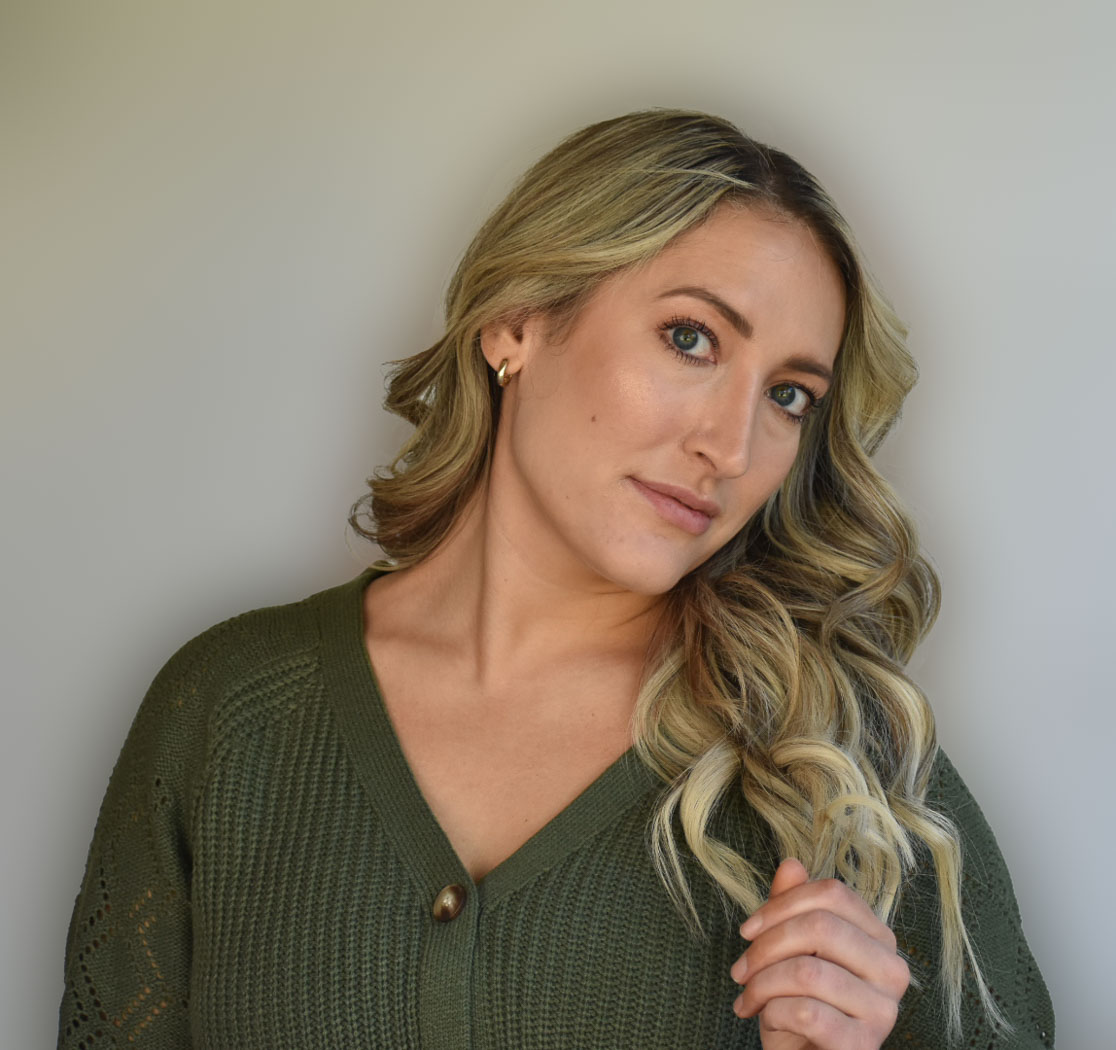
Madeline, your photography is really progressing. This is a beautiful image that is well light, sharp and well composed and you did a great crop. I do have 1 suggestion and pardon me for altering your image. I used Ps and selected subject (It did a great job on your model) and then select inverse, filter Gaussian blur set about 40-50 and you see that those sloping lines in the background disappear without causing any degradation of your friend's photo. That takes the image from a B+ to A+. |
Nov 7th |
 |
| 29 |
Nov 22 |
Comment |
Tim, yes you were and are a photojournalist as I have seen thru your photos. I never had a D1X but kept using my F5. Your caption above is a little vague as your year 200 is missing another digit.
A very good composition on the biker with no distractions behind. You picked out a near perfect spot. At least the fence is better background than other things. The biker and bike are very sharp and the angle of the bike is excellent. Probably could have shot it recently using a Z9 and not come out with any better image. Well maybe a few dozen as good but not better. Well done |
Nov 7th |
9 comments - 3 replies for Group 29
|
| 62 |
Nov 22 |
Comment |
Thanks Mark. Yes, it's Great to have fellow members come up with their own versions. |
Nov 19th |
| 62 |
Nov 22 |
Comment |
Way to go Pete!! |
Nov 14th |
| 62 |
Nov 22 |
Comment |
Thanks. I'm going to 3. |
Nov 13th |
| 62 |
Nov 22 |
Comment |
Thanks LuAnn for enhancing my image. I like the Cuddle Critter preset but generally don't take the time to do specific blending and do various opacity settings. I like the effect your edits did on the flower center.
It's going to be another 6 weeks before I have time to make some more abstracts. Lucky I had made more during the summer. Hate to cut you short, but I have a hundred plus emails to get to.
Take Care
Bob |
Nov 13th |
| 62 |
Nov 22 |
Comment |
Another super portrait, Pete. Beautiful eyes, expression and lighting tonality. Whether it was natural light or great editing, it is perfect. Well Done.
Bob |
Nov 12th |
| 62 |
Nov 22 |
Comment |
Emil, I really like your image and the clouds put the image in first place. I differ in the amount of cropping of the grass as Bunny's crop has the dark evergreen without a base. Maybe you would consider cropping so that you would have just a smidge of grass on the left side and the grass would expand as the viewers eyes moved to the right. Keep this location on file for another day with beautiful clouds. |
Nov 12th |
| 62 |
Nov 22 |
Comment |
Mark, this is a fantastic image with beautiful textures and composition. Sorry, I'm not the guy to suggest editing techniques. I do like your cropping along the top of the wall vs. Pete's adding a little more to the right side. You don't need more leading lines into the top of the image.
Excellent job
Bob |
Nov 12th |
| 62 |
Nov 22 |
Comment |
Yes LuAnn, I'm late to view and comment. Now that I'm here I see your beautiful high key minimalist. As a non print guy and vibrant tones or colors guy I'm finding myself with no suggestions. Excellent job and finding the subject. As I think, I do not remember a tulip with open side panel (missing petal) and all that detail inside. You purchased at a flower shop? Glad you are back doing subjects that you Love. Enjoy.
Bob |
Nov 12th |
| 62 |
Nov 22 |
Comment |
Thanks Israel. |
Nov 12th |
| 62 |
Nov 22 |
Reply |
Emil, nothing wrong with your edit, but it looks similar to my original in B&W, and that's why I tried the Ps Neural filters to get a different look. Haven't yet found anyone that uses them with success. Thanks Emil for giving it worthy edits. |
Nov 5th |
| 62 |
Nov 22 |
Reply |
Pete, I do find the closeup of the seeds to be interesting, but I don't feel it works as an image with compelling interest. I see the light paths but they don't take my eye to any area of interest. Thanks for giving it a try. |
Nov 5th |
| 62 |
Nov 22 |
Comment |
A nice crisp image Bunny with bright whites and shades of Black. |
Nov 2nd |
| 62 |
Nov 22 |
Comment |
Thanks Bunny. You play the image game very well. Yes, I remember seeing that area where the birds have taken out the seeds but I didn't know what to do with it. You highlighted it just perfectly. You've laid down the marker for others to follow. Maybe at the end of the of the month you will share what effect you used in Studio 2. Well Done. |
Nov 2nd |
11 comments - 2 replies for Group 62
|
| 80 |
Nov 22 |
Comment |
Syed, another great poppy image. The original has great texture in the flower and a very nice bokeh in the background, thanks to your 70-300 lens and shallow depth of field. For the most part, I like the added texture on the image. However, I do feel that the background should be darkened as the white color is too bright and it draws the viewers eye right out of the image. It might also be helpful in telling us what creative filter you used on the image. |
Nov 26th |
| 80 |
Nov 22 |
Comment |
Thank you Syed. Yes,My friend, my colors are generally loud and vivid and trend toward the abstract. |
Nov 26th |
| 80 |
Nov 22 |
Reply |
Thanks Jacob for your thoughts. Maybe closer to my image at the top of the page? |
Nov 13th |
| 80 |
Nov 22 |
Reply |
Thanks Doug, I appreciate your comments. Yes, I didn't pay any attention to the stem when I did the redo on the image. That's the beauty of a flower creative edit, the color and background are changed at the artists whims. |
Nov 13th |
| 80 |
Nov 22 |
Comment |
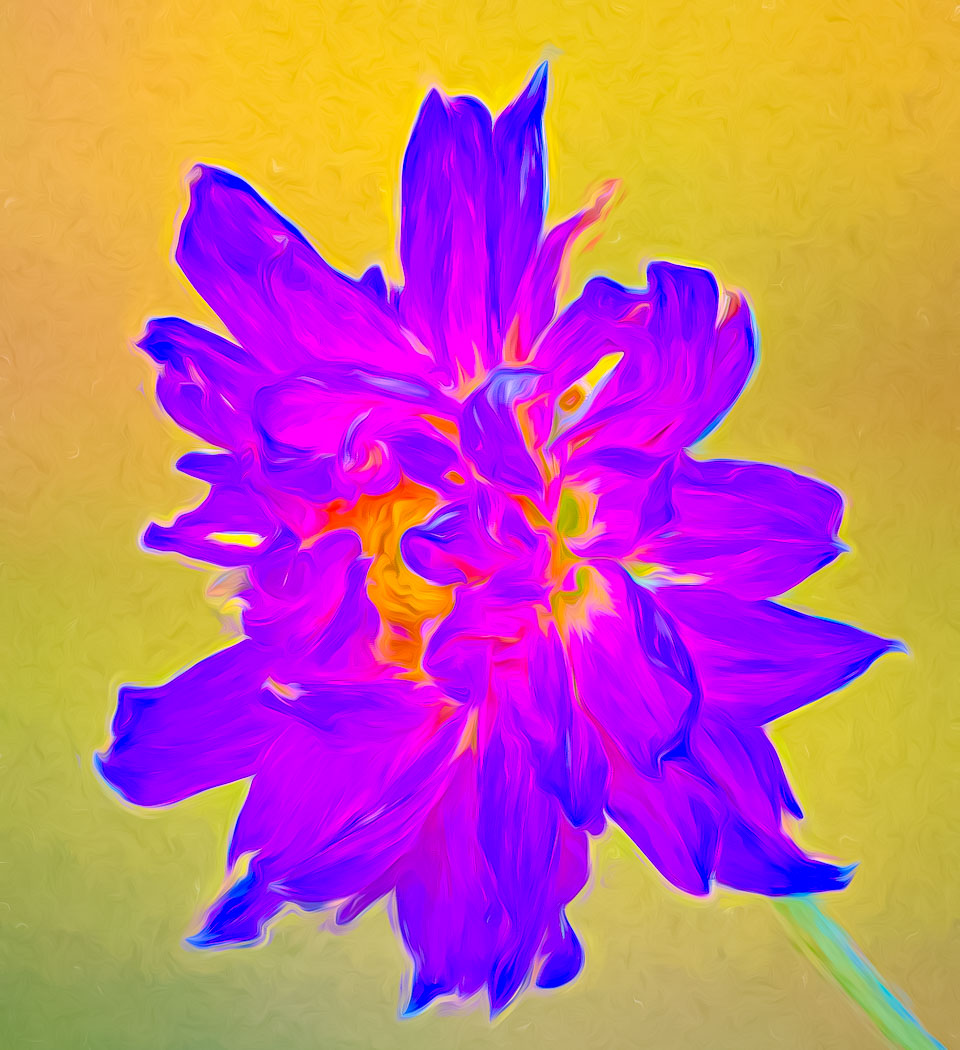
Well everyone, I aimed to please "myself" which is what the photographer is supposed to do so I took your suggestions to brighten the background. I used the LrC HSL sliders and then used some of my Develop user presets and this is what I came up with. My preset is for fireworks and it brings the temp down to 4650 on the flower. I believe it enhances the textures and the curves in the petals. I know it will be over the top for many of you... but the background is now separated from the flower. |
Nov 7th |
 |
| 80 |
Nov 22 |
Comment |
I agree, the bee is the subject so zoom in to make your intent clear. |
Nov 7th |
| 80 |
Nov 22 |
Comment |
Fantastic. We are working as a team! |
Nov 7th |
| 80 |
Nov 22 |
Comment |
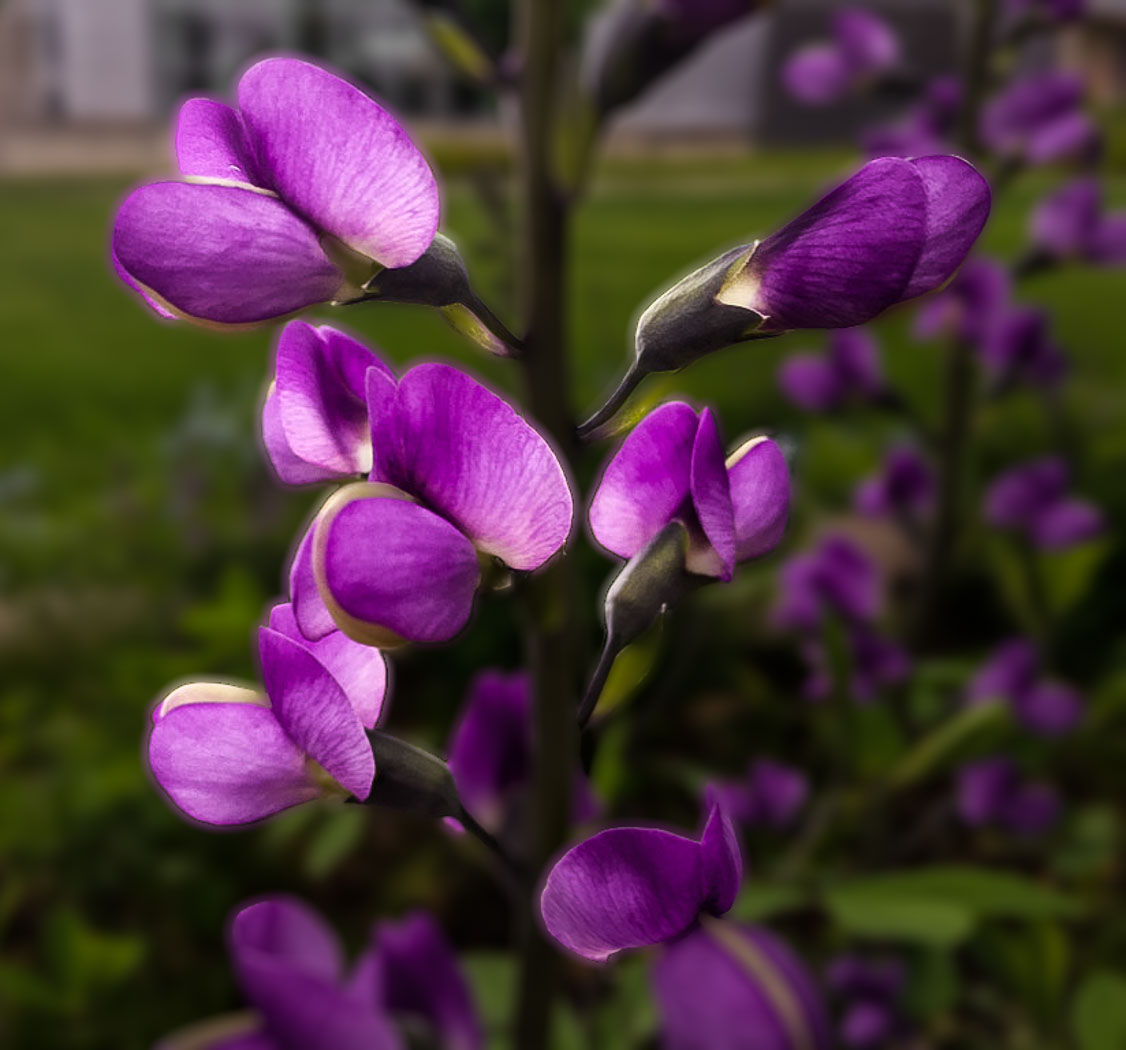
Attached is my 2 min. edit, used LrC and selected subject, sharpened, reduced highlights, inverted Reduced exposure of background and moved sharpen slider all the way to the left and cropped to eliminate the bright area top left. Not sure if it is improved or not? |
Nov 6th |
 |
| 80 |
Nov 22 |
Comment |
Doug, I like the composition, textures, details and colors of your image. I think you took this on a light pad to get the translucent petals and used a flash or other light source to light the greens of the flower base and stem. I probably would have darkened the highlights of in that area and whites above as that distracts my eyes away from the pink and reds. Well done. |
Nov 5th |
| 80 |
Nov 22 |
Comment |
Nadia, I like your image and the treatment of the water drops. I do very little texture blending and will defer to you. I do like Kathryn's darkening the lower left corner. as it does give more depth to the image. |
Nov 5th |
| 80 |
Nov 22 |
Comment |
Well Rich, this is a splendid image to start with. I like the balance and composition of this image. I think your vivid colors are fantastic. Interesting that you have been using Luminar. I used it for versions 1-4 then, after Apple Aperture was gone and got fed up that Luminar didn't want to support their data base part of the program after I complained about constant problems, lost edits and images. Is this done using Neo? I still have Luminar 4, but trying not to use it and learn Ps. I've only been using LrC and Ps in the last 3 years. I'm in process of moving in mid Dec so I won't have time to try some of your editing methods. Do I assume you are a Mac user? I don't have any suggestions to enhance your image. |
Nov 3rd |
| 80 |
Nov 22 |
Comment |
Thanks Rich for your comments. Yes, The Liquid Lines filter in Topaz is created from the Impressionistic brushes and settings. I understand that not everyone, actually probably only 50%, are accepting of vivid colorful images. I'm old school in that my digital camera and mindset is setup for Fuji Velvia. Glad you joined our group. |
Nov 3rd |
10 comments - 2 replies for Group 80
|
32 comments - 7 replies Total
|









































































































































































