|
| Group |
Round |
C/R |
Comment |
Date |
Image |
| 62 |
Oct 21 |
Reply |
Steve, I can only partially agree with you about the post processing. I still think of my Nikon D as having Fuji Velvia film in it and I envision my images that way and process many that way, yet there are those that call them over processed. And many of them probably never saw Velvia images. I'm not putting you in that category. You are seasoned. And since we agree on the "you're" we have no disagreement. I always appreciate when you stop by and comment. |
Oct 27th |
| 62 |
Oct 21 |
Reply |
Thank you LuAnn. I was so frustrated with getting a new sky to work that I didn't refine the wall. Clouds were showing in the wall. I increased the contrast (darker sky) to reduce the barn halo but that caused that lower cloud to be too brite. So I must not be a cloud replacement expert. But I know that the original sky was not doing anything. Thanks for your comments. |
Oct 25th |
| 62 |
Oct 21 |
Reply |
Bunny. Everyplace I have used one, white vignette gets negative comments. I used it primarily on flower photography. Actually the latest rage on vignette (light or dark) is "If the viewer easily sees it, then it is too strong. |
Oct 24th |
| 62 |
Oct 21 |
Reply |
I like your pen and ink rendition, LuAnn. |
Oct 24th |
| 62 |
Oct 21 |
Comment |
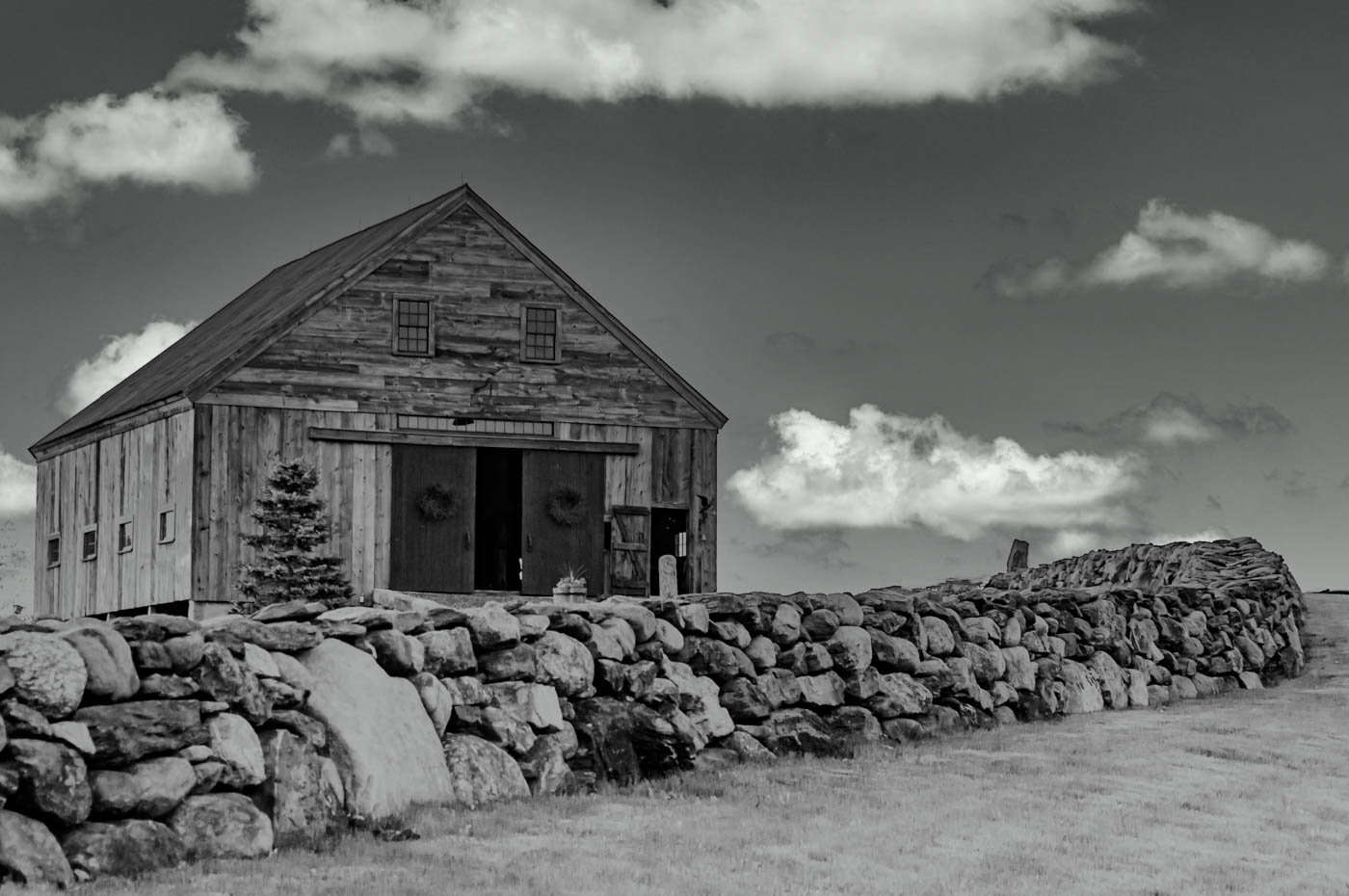
Hi everyone. Thanks for your comments and suggestions. Sorry for the delay, I have been on vacation and difficult to catch up. Changing the sky on some images is super simple and on some others very time consuming. Need to take light direction into effect and Ps makes it difficult, for me at least. While this sky is not as dynamic, it does fix the dark area and halo around the roof. The truth be known that I found that Luminar4 was easier to make this work and Ps just not making it possible. (At least for my limited Ps skills. What do you think? |
Oct 24th |
 |
| 62 |
Oct 21 |
Reply |
Thank you Bev. I have to work on the sky and barn roof merge. |
Oct 9th |
| 62 |
Oct 21 |
Reply |
Thanks Pete. Yes, I noticed that at last second but figured I'd just leave it. When I get back from my trip, I'll have to experiment and move the sky around to see if that cures it. The Ps sky replacement tool does not move the sky around much at all compared to the Luminar tool, but it does more automatically. Maybe Adobe will update it in a week or two. |
Oct 9th |
| 62 |
Oct 21 |
Comment |
Yes, 3 cheers for Pete aka Oliver and everyone that contributes. |
Oct 7th |
| 62 |
Oct 21 |
Reply |
I didn't find a way to do them in bulk but you scroll down the list of skies and there is a folder with a plus on it. I then followed to my drive where I keep all my skies in a folder. I find the one I want and hit select and it shows up in PS. The back story is that I have all my skies in that folder and they are in LR. I need to use the grid view and find the file number and then go look for that in the skies folder on my external drive where I keep all my originals. You might not have to go thru all of those steps. I do because of my extremely short memory and because I have over 500 skies. I have recently moved the skies into folders on LR and organized by types ie: Blue skies w/white clouds, Colored clouds, B&W,Storm/Gray and Special skies. Maybe I missed the shortcuts or more efficient method, but if PS doesn't have a better solution by the time of the next release 10/26 I'll be calling to find out what gives. Seems like picking sky in LR along with photo its going into and sending to PS as layers would work. I'm just thinking about this and have not tried this. I refuse to use any of their standard skies. The directions previously stated skies needed to be in .png format, but I found out my mistake that my Raw files now work. Good luck. |
Oct 4th |
| 62 |
Oct 21 |
Comment |
Israel, there you go again. Being the news photographer. Very nice composition and Nice leading line of the river leading to the power plant? Great tonal range from the dark foreground to the white smoke. Wind direction helped with leading lines. I can't think of any suggestions. You got it!
Bob |
Oct 4th |
| 62 |
Oct 21 |
Reply |
Hi LuAnn. Yes, that does it. The software today allows for those easy fixes that we simply missed. |
Oct 4th |
| 62 |
Oct 21 |
Comment |
Nice Find Bunny. I agree the horizontal lines make this a great image. Also, the camo on the boat,motor and ice box means that this likes to hide in the weeds and the motor on the back can let him move quickly. I think I might of cropped off more of the water at top that was lacking the full texture that the bottom 2/3 has. I wish his pole was more visible but we can pretty well figure out what he is doing. |
Oct 2nd |
| 62 |
Oct 21 |
Comment |
Emil, I like your clouds and the job they are doing to fill the upper â…” of the frame. I agree with your idea of making the clouds the subject. However, without the Title, I'm left with my eye wandering the image looking for the subject or supporting subjects. The Light areas on the far shore just cause more questions as I'm unable to find support for the scene. Since there is stiff wind, and/or current, the water is not helping any with reflections. The tones in the water and shore trees are pretty similar. What were the odds of waiting a reasonable time and catching a decent size boat/barge coming by? That would be a supporting subject and the clouds would be fantastic vs a featureless sky. |
Oct 2nd |
| 62 |
Oct 21 |
Comment |
LuAnn, I also like the light on the women and that light brings my eye into the image. I also like the texture and lighting of the trees at the back of the image. Note I didn't use across the river, because, I don't see the river and there's not a problem with that description unless you are publishing. I think that I would suggest toning down the bush on the right as that is brighter than the platform. I don't know if you can put some light on the river so that it can be seen, Or Since you were using the 28mm you would need to go much closer to get by the bush and maybe even held the camera above your head to include the river and separate the front railing from the far shore. If it had an articulating LCD you could compose the shot with the camera held high. Since you were using such a high ISO and shutter speed you camera was ready to get the shot. |
Oct 2nd |
| 62 |
Oct 21 |
Comment |
Pete, this is a wonderful capture and edit. Considering the frog can hardly be seen in the original image you and your friends did extremely well to just find it. I have no suggestions to improve your image with the exception of suggesting a crop to the right side but stopping before getting to the leaf "Ridge". That would make the image more of a vertical and I believe making a stronger composition. |
Oct 2nd |
7 comments - 8 replies for Group 62
|
7 comments - 8 replies Total
|









































































































































































