|
| Group |
Round |
C/R |
Comment |
Date |
Image |
| 1 |
Jun 21 |
Comment |
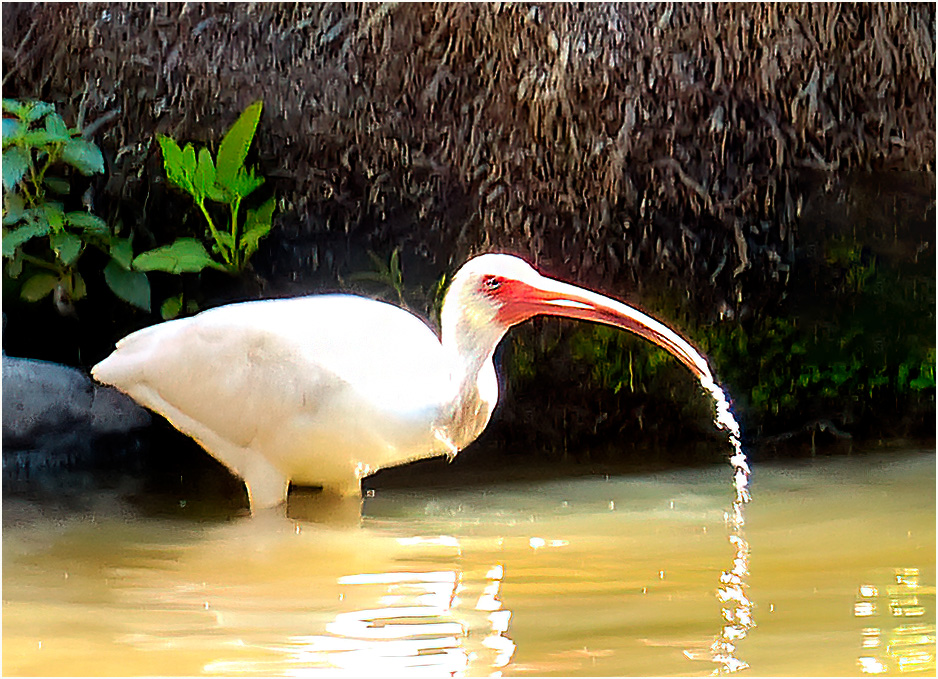
As you stated, the Tern just came out of the water, so the droplets are fine with me. My only suggestion ,is to work on his eye, so that it would stand out a little more. |
Jun 9th |
| 1 |
Jun 21 |
Comment |
Nice looking image, colorful ,sharp in front and out of focus in the rear. I feel you have two or more in the image. I would suggest you crop the image and focus on the flowers on the bottom left side. |
Jun 9th |
 |
| 1 |
Jun 21 |
Comment |
A very interesting image. The faces are nice and sharp. My only suggestion is to darken or remove the whit spot on the trunk of the tree. |
Jun 9th |
| 1 |
Jun 21 |
Comment |
Very sharp image, you can almost see the fuzz on the peach. Bev's comment about wanting to steal cherry, I haven't seen any in our house as yet. |
Jun 9th |
4 comments - 0 replies for Group 1
|
| 5 |
Jun 21 |
Comment |
A very sharp image, the eyes sparkle , which bring you to the birds face. I agree with Candia, that the cut off branch is way to bright. When you look at your image your eye goes to the bird and shifts over to the branch. If you darken the branch , you eye would stay on the bird. |
Jun 9th |
1 comment - 0 replies for Group 5
|
| 9 |
Jun 21 |
Comment |
Nice image, those stand out and make the picture It's a sharp picture and it looks like Harry was about to take off. |
Jun 9th |
| 9 |
Jun 21 |
Comment |
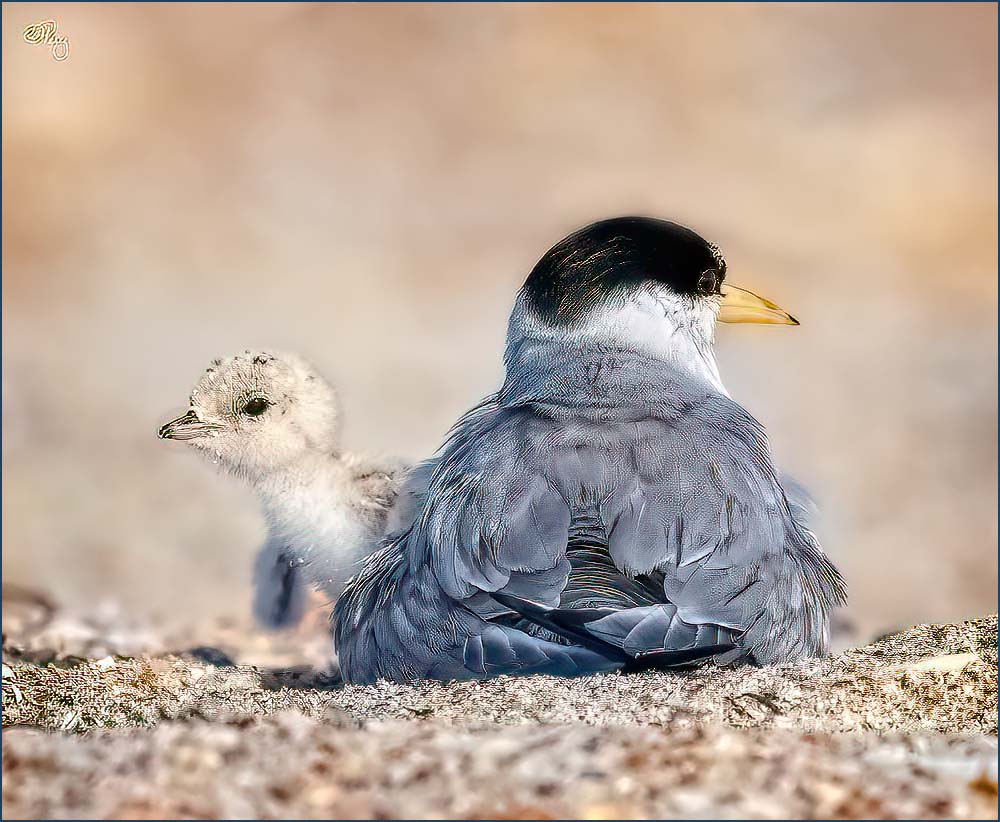
A nice image, but I feel it could sharpened. I used Topaz DeNoise Ai and Topaz Sharpen Ai and this is what I came up with You did a nice job in capturing this image. |
Jun 9th |
 |
2 comments - 0 replies for Group 9
|
| 10 |
Jun 21 |
Comment |
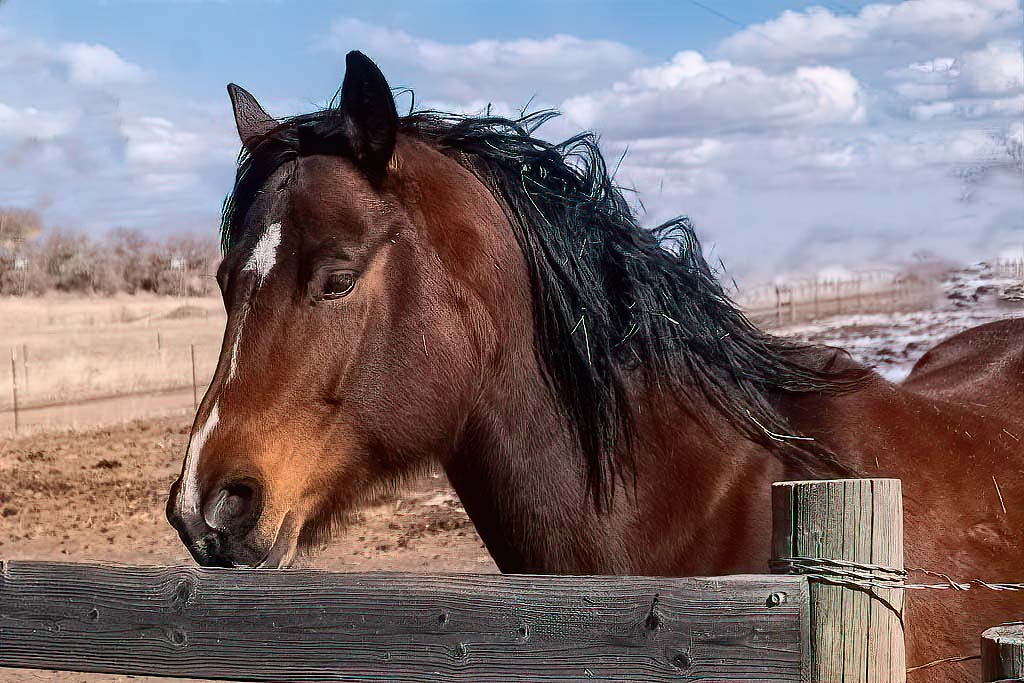
A very nice image. My suggestion would be to remove the houses in the background as well as the branches IN front of his head. I just removed them quickly and now your eyes are on the horse. |
Jun 9th |
 |
1 comment - 0 replies for Group 10
|
| 15 |
Jun 21 |
Comment |
It is a very nice image. My only suggestion is to crop some off the bottom.( to much dead space) I cropped some off the bottom, which brings the trees closer in. |
Jun 9th |
 |
1 comment - 0 replies for Group 15
|
| 24 |
Jun 21 |
Reply |
your welcome |
Jun 15th |
| 24 |
Jun 21 |
Comment |
An excellent image. It is sharp as a tack. My only suggestion would be to town down the smoke ring at the bow of the ship. Your eye goes directly to that ring of smoke. |
Jun 15th |
1 comment - 1 reply for Group 24
|
| 28 |
Jun 21 |
Comment |
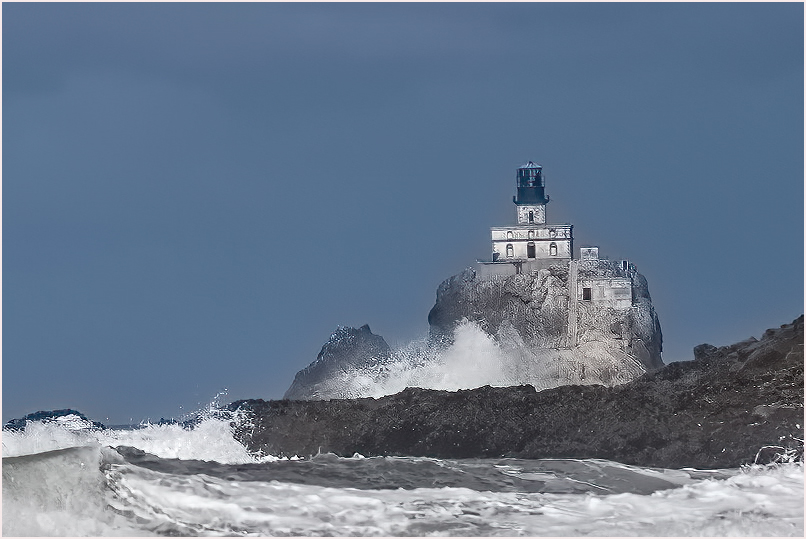
A nice image, with the Lighthouse and the braking waves. I feel the image should be sharpened and cropped a little. What I did was to bring in you image to Topaz DeNoise Ai then Topaz Shrrpen Ai. At that point I cropped some off the bottom and some off the left side and this is what I got. i also added a small white frame(3pix) around the picture, which draws you eye into the Lighthouse |
Jun 15th |
 |
| 28 |
Jun 21 |
Comment |
A very nice picture, I like the detail and sharpness on the top of the rock. My only suggestion would be tone down the little white spot on the right side against the rock. |
Jun 15th |
2 comments - 0 replies for Group 28
|
| 37 |
Jun 21 |
Comment |
Howard, a very nice image, the colors look great. The only thing, I find distracting are the green leaves around the flower and the right bottom. I took your image and darkened the leaves. You can see them, but your, eyes go to the flower. I also added a small frame (3pix) which brings you eye to the flower. Good job |
Jun 15th |
 |
| 37 |
Jun 21 |
Comment |
I like your image of the Iris, but feel other storks of the plant, gets my eye away of the main subject. I took your image and darken the other Iris stork. I then cropped some off the right side and this what I got. I feel that the Iris stands out more. Great picture, sharp and the color stands out. Nice job
|
Jun 15th |
 |
2 comments - 0 replies for Group 37
|
| 40 |
Jun 21 |
Comment |
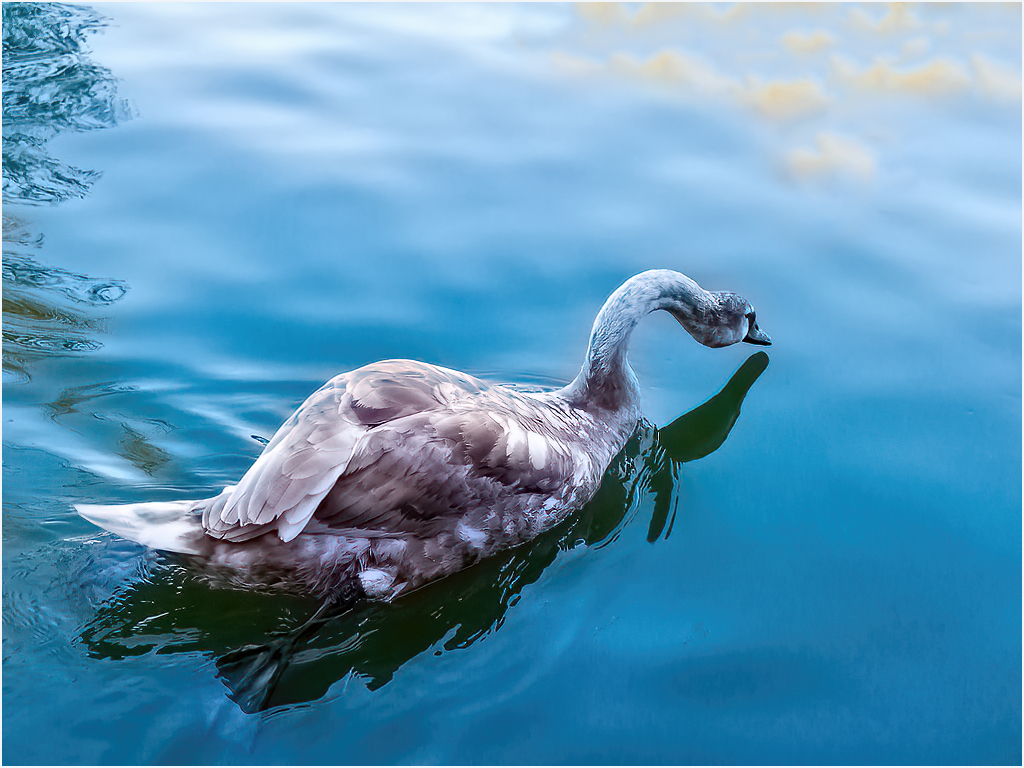
Hi Andrew! I like you image, but find when I look at the image, my eye goes to the swan and the gold reflection at the top right. I ran your image through Topaz Studio 2, the Topaz DeNoise Ai and Topaz Sharpen Ai. I then removed most of the gold at the right top. Now my eyes go to the Swan, What do you think? |
Jun 16th |
 |
| 40 |
Jun 21 |
Comment |
I also liked the crop you made. about the sharpness, I agree it needs a little help. I took your image and put it through Topaz Sharpen Ai. I found with the black background you used, you couldn't tell where the picture ended. I added a 3px frame around the image and this is what I came up with. You did a good job. |
Jun 16th |
 |
2 comments - 0 replies for Group 40
|
| 42 |
Jun 21 |
Comment |
A nice image. The duck is sharp and her eye, has the little sparkle in it. I see a few white spots in the water, which should be removed. Good image. |
Jun 9th |
| 42 |
Jun 21 |
Reply |
The negative was cleaned, before putting it through thru the Wolverine converter. Being a 20 + year negative, there may have been spots on the negative (not dust) I did not notice. Thanks for bringing it to my attention, because I didn't spot it. |
Jun 9th |
| 42 |
Jun 21 |
Reply |
Thanks for your comments |
Jun 9th |
| 42 |
Jun 21 |
Comment |
I like it, nice and sharp. Regarding the texture, I would like to see it cute back one the top. The texture on the bottom seems fine. The red stands out, and brings your eye into the pollen area. Good job. |
Jun 9th |
| 42 |
Jun 21 |
Comment |
|
Jun 9th |
| 42 |
Jun 21 |
Comment |
It's a nice pile of ropes. I agree with Robert, I also would like to see a little more contrast, which would make the ropes stand out a little more. |
Jun 9th |
| 42 |
Jun 21 |
Comment |
It's a nice pile of ropes. I agree with Robert, I also would like to see a little more contrast, which would make the ropes stand out a little more. |
Jun 9th |
| 42 |
Jun 21 |
Comment |
This also brings back memories to me. In fact I was looking through my files (which I haven't found yet) for a picture showing what it looks like after he finish. A PILE OF WOOD CHIPS on the floor. Then the shoes are colored. |
Jun 9th |
| 42 |
Jun 21 |
Comment |
This also brings back memories to me. In fact I was looking through my files (which I haven't found yet) for a picture showing what it looks like after he finish. A PILE OF WOOD CHIPS on the floor. Then the shoes are colored. |
Jun 9th |
7 comments - 2 replies for Group 42
|
| 45 |
Jun 21 |
Comment |
I like the image and the time of day it was taken. I felt the image could be a little brighter. I first put your image through Topaz DeNoise Ai, than Topaz Sharpen Ai. I then increased the brightness a little and put a small frame around the picture(3pix) This brings you eye into the image. |
Jun 16th |
 |
1 comment - 0 replies for Group 45
|
| 49 |
Jun 21 |
Comment |
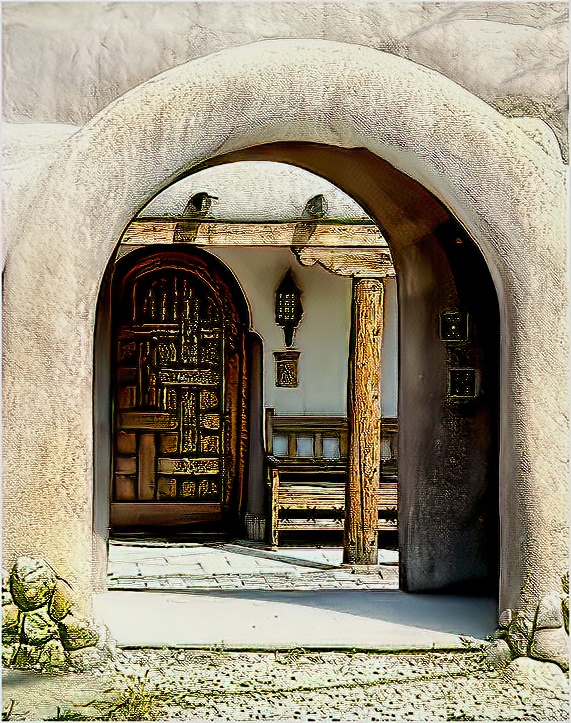
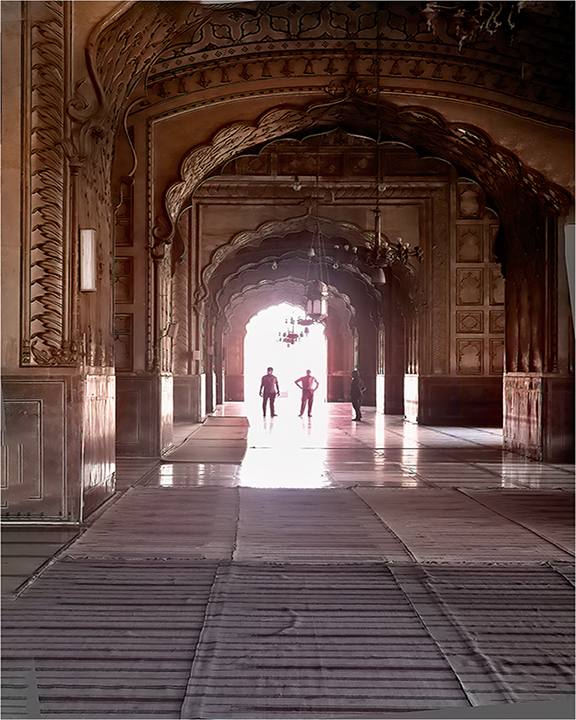
Hi JoAnne! It looks like a very interesting building. First thing I did was to straighten up the image in Photoshop. I then put the Image through Topaz Studio 2. I worked on it by putting it through Topaz DeNoise Ai and Topaz Sharpen Ai. I then adjusted the Brightness and Contrast. I darkened the bright entrance a little and this is what I came up with. |
Jun 16th |
 |
| 49 |
Jun 21 |
Comment |
A very nice image, I also feel the image needs cropping. I put the image through Topaz Studio 2, then used Topaz DeNoise Ai and Topaz Sharped Ai. I then did a tight crop on the bear and adjusted Brightness and Contrast, this is what came up with. |
Jun 16th |
 |
2 comments - 0 replies for Group 49
|
| 52 |
Jun 21 |
Comment |
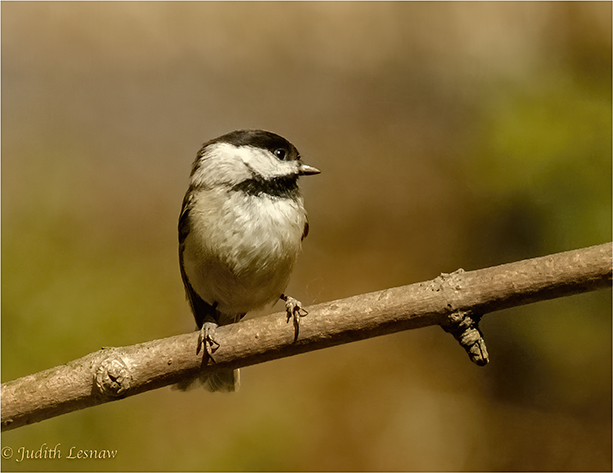
You have a nice image of the Chickadee. I like the out of focus background. I agree regarding the sharpness and cropping .I took your image and ran it through Topaz studio 2, then it went through Topaz DeNoise Ai and Topaz Sharpen Ai. As I felt that you had a lot of dead space on the right side, I cropped it out. This brought the bird closer and you now can see the sparkle in the birds eye. I also added a small white frame (3pix) around the image, which also brings you eye directly to the Chickadee. |
Jun 17th |
 |
| 52 |
Jun 21 |
Comment |
A very nice image of the Bluejay landing landing in the bird bath. The only I would suggest is to Blur out or darken the background. I also would try to lighten the eye a little. But a very nice image. Good Job. |
Jun 16th |
2 comments - 0 replies for Group 52
|
| 53 |
Jun 21 |
Comment |
A nice image with the storm clouds rolling in.I put your image through Topaz DeNoise and Sharpen.
I then adjusted the Brightness and Contrast and added a little more saturation. This is what I came up with. |
Jun 16th |
 |
1 comment - 0 replies for Group 53
|
| 57 |
Jun 21 |
Comment |
A nice image of the white butterfly. I would agree with some of the comments above. I would suggest that you leave a little more space ,above the butterfly's wing, as well as darken or blur out the leaves around it. I also would remove or darken the area at the top right corner. The white frame around the image is just to big. You eye goes to the butterfly and the white frame. I would use a white frame no larger than 3piv. |
Jun 17th |
 |
| 57 |
Jun 21 |
Comment |
Very nice image. I agree that some cropping would help. I played with you image and this is what I came up with. |
Jun 17th |
 |
2 comments - 0 replies for Group 57
|
| 88 |
Jun 21 |
Comment |
A very nice image of a town and the Rivers coming together. I feel that a little sharpness would help. I first put the image through Topaz Studio 2. then worked using Topaz DeNoise Ai and Topaz Sharpen Ai .I then worked on Contrast and Brightness in Studio 2 using one of there setting to get the pop into the image. This is what I got |
Jun 17th |
 |
| 88 |
Jun 21 |
Comment |
A very nice image and sharp. I feel you have to much sky, it dominates about 85% of your image. I ran your image through Topaz Studio 2. put it through DeNoise Ai and Sharpen Ai, then worked on it in Studio 2 using Brightness/Contrast. I cropped some of the top and added a small (3pix) boarder around the image as this is what I got. But I like your image . |
Jun 17th |
 |
| 88 |
Jun 21 |
Comment |
A very nice night shot. I put the image through Topaz Studio 2, then used Topaz DeNoise Ai and Sharpen Ai. The image now shoes a little more detail. Also if you added a small white frame (3pix) around the image, it would draw your eyea into the picture. Just my opinion . |
Jun 17th |
 |
3 comments - 0 replies for Group 88
|
| 89 |
Jun 21 |
Comment |
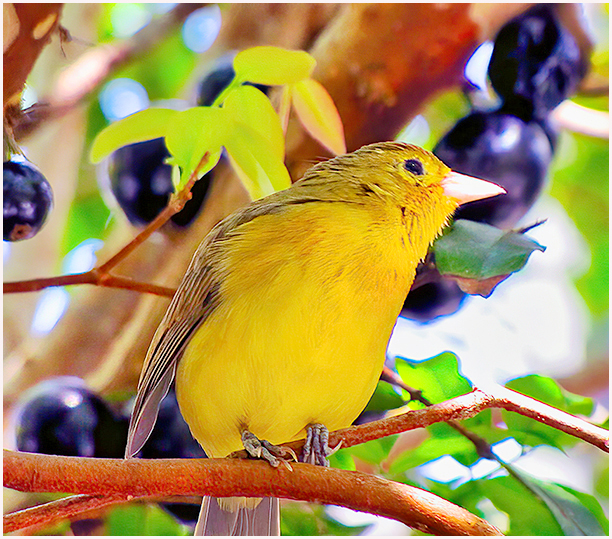
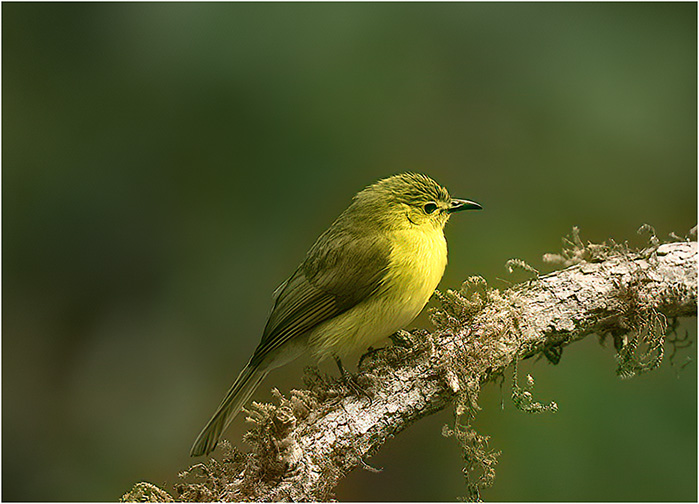
A very nice image of this colorful bird. I flipped your image your image horizontally ,then ran it through Topaz DeNoise and Sharpen. I cropped the image on the top and right side, and lightened the eye ,so that stands out a little more. |
Jun 17th |
 |
1 comment - 0 replies for Group 89
|
35 comments - 3 replies Total
|